Category: YouTube Monetization

Everything you need to turn your YouTube channel into a revenue stream.
From landing your first brand sponsorship to maximizing AdSense earnings,
our YouTube Monetization guides are built for creators at every stage
whether you have 500 subscribers or 500,000.

  • YouTube Shorts vs Long Videos Which Earns More in 2026?

    YouTube Shorts vs Long Videos Which Earns More in 2026?

    A creator posts a Short that reaches one million views in 48 hours. She earns $40.

    Her friend posts a finance tutorial that reaches 40,000 views over two weeks. He earns $600.

    Same platform. Same week. One video got 25 times more views. The other earned 15 times more money.

    This is not an edge case. This is how YouTube’s revenue architecture actually works in 2026 and most creators don’t fully understand it until they’ve spent months posting Shorts and wondering why their earnings don’t move.

    I’ve spent over a decade studying creator economics, and the Shorts vs long-form question is the one I get asked more than any other. This article gives you the real numbers verified data from across hundreds of channels and the honest strategic answer of YouTube Shorts vs Long Videos Which Earns More ? most guides are too careful to give you.

    The Direct Answer — No Hedging

    Long-form videos earn more money per view than YouTube Shorts in 2026. By a significant margin. The gap is structural, not temporary, and it is unlikely to close meaningfully in the next 12–18 months.

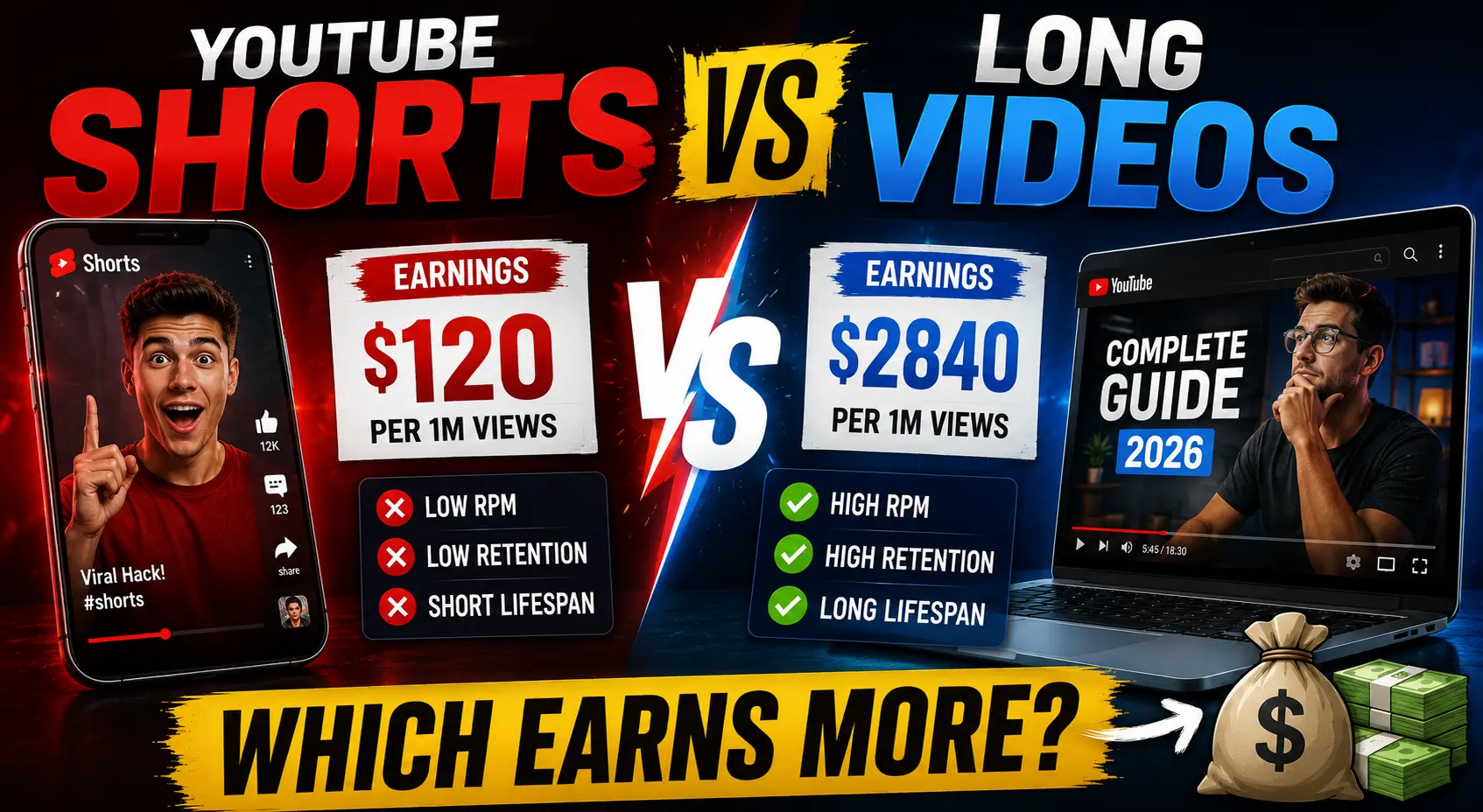
    YouTube Shorts generate RPM between $0.03 and $0.08 per 1,000 views in 2026. Long-form videos in the same niches generate RPM between $1 and $10 a gap of roughly 20 to 30 times.

    The median Shorts RPM across all niches is $0.05, while the median long-form RPM is $2.50.

    Put another way: a long-form video with 100,000 views earns the same as a Short with 10,000,000 views. This 100:1 ratio is not an exaggeration it reflects the structural differences in how each format is monetized.
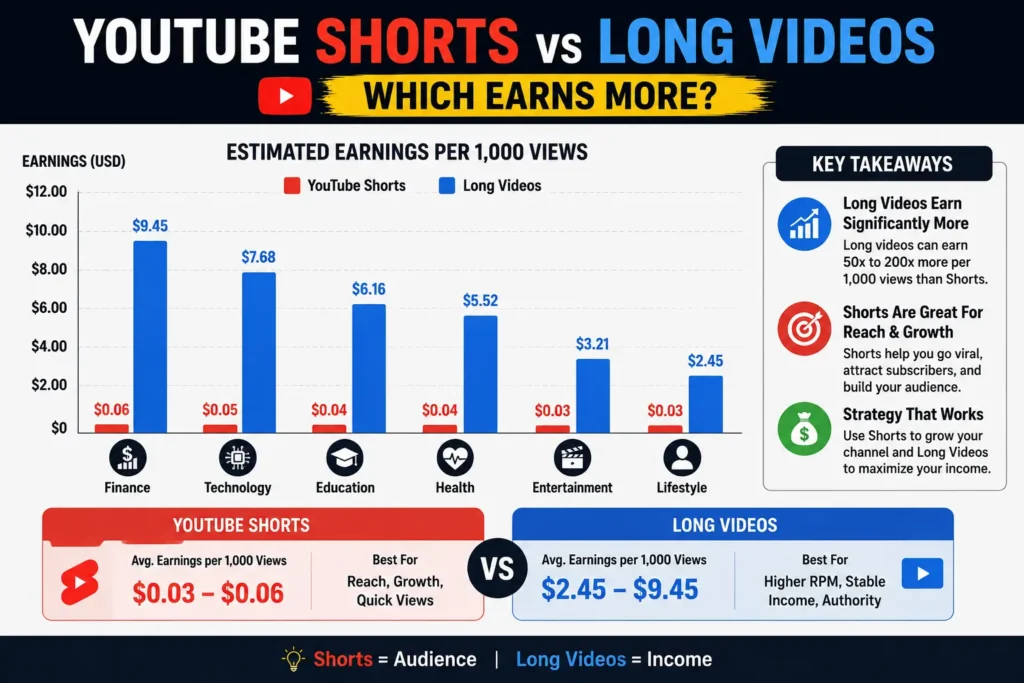
    youtube shorts vs long videos estimated earnings comparison graph

    If you are making content decisions purely based on ad revenue potential, the answer is long-form, every time. That is the honest answer. But revenue per view is only one part of the picture, and the creators who are actually earning the most in 2026 understand the other parts. Let’s go through all of it.

    Why Shorts Pay So Little: The Structural Explanation

    The RPM gap between Shorts and long-form is not arbitrary. It is the result of four structural differences in how YouTube monetizes each format and understanding them tells you whether those differences are likely to change.

    Reason 1: Different ad mechanics

    Long-form videos can be monetized in the watch-page environment. Eligible long-form videos may include ads around the video experience, and videos longer than 8 minutes can be set up for mid-roll ad opportunities where available.

    Shorts work completely differently. Unlike long-form videos, they don’t have ads plastered right in the middle of your video. Instead, the cash comes from a shared pool.

    When you post a long-form video, advertisers bid to place ads specifically on your content before it starts, during it, and after it ends. The more relevant your audience is to what the advertiser sells, the higher they bid. Your video’s topic, your audience’s demographics, their location all of it influences the specific price.

    When you post a Short, ads don’t run on your individual video at all. They run between videos in the Shorts feed. That revenue gets pooled, and your share is simply your proportion of total Shorts views across all creators worldwide. Your topic barely matters. Your audience location matters less. You’re sharing a pool with millions of other creators.

    Reason 2: Creator share is reversed

    On long-form, creators receive 55% of ad revenue. On Shorts, creators receive 45%, and YouTube retains 55%, partly to cover music licensing costs.

    This is the exact opposite of the long-form split. Even before accounting for the RPM gap, Shorts creators are starting at a 10-percentage-point structural disadvantage per dollar of pool revenue allocated to them.

    Reason 3: Viewer intent is different

    People often consume Shorts by scrolling. A viewer watching a long-form video may be solving a problem, comparing options, learning a process, or spending several minutes with one creator’s explanation.

    Advertisers pay premium prices to reach viewers who are actively researching something a product, a service, a decision. Long-form viewers signal that intent through their behaviour. Shorts viewers signal browsing and entertainment. That difference in intent directly affects how much advertisers will pay to reach each audience.

    Reason 4: Shorter sessions compress ad inventory

    A 20-minute tutorial can carry a pre-roll ad, two mid-roll ads, and a post-roll. That’s four ad impressions per view, each targeting a viewer who has demonstrated sustained interest. A 45-second Short generates a fraction of that inventory and none of it is directly attributed to your content’s topic.

    The Real RPM Numbers in 2026

    YouTube Shorts RPM ranges from $0.01 to $0.07 per 1,000 views. At $0.03 RPM, you need 3.3 million views to earn $100.

    Here is what that looks like across formats and niches in a single comparison:

    FormatNicheRPM RangeRevenue per 1M views
    Long-formFinance & Investing$10–$25$10,000–$25,000
    Long-formTechnology$8–$15$8,000–$15,000
    Long-formHealth & Wellness$5–$16$5,000–$16,000
    Long-formGaming$1.50–$5.50$1,500–$5,500
    Long-formLifestyle/Vlog$1.50–$5.50$1,500–$5,500
    ShortsFinance$0.05–$0.30$50–$300
    ShortsTechnology$0.04–$0.10$40–$100
    ShortsGaming/Entertainment$0.01–$0.07$10–$70
    ShortsGeneral$0.03–$0.05$30–$50

    Finance Shorts earn 10× more than comedy Shorts but still trail long-form by 50–100×.

    The implication is stark: 1 million views in finance on long-form earns $10,000–$25,000. The pooled revenue model, 45% creator share, and music licensing costs all compress Shorts earnings dramatically.

    One number that tends to shock creators seeing it for the first time: only 14% of Shorts creators earn $1,000+ per month from ad revenue, and those typically have 50M+ monthly views.

    The 100:1 Ratio You Need to See

    This is the most important number in this entire article. Read it twice.

    It takes 11,000–34,000 Shorts views to match 1,000 long-form views in revenue. Music channels need only around 1,100 (roughly 1:1). Kids and Teens large channels need approximately 2,156. Everyone else is in the 11,000–26,000 range, with Crafting at the far end at 34,000.

    Let that sink in. For most creators, in most niches, you need to generate between 11,000 and 34,000 Shorts views to earn what 1,000 long-form views would generate. That is not a 2× or 5× gap it is a scale entirely different. If your long-form videos consistently reach 50,000 views, you would need 550,000 to 1,700,000 Shorts views every month just to match that revenue.

    Direct Shorts revenue is negligible for most channels, accounting for less than 2% of total revenue while consuming a meaningful share of total production time.

    When someone tells you Shorts are a path to revenue, that 2% figure is the reality check. They are not a path to revenue directly. They can be something else entirely — but we’ll get to that.

    Where Shorts Genuinely Win

    I want to be precise here, because dismissing Shorts entirely would be wrong. They genuinely win on three specific dimensions just not the ones most new creators assume.

    Discovery reach

    YouTube’s algorithm pushes Shorts far more aggressively to non-subscribers. A typical Short reaches 5–20× more unique viewers than a typical long-form video on the same channel. Shorts appear in the Shorts shelf, on the homepage, and in external app recommendations.

    For a new channel particularly having less than 50 subscribers where building an audience from scratch is the primary challenge this reach asymmetry is genuinely valuable. Shorts can introduce your channel to audiences that would never find you through search alone.

    Subscriber acquisition

    Shorts convert viewers to subscribers at higher rates than long-form content because the commitment to watch is minimal.

    A viewer who clicks on a 15-minute video is making a real time commitment. Many will assess the first 30 seconds and leave. A viewer who sees a 45 second Short to the end has already watched the whole thing — the conversion happens at a higher completion rate, and subscribe decisions often follow completion.

    Speed of reach for new channels

    YouTube Shorts now generates over 200 billion views per day. Shorts leads all short-form platforms in engagement with a 5.91% rate.

    That is an enormous discovery platform. Used as a funnel rather than a revenue source, it is genuinely one of the fastest ways to grow a new channel’s subscriber base in the current YouTube landscape.

    The Music Licensing Trap Most Creators Walk Into

    This is the detail I rarely see in Shorts revenue articles, and it can cut your earnings by half.

    Before creators see anything, music licensing costs are deducted. Zero tracks means keep all. One licensed track means losing approximately 33%. Two or more tracks means losing approximately 50%. This is why using original audio dramatically increases earnings.

    The specific mechanics: the revenue pool is divided up among millions of views and adjusted for music licensing. Creators often notice that they earn a higher RPM on short videos that use original or non-copyrighted sounds compared to those that are full of music, even if the latter get more views.

    This catches a large number of creators because the viral potential of a Short often seems to increase when popular music is used. The Short gets more views, the creator feels like it performed better, and they never realise that the licensed music track consumed a third of their already-small revenue share before they received anything.

    The rule is simple: if you want to maximise Shorts revenue, use original audio, voiceover, or royalty-free music. The Short that earns $40 with trending licensed music might earn $60 with original audio on identical views. When your RPM starts at $0.03–$0.05, that 33–50% difference is not trivial.

    Earnings Comparison by Niche

    Not all niches experience the Shorts RPM gap equally. Here is where it is most severe and where it compresses slightly.

    Most severe RPM gap (long-form wins by 50–100×):

    YouTube Shorts RPM for the finance niche averages $0.05–$0.30 per thousand views, compared to $10–$25 for long-form content. Finance Shorts earn 10× more than comedy Shorts but still trail long-form by 50–100×.

    Education has the highest RPM in the dataset at $14.97–$18.23 and zero Shorts channels in the sample. The opportunity cost of shifting Education views to Shorts is the largest of any niche.

    If you run a finance, education, legal, or B2B software channel, the case for prioritising Shorts revenue over long-form revenue is essentially non-existent. The gap is too wide. You would need tens of millions of Shorts views to match what a well-optimised long-form channel earns on a fraction of the views.

    Narrowest RPM gap:

    Music channels need only around 1,100 Shorts views to match 1,000 long-form views in revenue. Kids and Teens large channels need approximately 2,156 related to a COPPA effect where Shorts have a 45.7% monetised playback rate versus 12.1% for long-form.

    Gaming, meanwhile, is the stable exception where long-form and Shorts both pay comparably poorly. Across 10 channels in the within-channel sample, RPM barely shifts between Shorts months and non-Shorts months $3.42 versus $3.29. For gaming creators, the RPM argument either way carries less weight the income disparity between gaming Shorts and gaming long-form is far smaller than in premium niches.

    The Case Where Shorts Actually Make Sense Financially

    Given everything above, here is when the Shorts-first strategy actually makes financial sense:

    Case 1: You are building a new channel from scratch

    Shorts are better used as a discovery tool. If you have zero subscribers and zero search authority, Shorts compress the timeline for acquiring both. The Shorts revenue during this growth phase is negligible but the subscribers you accumulate will watch your long-form content and generate real RPM. The economics only make sense if you treat Shorts revenue as irrelevant during the growth phase.

    Case 2: Affiliate and sponsorship income compensates for ad revenue weakness

    76% of top-earning Shorts creators make more from brand deals and sponsorships than from ad revenue. Only 8% of Shorts creators rely on ads as their primary income source. Shorts with product mentions in the first 10 seconds see 22% higher affiliate sales.

    If your content category has strong affiliate products (tech, finance, beauty, health), Shorts can generate meaningful affiliate revenue even at the RPM rates described above. The Shorts viewer who sees a product recommendation and clicks through to buy contributes affiliate income that is completely separate from the ad revenue pool.

    Case 3: You can produce Shorts in significantly less time than long-form

    AI-generated Shorts can actually beat long-form on a per-hour basis despite the RPM gap. A creator who spends one hour using AI tools to make ten Shorts that earn $70 total earns $70 per hour.

    The production method dramatically affects which format is more time-efficient. A creator who can produce ten Shorts in the time it takes to produce one long-form video changes the per-hour earnings calculation entirely, even if per-view earnings remain far lower.

    What 274 Real Channels Tell Us

    In early 2026, AIR Media Tech pulled verified data directly from the YouTube Analytics API across 274 channels that mix Shorts and long-form content. This is the most rigorous multi-channel dataset available on this topic, and several findings from it should directly influence your content strategy.

    The within-channel comparison shows the same channels earning $4.58 RPM in months without Shorts and $1.84 in months with Shorts — a 60% drop. The dose-response goes further: $4.99 at 0 Shorts per month falls to $1.15 at 21+ Shorts per month — a 77% decline.

    This finding deserves to sit for a moment. Adding Shorts to a channel that previously had none was correlated with a 60–77% drop in long-form RPM on the same channel. The causality is not proven it could be that the Shorts bring in a different audience that converts less well for advertisers, or that the algorithm adjusts how the channel is categorised, or simply that the view mix shifts toward lower-value Shorts views that dilute the overall channel RPM metric.

    Gaming is the stable exception. Across 10 channels in the within-channel sample, RPM barely shifts between Shorts months and non-Shorts months.

    The Entertainment medium cross sectional gap is stark: irregular Shorts channels earn $559 per month versus $2,979 for pure long-form channels in the same niche. Shorts are generating 26% of their traffic and 1.5% of their income.

    That last statistic is the clearest single-line summary of the Shorts economics problem. 26 % of traffic. 1.5% percent of income. And in some cases, that traffic appears to be diluting the RPM on the long-form income too.

    None of this means Shorts are always wrong. The Arts and Crafts channel case achieved a 64% revenue increase in 30 days from a Shorts strategy — none of that revenue came from Shorts RPM. It came from the long-form views that Shorts viewers went on to watch.

    That is the clean distinction: Shorts as a direct revenue source fails the math. Shorts as a funnel that fills a high-RPM long-form channel with new viewers can work well.

    The Hybrid Strategy That Beats Both

    Based on all of the data above, here is the approach that consistently outperforms both pure Shorts and pure long-form channels in 2026:

    Post Shorts as a discovery layer, not a revenue layer

    Produce 3–5 Shorts per week. Each Short should connect directly to a long-form video either clipping the most compelling 30–60 seconds from an existing long-form video, or creating a standalone Short that teases a longer treatment.

    End every Short with a reference to a related long-form video. Use pinned comments linking to the full video. Track how many long-form views originate from Shorts viewers.

    The Shorts RPM is not your metric of success here. The metric is Shorts-to-long-form conversion: how many viewers who saw your Short went on to watch a full video. That conversion generates the real revenue.

    Make long-form videos longer than 8 minutes

    Focus on high-RPM topics within your niche and make long-form videos 10+ minutes with mid-roll ads enabled.

    The mid-roll ad unlock at 8 minutes is one of the most impactful technical decisions a creator makes. A 7-minute video earns from pre-roll and post-roll only. A 10-minute video earns from two additional mid-roll placements. In high CPM niches, that difference compounds significantly across a video catalogue.

    Never use licensed music in Shorts

    Using one licensed track reduces earnings by approximately 33%. Two or more tracks reduces earnings by approximately 50%. Use original audio or royalty-free tracks on every Short. At $0.03–$0.05 base RPM, protecting 100% of your allocated share is more valuable than any viral boost trending audio might provide.

    Track revenue by format separately in YouTube Studio

    Review your Shorts subscriber conversion rate monthly — this is the metric that tells you whether your Shorts investment is paying off through long-form audience growth.

    YouTube Studio shows long-form and Shorts revenue separately in the Revenue dashboard. Check both each month. If Shorts represent more than 20% of your ad revenue, you may be under-investing in long-form content. If long-form is carrying 90%+ of revenue on 60% of your views, your Shorts strategy is working correctly.

    How to Check What Your Channel Is Actually Earning

    Before you make any format decision, check where your channel actually sits right now and what channels similar to yours are earning.

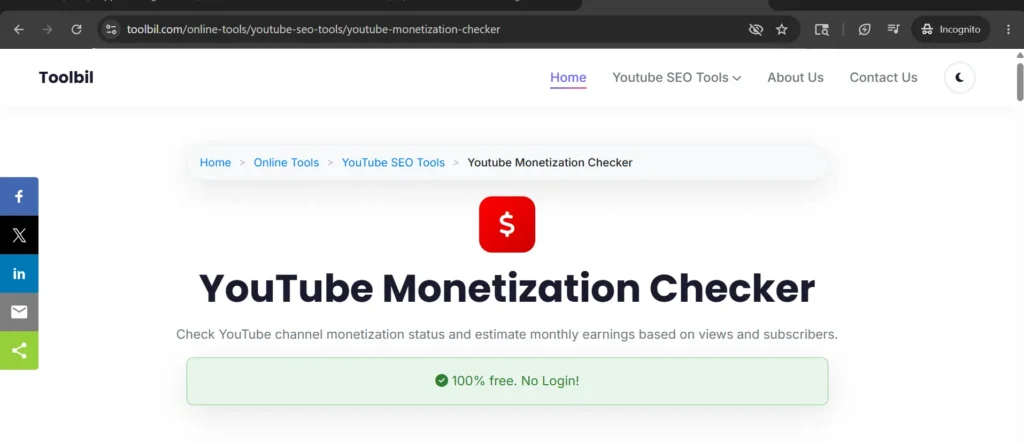
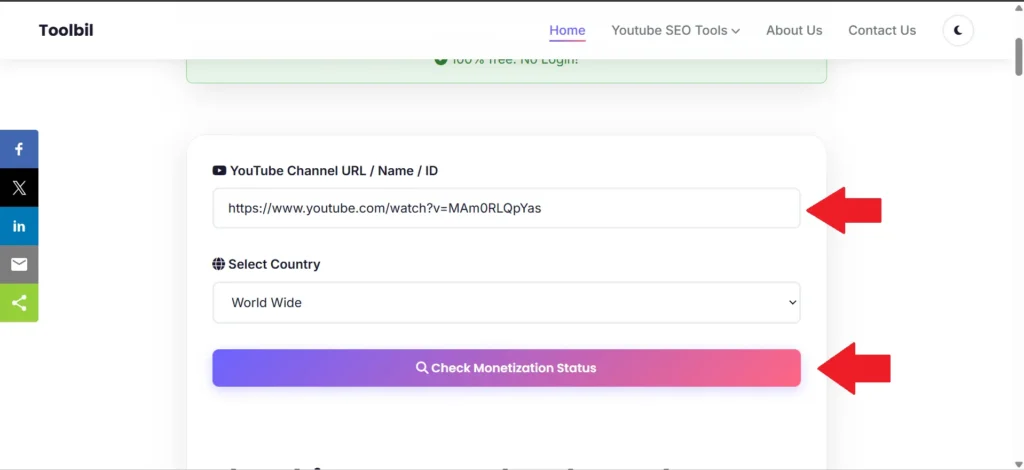
    Use Toolbil’s free YouTube Monetization Checker to check any public YouTube channel’s estimated monthly earnings, CPM by country, subscriber count, and monetization status instantly, no login required. Enter a competitor’s channel or your own to get an external estimate of what you’re working toward.

    If your channel is at a point where brand sponsorships make sense on top of AdSense, use Toolbil’s free YouTube Sponsorship Calculator to see what your channel should be charging brands based on your views, niche, and audience location. Sponsorship revenue is particularly important for Shorts creators, since 76% of top-earning Shorts creators make more from brand deals than from ad revenue.

    Frequently Asked Questions

    Do YouTube Shorts or long videos earn more money in 2026?

    Long-form videos earn significantly more per view in 2026. The median Shorts RPM is $0.05 per 1,000 views, while the median long-form RPM is $2.50. That is a 50× gap at the median, and the gap widens further in high value niches like finance, education, and B2B software.

    How much do YouTube Shorts pay per 1,000 views in 2026?

    YouTube Shorts pay between $0.01 and $0.07 per 1,000 views (RPM). The midpoint is approximately $0.03–$0.05. This means 1 million Shorts views generates roughly $30–$70 in ad revenue before music licensing deductions if licensed tracks are used.

    How many Shorts views equal 1,000 long-form views in revenue?

    It takes 11,000–34,000 Shorts views to match 1,000 long-form views in revenue for most niches. Music channels are the exception at approximately 1,100:1. For finance, education, or B2B creators, the ratio is closer to 34,000:1.

    Why do YouTube Shorts pay less than long-form videos?

    Four structural reasons: The pooled revenue model, 45% creator share, and music licensing costs all compress Shorts earnings dramatically. Specifically: ads run between Shorts in the feed rather than on individual videos, creators keep 45% versus 55% for long-form, music licensing fees are deducted before the creator split, and shorter sessions give advertisers less targeting data per view.

    Can I make a full-time income from YouTube Shorts alone?

    Very unlikely from ad revenue alone. Only 14% of Shorts creators earn $1,000+ per month from ad revenue, and those typically have 50M+ monthly views. A sustainable income from Shorts requires stacking brand deals, affiliate commissions, and channel memberships on top of ad revenue with ad revenue being the smallest piece.

    Should I stop posting Shorts and focus only on long-form?

    Not necessarily. The Arts and Crafts channel achieved a 64% revenue increase in 30 days from a Shorts strategy none of that revenue came from Shorts RPM. It came from the long-form views that Shorts viewers went on to watch. Shorts as a discovery funnel that feeds a high-RPM long-form channel is a legitimate and proven strategy. Shorts as a primary revenue source is not.

    Do Shorts help or hurt long-form RPM?

    The within-channel comparison shows channels earning $4.58 RPM in months without Shorts and $1.84 in months with Shorts a 60% drop when Shorts are added at high frequency. The causality is unproven, but the pattern across 274 channels is consistent enough to warrant careful tracking of your own long-form RPM when you add Shorts to an established channel.

    What is the best strategy for YouTube monetization in 2026?

    The creators who try to earn primarily from Shorts ad revenue are fighting the math. Creators who use Shorts strategically to grow their long-form audience get the best of both worlds. Post 3–5 Shorts per week as a discovery layer. Post 1–2 long form videos per week as your revenue engine. Track the conversion from Shorts viewers to long-form watch time monthly, and treat Shorts RPM as a minor bonus rather than a meaningful income stream.

    The Bottom Line

    After twelve years of watching creator economics evolve, my read on 2026 is this: Shorts are the most powerful discovery tool YouTube has ever given small creators, and the worst primary revenue source they’ve ever launched.

    The honest summary: Shorts ad RPM is real but small. At $0.03 RPM, you need 3.3 million views to earn $100. But if you treat Shorts as your growth engine and discovery layer, the total revenue picture changes completely.

    The creators winning in 2026 are not choosing between Shorts and long-form. They are using Shorts to fill a long-form funnel building subscribers at scale through short-form reach and converting them to revenue through long-form watch time.

    Long-form earns. Shorts grow. Both together is where the real income lives.

    Before you decide which direction to weight your content strategy, check what similar channels are actually earning using Toolbil’s free YouTube Monetization Checker. Real data on what your competitors make is more useful than any general benchmark.
  • Highest RPM YouTube Niches in 2026:(Real RPM List By Niche)

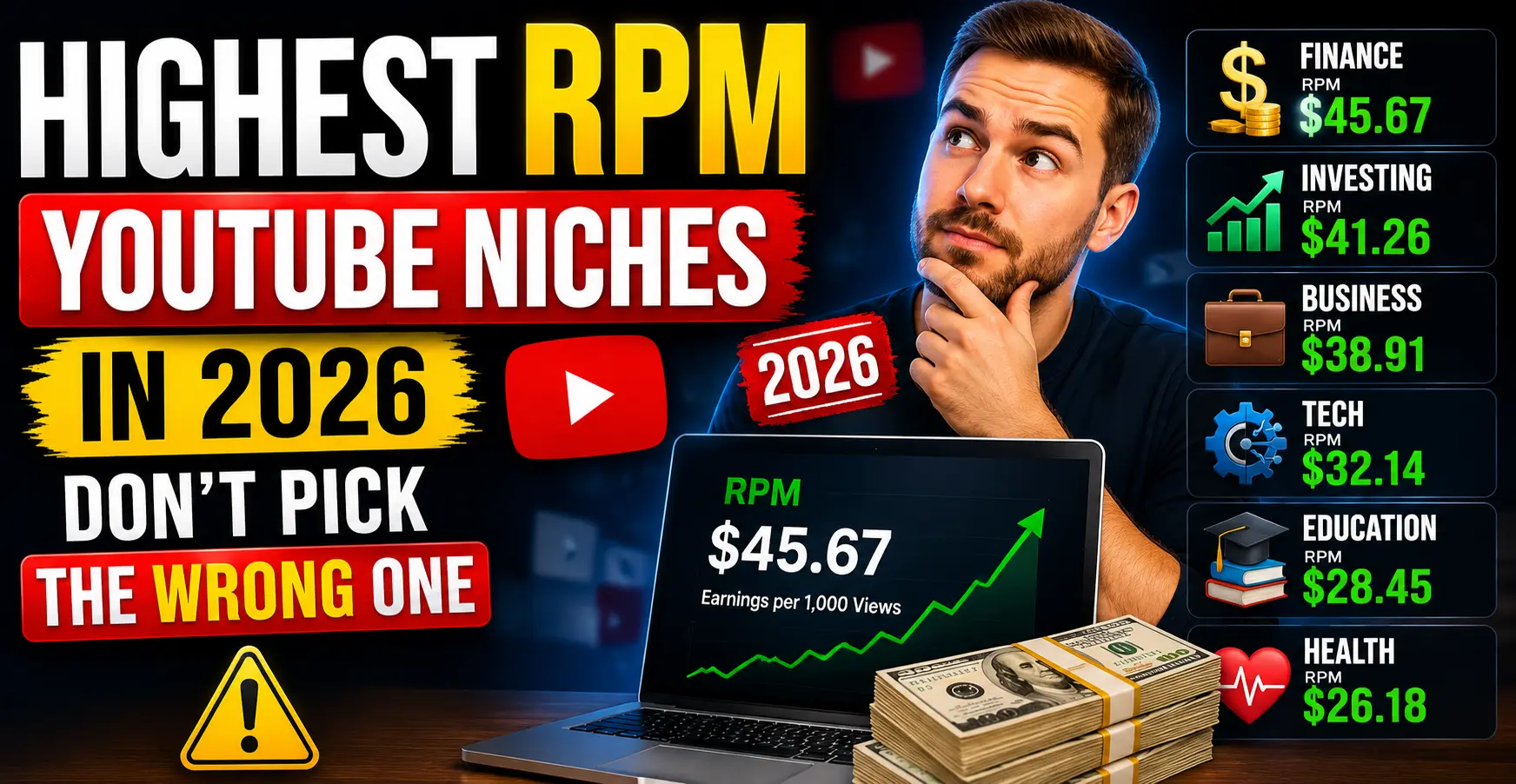
    Highest RPM YouTube Niches in 2026:(Real RPM List By Niche)

    Two creators. Both post twice a week. Both hit 100,000 views a month.

    One earns $300. The other earns $6,000.

    Same platform. Same effort. The only difference is the niche they chose.

    This is the reality of YouTube RPM in 2026. The highest RPM YouTube niches pay up to 40× more per view than the lowest ones. A finance creator with 50,000 subscribers can out earn a gaming creator with 500,000 subscribers just because of where they chose to plant their flag.

    If you are starting a new YouTube channel, considering a niche switch, or simply wondering why your RPM is lower than you expected, this guide gives you the complete 2026 data: every major niche ranked by RPM, a full comparison table, the reason each niche pays what it pays, and the exact formula to calculate what your channel should be earning.

    CPM vs RPM: What You Actually Get Paid

    Before getting into the rankings, this distinction matters more than most creators realise.

    CPM (Cost Per Mille) is what advertisers pay YouTube per 1,000 ad impressions. It is not the number in your bank account. It is the sticker price on the ad, before YouTube takes its cut.

    RPM (Revenue Per Mille) is what you actually earn per 1,000 video views — after YouTube keeps its 45% share and after accounting for the fact that not every view shows an ad.

    The formula:

    RPM = (CPM × 0.55) × Ad Impression Rate

    The ad impression rate — meaning the percentage of your views that actually show ads — typically sits between 40% and 65% depending on your niche, audience geography, and video length. Longer videos with mid-rolls have higher impression rates. Short videos and Shorts have much lower ones.

    Real example:

    A finance channel with a $40 CPM and a 55% ad impression rate earns:

    ($40 × 0.55) × 0.55 = $12.10 RPM

    That is your take-home per 1,000 views. At 100,000 monthly views, that is $1,210 from ads alone — before sponsorships, affiliates, or memberships.

    This is why RPM, not CPM, is the number you should care about. CPM is an advertiser metric. RPM is a creator metric. Always check your actual RPM in YouTube Studio Analytics, not the CPM figures quoted by other creators, because CPM numbers get inflated in discussions.

    Highest RPM YouTube Niches 2026: Full Comparison Table

    This table is based on verified 2025–2026 data from creator earnings reports, advertising platform benchmarks, and industry data. All RPM figures represent US-dominant audience earnings after YouTube’s 45% revenue share.

    #NicheRPM Range (US)CPM RangeCompetitionBest For
    1Personal Finance & Investing$12 – $35$22 – $65Very HighEstablished creators with expertise
    2Insurance & Financial Planning$15 – $32$27 – $58HighFinance niches, adjacent content
    3Real Estate Investing$15 – $30$27 – $55Medium-HighProperty, investing, market analysis
    4Legal Advice & Attorney Content$10 – $28$18 – $51MediumLawyers, legal educators
    5B2B Software & SaaS Reviews$8 – $24$15 – $44MediumTech-focused, tutorial channels
    6Digital Marketing & SEO$8 – $22$15 – $40Medium-HighMarketing, agency, freelance creators
    7Make Money Online & Business$8 – $18$15 – $33Very HighEntrepreneurship, side hustle content
    8Technology Reviews$8 – $15$15 – $27HighConsumer tech, AI tools, gadgets
    9Health, Medicine & Wellness$5 – $16$9 – $29MediumHealthcare, supplements, fitness
    10Education & Career Development$5 – $14$9 – $25MediumTutoring, skill development, courses
    11Travel (Aspirational)$5 – $14$9 – $25MediumCredit card brands, hotels, booking
    12Food & Cooking$4 – $10$7 – $18MediumDTC food brands, kitchen products
    13Fitness & Gym$4 – $10$7 – $18MediumEquipment, supplement advertisers
    14History & Documentary$4 – $10$7 – $18Low-MediumPremium subscription advertisers
    15Parenting & Family$3 – $9$5 – $16Low-MediumDTC baby brands, education apps
    16Gaming$1.50 – $5.50$3 – $10Very HighGaming peripherals, VPN sponsors
    17Entertainment & Comedy$1.50 – $7$3 – $13Very HighBroad audience, low advertiser intent
    18Lifestyle & Vlogs$1.50 – $5.50$3 – $10Very HighLow advertiser specificity
    19Music$0.80 – $4$1.50 – $7HighMusic streaming platform ads

    Youtube RPM For Personal Finance & Investing Niche

    Finance channels earn $12–$35 RPM, making it the highest-paying niche on YouTube for creators with a US dominant audience.

    Youtube RPM For Insurance & Financial Planning Niche

    Insurance and financial planning channels earn $15–$32 RPM, driven by advertisers whose single customer is worth thousands of dollars in lifetime value.

    Youtube RPM For Real Estate Investing Niche

    Real estate channels earn $15–$30 RPM, attracting premium advertisers from mortgage lenders, property platforms, and investment apps.

    Youtube RPM For Legal Advice & Attorney Content Niche

    Legal content channels earn $10–$28 RPM, one of the strongest RPM ranges on YouTube outside of core finance niches.

    Youtube RPM For B2B Software & SaaS Reviews Niche

    B2B software and SaaS review channels earn $8–$24 RPM, fuelled by enterprise software companies willing to pay high CPMs to reach business decision-makers.

    Youtube RPM For Digital Marketing & SEO Niche

    Digital marketing and SEO channels earn $8–$22 RPM, as agency tools, course platforms, and marketing software brands compete to reach a commercially active audience.

    Youtube RPM For Make Money Online & Business Niche

    Make money online and business channels earn $8–$18 RPM, attracting course creators, business tools, and entrepreneurship platforms as their primary advertisers.

    Youtube RPM For Technology Reviews Niche

    Tech review channels earn $8–$15 RPM, with consumer electronics brands, AI tools, and software companies all bidding for placement alongside purchase intent content.

    Youtube RPM For Health, Medicine & Wellness Niche

    Health and wellness channels earn $5–$16 RPM, with RPM varying widely based on whether content skews toward clinical health topics or general wellness.

    Youtube RPM For Education & Career Development Niche

    Education channels earn $5–$14 RPM, with online learning platforms and career-focused tools driving the advertiser mix.

    Youtube RPM For Travel Niche

    Travel channels earn $5–$14 RPM, with credit card companies, hotel brands, and booking platforms paying a premium to reach audiences actively planning trips.

    Youtube RPM For Food & Cooking Niche

    Food and cooking channels earn $4–$10 RPM, supported by direct to consumer food brands and kitchen product advertisers.

    Youtube RPM For Fitness & Gym Niche

    Fitness channels earn $4–$10 RPM, with supplement brands and equipment companies making up the bulk of the advertiser mix.

    Youtube RPM For History & Documentary Niche

    History and documentary channels earn $4–$10 RPM with a Tier 1 audience, sitting in the mid tier range behind finance and tech but well above entertainment.

    Youtube RPM For Parenting & Family Niche

    Parenting and family channels earn $3–$9 RPM, driven by baby product brands, parenting apps, and education platforms targeting new and expecting parents.

    Youtube RPM For Gaming Niche

    Gaming channels earn $1.50–$5.50 RPM, one of the largest gaps between niche popularity and ad revenue on the entire platform.

    Youtube RPM For Entertainment & Comedy Niche

    Entertainment and comedy channels earn $1.50–$7 RPM, reflecting the challenge of monetising broad audiences that lack specific advertiser purchase intent.

    Youtube RPM For Lifestyle & Vlogs Niche

    Lifestyle and vlog channels earn $1.50–$5.50 RPM, with general consumer advertisers filling the inventory rather than high value vertical brands.

    Youtube RPM For Music Niche

    Music channels earn $0.80–$4 RPM, the lowest baseline of any major YouTube niche, largely because music streaming platform ads dominate the category at low CPMs.

    Note: RPM varies significantly by audience country. The figures above apply to channels with 60%+ US viewership. Non US audiences typically earn 30–60% less per view in the same niche. For country specific CPM data, use Toolbil’s free YouTube Monetization Checker to see earnings estimates based on your target country.

    Top 10 Highest RPM Niches Detailed Breakdown

    🥇 1. Personal Finance & Investing — $12–$35 RPM

    Why it pays: Financial services advertisers banks, brokerages, insurance companies, and fintech apps compete aggressively for placement on finance content. A viewer researching credit cards, index funds, or tax strategies is actively looking to spend or invest money. That purchase intent makes them extremely valuable to advertisers, who pay $22–$65 CPM to reach them.

    Finance creator Graham Stephan has publicly shared RPM figures ranging from $6 to $29.30 in a single month, with his channel earning over $600,000 in its first year purely from ad revenue. At 100,000 monthly views in this niche, a US-focused channel earns roughly $3,000–$10,000 per month from ads alone before sponsorships.

    Best sub-niches: Credit cards, index fund investing, tax planning, personal budgeting, retirement planning, financial planning for freelancers.

    The catch: This is the most competitive niche on YouTube. New creators face established channels with millions of subscribers. Breaking through requires a specific micro niche angle “investing for nurses” or “personal finance for new immigrants” perform better than generic finance content for new channels.

    Monetization beyond ads: Finance creators consistently earn more from affiliate commissions (broker referrals, credit card sign-ups) and sponsorships than from AdSense. A $15 RPM finance channel earning $1,500/month from ads might earn $5,000–$10,000/month from a single brokerage affiliate deal.

    🥈 2. Insurance & Financial Planning — $15–$32 RPM

    Why it pays: Insurance is one of the highest-spending categories in Google Ads, and that directly elevates YouTube CPMs for related content. A single insurance customer is worth thousands of dollars in lifetime value to an insurer which is why they bid $27–$58 per 1,000 impressions to reach potential customers on YouTube.

    Best sub-niches: Life insurance explainers, health insurance guides, auto insurance comparisons, disability insurance, estate planning, retirement income strategies.

    Note: Pure insurance content is harder to make engaging. The highest-performing channels combine financial planning with insurance topics rather than making standalone insurance content.

    🥉 3. Real Estate Investing — $15–$30 RPM

    Why it pays: Real estate attracts premium advertisers including real estate platforms, mortgage lenders, property management software, and investment apps. Viewers are high income individuals actively considering large financial decisions, making them extremely valuable to advertisers.

    Real estate investing channels with a US-heavy audience report some of the strongest RPMs on the platform $18–$35 RPM for channels covering real estate investing, property analysis, and housing market content.

    Best sub niches: Real estate investing for beginners, rental property analysis, house flipping, REIT investing, commercial real estate, short term rental (Airbnb) strategy.

    4. Legal Advice & Attorney Content — $10–$28 RPM

    Why it pays: Law firms pay $100+ per click in Google Ads because a single client can generate $10,000–$100,000+ in fees. That advertising spend flows into YouTube CPMs for legal content. A viewer searching for information about personal injury, immigration law, or estate planning is potentially a high value client for legal advertisers.

    Best sub-niches: Immigration law, personal injury rights, estate planning, small business legal basics, tenant rights, criminal law explainers.

    Important: Legal content must always include clear disclaimers that it is educational and not legal advice. YouTube’s advertiser guidelines are strict about health and legal claims.

    5. B2B Software & SaaS Reviews — $8–$24 RPM

    Why it pays: SaaS companies pay premium CPMs because their target customers are business owners and professionals with company budgets. A single SaaS customer on a $299/month subscription plan is worth $3,500+ in annual revenue making $15–$44 CPM a sensible investment.

    Best sub-niches: CRM software reviews, project management tools, AI productivity tools, developer tools, email marketing platforms, cybersecurity software.

    Bonus: SaaS companies offer among the highest affiliate commission rates in the creator economy often 20–40% recurring commissions for software referrals. A B2B software channel earns significantly more from affiliate links than from AdSense alone.

    6. Digital Marketing & SEO — $8–$22 RPM

    Why it pays: Digital marketing agencies, SEO tools, and marketing education platforms compete for a high intent audience of business owners and marketers. Viewers are actively looking to grow their businesses, making them premium advertising targets.

    Best sub-niches: YouTube SEO (highly relevant for toolbil.com readers), keyword research tutorials, Google Ads walkthroughs, social media marketing strategy, content marketing, local SEO for small businesses.

    7. Make Money Online & Business — $8–$18 RPM

    Why it pays: Online education platforms, business course creators, and productivity tool companies pay premium rates to reach entrepreneurially-minded viewers. The audience has high purchase intent for courses, tools, and services that promise income growth.

    Competition warning: This is one of the most oversaturated niches on YouTube. Hundreds of thousands of channels cover this space. New creators need a highly specific angle “make money online for teachers” or “side hustles for truck drivers” to stand out and rank in search.

    8. Technology Reviews — $8–$15 RPM

    Why it pays: Consumer electronics brands, software companies, and cloud service providers pay solid CPMs to reach viewers with purchase intent. Tech review channels also benefit from high affiliate revenue through Amazon Associates and direct brand partnerships.

    MKBHD style tech channels with US-heavy audiences typically see $15–$25 RPM on long form content, particularly for reviews of higher priced consumer electronics where viewers are close to a purchase decision.

    Best sub-niches: AI tools and automation, smartphone reviews, laptop comparisons, smart home devices, productivity tech, cybersecurity tutorials.

    9. Health, Medicine & Wellness — $5–$16 RPM

    Why it pays: Supplement companies, health insurance providers, fitness apps, and medical technology brands all advertise heavily on health content. The audience is broad and the advertiser variety keeps CPMs competitive across sub niches.

    Best sub-niches: Nutrition and diet science, mental health education, sleep optimization, chronic disease management, medical explainers, fitness for specific demographics (seniors, postpartum, etc.).

    Note: Health content falls under YouTube’s YMYL (Your Money or Your Life) guidelines. Medical misinformation can result in demonetization. Stick to educational, evidence-based content.

    10. Education & Career Development — $5–$14 RPM

    Why it pays: Job platforms (LinkedIn, Indeed), online learning platforms (Coursera, Udemy, Skillshare), and professional certification companies pay competitive CPMs for career-focused content. Viewers are motivated, employed adults with spending power.

    Best sub-niches: Coding tutorials, resume and interview skills, professional certification guides, skill development for specific industries, higher education navigation.

    Emerging High-RPM Niches Most Creators Overlook

    Beyond the established top 10, these three niches are generating surprisingly high RPMs in 2026 with significantly less competition:

    Betrayal & Revenge Narratives — $12.82 RPM

    Betrayal and revenge narrative channels currently show the highest verified RPM at $12.82 per 1,000 views, driven by long watch times (8–15 minute stories keep viewers engaged) combined with advertiser-friendly drama content. The niche shows 21× growth with relatively low competition, meaning new creators can still rank.

    This niche works well for faceless creators AI narration over stock footage is the dominant format.

    Here are the 12 Best Betrayal and Revenge Story YouTube Channels in 2026 ranked by growth, format, and earnings. Real subscriber counts, monthly income data, and what each channel does right.

    English Learning Podcasts & Tutorials — $11.88 RPM

    English learning content earns $11.88 RPM with only around 10,000 competing channels one of the most underserved high-RPM niches on YouTube. Education platforms like Duolingo, Babbel, and Cambly pay premium CPMs to reach learners actively seeking language learning tools.

    AI Tools & Automation — $10–$18 RPM (fast growing)

    AI companies are flooding YouTube advertising as the software market expands. Channels reviewing, comparing, and tutoring AI tools are seeing CPMs climb rapidly. This niche combines the SaaS software CPM advantage with extremely high audience growth and most channels in this space are still under 100,000 subscribers.

    Lowest RPM Niches: What to Know Before Choosing

    Not all niches are created equal for ad revenue. Here is what the data says about the lowest-paying categories:

    Gaming ($1.50–$5.50 RPM) is the most notorious low RPM niche. Despite massive viewership, gaming advertisers pay comparatively little per impression because the audience (predominantly younger males) converts poorly on high value financial products. Gaming creators who break through to sustainable income typically rely on sponsorships from gaming peripheral brands, VPN providers, and energy drinks rather than AdSense.

    Entertainment and comedy ($1.50–$7 RPM) suffers from the same issue high views but low advertiser specificity. Brands can not easily identify what product a comedy viewer is likely to buy next, reducing CPM bids.

    Music ($0.80–$4 RPM) is the lowest paying niche on YouTube. Music videos frequently contain rights managed content that captures revenue for labels rather than creators, and the non music related viewer demographic does not convert well for advertisers.

    The important caveat: Low RPM does not mean you should never enter these niches. If you build a large enough audience, sponsorships, merchandise, and affiliate revenue can far outweigh the AdSense deficit. Many of the highest earning YouTubers overall are gaming or entertainment creators who have built massive audiences and diverse revenue streams. The RPM disadvantage hurts more at smaller audience sizes.

    How to Calculate Your Expected Monthly Earnings

    Use this formula to set realistic earnings expectations before choosing a niche:

    Monthly Ad Revenue = (Monthly Views ÷ 1,000) × RPM

    Example calculations for 100,000 monthly views:

    NicheRPMMonthly Ad Revenue
    Personal Finance$20$2,000
    Real Estate$18$1,800
    Legal Content$15$1,500
    Tech Reviews$10$1,000
    Health & Wellness$8$800
    Education$7$700
    Gaming$3$300
    Entertainment$3$300
    Lifestyle/Vlog$2.50$250
    Music$1.50$150

    The difference between the top and bottom of this table is $1,850 per month from the same 100,000 views. That is a $22,200 annual earnings gap driven entirely by niche selection.

    Want to check exactly what any YouTube channel is currently earning in your niche? Use Toolbil’s free YouTube Monetization Checker to see estimated monthly earnings for any public channel no login required.

    How to Increase Your RPM Without Changing Your Niche

    If you are already in a niche and want to push your RPM higher without starting over, these strategies directly impact what advertisers pay to reach your audience:

    Target a US audience

    Tier-1 markets like Australia and the US command CPMs far above the global average Australia at $36.21 and the US at $32.75 per 1,000 impressions, compared to sub-$1 averages in lower tier markets. If your content can attract US viewers, your RPM climbs significantly even in a mid tier niche.

    US audience targeting tactics: publish at times when US viewers are most active (12pm–8pm ET), use US specific examples and references, optimise for keywords searched primarily by US users. For US-specific keyword opportunities, check our YouTube SEO tag generator to find search terms that pull US traffic.

    Make longer videos with mid-roll ads enabled

    Videos under 8 minutes can only have pre roll and post-roll ads. Videos over 8 minutes unlock mid-roll ad placement, which significantly increases your ad impression rate the percentage of views that show an ad. More ad slots per view = higher effective RPM.

    Publish in Q4 (October–December)

    Creators who combine high-intent finance topics, Tier-1 audience targeting, and strategic Q4 publishing can maximise ad revenue significantly above the platform average. Q4 is when advertiser budgets peak for holiday campaigns, and CPMs across all niches spike 20–50% from October through December. Publishing your strongest videos in this window captures that premium.

    Find the high CPM sub niche within your category

    Every broad niche has sub-niches with dramatically different CPMs. Gaming in general pays $1.50–$5.50 RPM but a gaming channel specifically reviewing gaming laptops earns tech CPMs ($8–$15 RPM) because laptop manufacturers advertise on it. A general health channel earns $5–$10 RPM but a channel covering health insurance or Medicare earns $15–$25 RPM because insurers bid aggressively for that audience.

    The strategy: within your existing niche, identify which sub-topics attract the highest value advertisers and produce more content in those areas.

    Add channel memberships and Super Thanks

    Once you are in the YouTube Partner Program, enabling Channel Memberships and Super Thanks adds revenue streams that do not depend on CPM at all. These features compound your earnings independently of advertiser demand. Read our guide on YouTube monetization requirements 2026 to make sure you qualify for the full suite of monetization features.

    How Much Can Your Channel Earn Right Now?

    Before picking a niche or evaluating your current channel, check what channels in your target niche are actually earning. Toolbil’s free YouTube Monetization Checker lets you enter any channel URL and see estimated monthly earnings, CPM by country, and monetization status instantly, free, no login needed.

    If you are also thinking about brand sponsorships on top of AdSense (which is almost always the higher income path in high-RPM niches), check Toolbil’s free YouTube Sponsorship Calculator to estimate what your channel should be charging brands based on your views and niche.

    Frequently Asked Question

    What are the highest RPM YouTube niches in 2026?

    The highest RPM YouTube niches in 2026 are Personal Finance & Investing ($12–$35 RPM), Insurance & Financial Planning ($15–$32), Real Estate Investing ($15–$30), Legal Advice ($10–$28), and B2B Software & SaaS ($8–$24). These niches command premium CPMs because advertisers targeting high intent financial audiences pay significantly more per ad impression than advertisers in entertainment or gaming.

    What is a good RPM on YouTube?

    A good RPM on YouTube depends entirely on your niche. For a finance channel, $10–$20 RPM is average. For a gaming channel, $3–$5 RPM is average. Across all niches globally, the average YouTube RPM is approximately $3–$5 for long form content. US creators typically earn $5–$8 RPM across all niches combined.

    Why is RPM different from CPM?

    CPM is what advertisers pay YouTube per 1,000 ad impressions. RPM is what you, the creator, actually receive per 1,000 video views after YouTube takes its 45% revenue share and after accounting for views that don’t show any ads. Your RPM is always lower than your CPM typically 40–55% of the CPM figure.

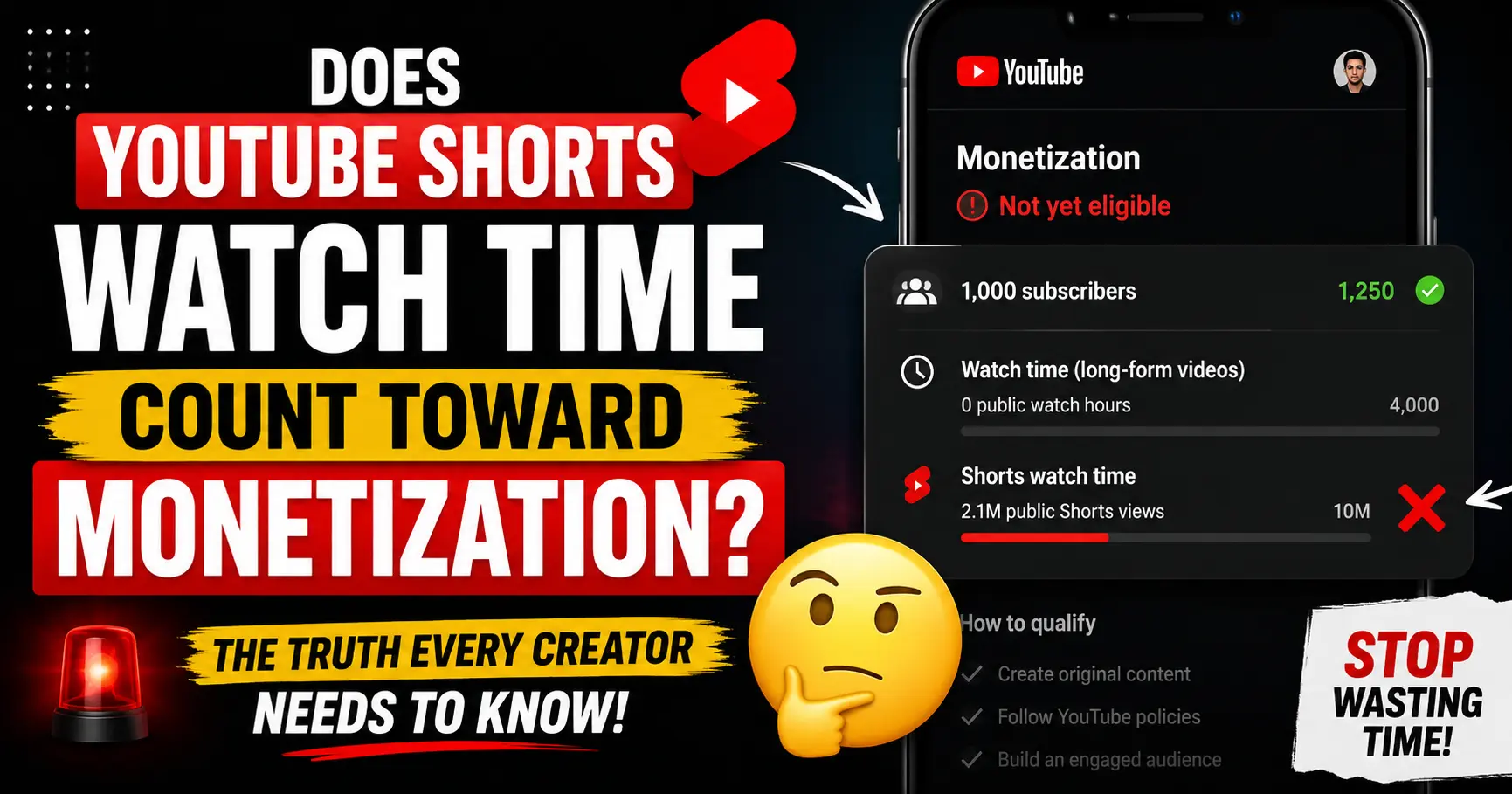
    Does Shorts watch time affect your RPM?

    No. YouTube Shorts have a completely separate monetization path from long form videos, and their RPM is significantly lower than long form content in the same niche. Shorts ad revenue comes from a shared pool, not individual video CPMs. For the complete explanation of how Shorts monetization works, read our guide on does YouTube Shorts watch time count toward monetization.

    Is gaming a bad niche for YouTube earnings?

    Gaming is not a bad niche, but it is a low-RPM niche ($1.50–$5.50). Successful gaming channels typically earn the majority of their income from brand sponsorships, not AdSense. If you love gaming and want to make YouTube a viable income, plan from the start to monetize through sponsorships, merchandise, and affiliate deals rather than relying on ad revenue.

    Can I increase my RPM without changing my niche?

    Yes. The most effective strategies are: targeting a US/UK/Australia audience (5–8× higher CPMs), making longer videos with mid-roll ads enabled, publishing your best content in Q4 when CPMs peak 20–50%, and finding the highest-CPM sub topic within your existing niche.

    Which niche has the highest RPM but lowest competition?

    English learning and language tutorial content consistently earns $10–$12 RPM with very low competition only around 10,000 competing channels globally. Betrayal and revenge narrative content earns approximately $12.82 RPM and is growing at 21× with niche level competition that new creators can still break into. Both are significantly less competitive than personal finance while delivering comparable RPMs.

    How does audience country affect RPM?

    Dramatically. A US audience earns 5–8× more RPM than a developing-market audience in the same niche. A finance creator with 70% US viewership earns $20–$35 RPM. The same creator with 70% Indian viewership earns $3–$7 RPM in the same niche. Geographic audience composition is one of the most powerful levers for RPM optimisation.

    Summary

    Niche selection is the single highest leverage decision you make as a YouTube creator. RPM on YouTube ranges from $0.50 to over $50 depending on your niche a dramatic difference that means creators in high RPM niches earn up to 100× more per view than those in oversaturated categories.

    The highest RPM YouTube niches in 2026 finance, insurance, real estate, legal, and B2B software pay premiums because their audiences have high purchase intent and their advertisers have high customer lifetime values. If you are choosing a niche purely for income potential, those five categories sit at the top of the table by a wide margin.

    If you are already in a lower RPM niche, the path to higher earnings is not necessarily to switch it is to target a US audience, make longer videos with mid rolls, publish heavily in Q4, and stack sponsorship revenue on top of AdSense.

    Use Toolbil’s free YouTube Monetization Checker to check what channels in your target niche are currently earning and use Toolbil’s Sponsorship Calculator to see what your channel should be charging brands today.

  • Do You Have to Pay Taxes on YouTube Income in the US? Here’s What the IRS Expects

    Do You Have to Pay Taxes on YouTube Income in the US? Here’s What the IRS Expects

    Do You Have to Pay Taxes on YouTube Income in the US? answer is Yes. You have to pay taxes on YouTube income in the US. Every dollar you earn from AdSense, brand sponsorships, Super Chats, channel memberships, affiliate commissions, and even free products you receive in exchange for content is taxable income under US federal law. The IRS does not care that YouTube never sent you a W-2. You are self employed in their eyes and that changes everything about how you file.

    If you have been treating your YouTube income like bonus money that slips under the radar, this article is important reading. The IRS has access to your bank deposits, AdSense payment records, and the 1099s brands file when they pay you. Not reporting YouTube income is not a gray area it is tax evasion.

    This guide walks you through exactly what the IRS expects from US YouTube creators in 2026: how your income is classified, what taxes you owe, which forms you will receive, what you can legally deduct, when your payments are due, and how much to set aside so tax season does not blindside you.

    Disclaimer: This article is for educational purposes only and does not constitute tax advice. Tax situations vary. Consult a licensed CPA or tax professional for guidance specific to your situation.

    Here is everything in nutshell

    You have to pay taxes on YouTube income in the US every revenue stream, every dollar, no exceptions. The IRS classifies you as self employed, which means you owe both federal income tax and a 15.3% self employment tax on your net earnings. The $400 net earnings threshold triggers the SE filing requirement, but all income is reportable regardless. Set aside 25–30% of every payment into a dedicated tax savings account and make quarterly estimated payments to avoid underpayment penalties. The upside of being self-employed is access to substantial business deductions most US creators leave $2,000–$5,000 in legitimate write offs unclaimed every year.

    Ready to see how much your channel is actually earning and whether you are on track for monetization? Check any YouTube channel for free with Toolbil’s Monetization Checker instant results, no account needed.

    How the IRS Classifies YouTube Income

    The moment your YouTube channel earns money even a single dollar the IRS classifies you as self employed. Not a hobbyist. Not a passive earner. A self employed individual operating a business.

    This is the classification that governs everything. Unlike a W-2 employee whose employer withholds federal income tax, Social Security, and Medicare from every paycheck, self employed creators receive their full income with zero withholding. YouTube does not deduct taxes. Google does not deduct taxes. The brands that pay for your sponsored videos do not deduct taxes. Every dollar lands in your account gross, and it is entirely your responsibility to calculate and pay what you owe.

    That means two things practically:

    First, you are responsible for paying both the employee and employer share of Social Security and Medicare taxes combined into what the IRS calls the self employment tax. More on this below.

    Second, you are responsible for making estimated tax payments throughout the year rather than waiting until April. Miss those payments and the IRS charges penalty interest on top of the taxes owed.

    The self employed classification also comes with a major upside: access to business deductions. Equipment, software, home office, travel, education all deductible. A W-2 employee cannot write off their work laptop. You can.

    The $400 Rule: When You Must File

    Here is the threshold most new creators are not aware of:

    If your net earnings from YouTube (income minus deductible expenses) are $400 or more in a calendar year, you are required to file a federal tax return and pay self employment tax.

    Note the word “net.” If you earned $1,200 from AdSense but spent $900 on equipment, software, and your home office, your net earnings are $300 below the $400 threshold. You are not required to file a self-employment return in that scenario, though you may still need to file a regular return depending on your total income from all sources.

    If your net YouTube earnings are $1 or more but under $400, you do not owe self employment tax but you must still report the income on your regular Form 1040 if your total income exceeds the standard deduction ($15,000 for single filers in 2026).

    The practical rule for new creators: As soon as your channel is generating real income, start tracking it and treating it as a business. Do not wait until April to figure out whether you owe anything.

    What YouTube Income Is Taxable

    Every revenue stream from your YouTube channel is taxable. Here is the complete list:

    AdSense ad revenue Your monthly Google AdSense payments are fully taxable as self employment income. This is the most common income source for monetized creators and the one most likely to generate a 1099 NEC from Google.

    Brand sponsorships and paid integrations Every dollar a brand pays you for a sponsored segment, dedicated video, or pre roll mention is taxable income. This applies whether you are paid by check, wire transfer, PayPal, Venmo, or any other method. The IRS does not distinguish between payment methods income is income.

    Super Chats, Super Thanks, and Super Stickers Viewer tips sent during live streams and on videos are taxable income. YouTube takes a 30% cut before the money reaches you, but you report the net amount you actually receive.

    Channel memberships Monthly membership fees paid by your subscribers are taxable. Again, you report what you actually receive after YouTube’s cut.

    Affiliate commissions Any commissions earned through affiliate links Amazon Associates, LTK, ShareASale, Impact, individual brand programs are fully taxable. Even if a single affiliate program pays you less than $2,000 (the 2026 1099-NEC threshold), you still owe tax on every dollar earned across all programs.

    Merchandise and digital product sales If you sell merch through Merch Shelf, Shopify, or any platform tied to your channel, those sales are taxable business income.

    Free products received in exchange for content This catches a lot of creators off guard. If a brand sends you a $300 ring light in exchange for a review or mention, the IRS considers the fair market value of that product ($300) to be taxable income. You did not receive cash, but you received something of value and that is taxable. The FTC also requires you to disclose it as compensation.

    Appearances, events, and speaking fees If your YouTube presence leads to paid speaking engagements, conference appearances, or event hosting fees, those are taxable income too.

    The Two Taxes US Creators Owe

    As a self employed US creator, you owe two separate categories of federal taxes:

    Federal Income Tax

    This is calculated based on your net profit (income minus deductions) using the standard US tax brackets. The 2026 brackets for single filers:

    Taxable IncomeFederal Tax Rate
    $0 – $11,92510%
    $11,926 – $48,47512%
    $48,476 – $103,35022%
    $103,351 – $197,30024%
    $197,301 – $250,52532%
    $250,526 – $626,35035%
    Over $626,35037%

    Note: You pay the rate for each bracket only on the income within that bracket. If your net profit is $60,000, you do not pay 22% on all of it you pay 10% on the first $11,925, 12% on the next $36,549, and 22% on the remainder.

    Self Employment (SE) Tax

    This is the tax most creators are unprepared for. As a self employed individual, you pay both the employer and employee portions of Social Security and Medicare a combined rate of 15.3% on your net earnings.

    Breaking it down:

    • Social Security: 12.4% on net earnings up to $184,500 (2026 wage base)
    • Medicare: 2.9% on all net earnings (no cap)
    • Additional Medicare surtax: 0.9% on net SE income above $200,000 for single filers

    The one relief: you can deduct half of your self employment tax as an above the line adjustment when calculating your adjusted gross income (AGI). This reduces your federal income tax slightly.

    Real world example:

    A YouTube creator in Dallas, Texas earns $45,000 from AdSense and sponsorships, claims $8,000 in deductions. Net profit: $37,000.

    • Self employment tax: $37,000 × 15.3% = $5,661
    • SE tax deduction (half): $5,661 ÷ 2 = $2,830
    • Adjusted gross income: $37,000 − $2,830 = $34,170
    • Standard deduction (2026): $15,000
    • Taxable income: $34,170 − $15,000 = $19,170
    • Federal income tax: ~$2,069 (10% on first $11,925 + 12% on remaining $7,245)
    • Total federal tax: ~$7,730 (SE tax + income tax)

    Texas has no state income tax, so this creator’s total bill is approximately $7,730. A creator in California would owe an additional $1,300–$2,000 in state tax on the same income.

    Tax Forms You Will Receive in 2026

    Understanding which forms you will receive and which ones you may not receive even though you still owe tax is critical.

    Forms you may receive:

    Form 1099-NEC (Nonemployee Compensation) Google issues this for AdSense payments when your total compensation reaches $2,000 or more in 2026. This threshold was raised from $600 under the One Big Beautiful Bill Act. Brands and sponsors who pay you $2,000 or more in a calendar year are also required to issue a 1099-NEC.

    Important: If a brand pays you $1,500 for a sponsorship, they are not required to issue a 1099-NEC. But you are still legally required to report that income on your tax return. The absence of a form does not mean the income is exempt.

    Form 1099-K (Payment Card and Third-Party Network Transactions) If you receive payments through third-party processors PayPal, Venmo, Stripe, Cash App those platforms issue a 1099-K when transactions exceed their reporting thresholds. This commonly affects creators who receive brand payments through PayPal.

    Form 1099-MISC Less common for YouTube creators, but occasionally used for certain prize, award, or rental-type payments.

    Forms you file:

    Schedule C (Form 1040) Profit or Loss from Business This is the primary form for reporting YouTube income and deductions. You list all revenue, subtract all legitimate business expenses, and arrive at your net profit (or loss). That net profit number flows to your Form 1040 and your Schedule SE.

    Schedule SE (Form 1040) Self Employment Tax This form calculates your 15.3% self employment tax based on the net profit from Schedule C.

    Form 1040 US Individual Income Tax Return Your main tax return. It incorporates your Schedule C profit, the SE tax deduction, the standard deduction, and your tax brackets to calculate your total federal tax liability.

    Form 1040-ES Estimated Tax Payments If you expect to owe $1,000 or more in federal taxes for 2026, you are required to make quarterly estimated payments using this form or via IRS Direct Pay online.

    How to Report YouTube Income: Step by Step

    Here is the exact process for filing taxes on YouTube income as a US creator:

    Step 1: Collect all income records Gather every source of YouTube income for the year. This includes AdSense statements, brand deal invoices and payment confirmations, affiliate dashboards, Super Chat payouts, and membership earnings. Do not rely solely on 1099s brands that paid you under $2,000 will not send one, but you still owe tax.

    Step 2: Total all business expenses Compile receipts and records for every legitimate business expense (see Section 8 for the full deductions list). Organize by category: equipment, software, home office, travel, education, contractor payments.

    Step 3: Complete Schedule C Enter total income in Part I. Enter total deductible business expenses in Part II. Calculate net profit or loss. This is the number that matters.

    Step 4: Calculate self-employment tax on Schedule SE Your net profit from Schedule C goes into Schedule SE. Multiply by 92.35% (this accounts for the SE tax deduction), then by 15.3%. That is your SE tax.

    Step 5: Complete Form 1040 Transfer your Schedule C net profit and SE tax deduction to Form 1040. Apply the standard deduction ($15,000 for single filers in 2026) or itemized deductions. Calculate federal income tax using the brackets.

    Step 6: File by April 15 The federal tax deadline is April 15, 2027 for the 2026 tax year. You can file for a six-month extension (Form 4868), but an extension to file is not an extension to pay any taxes owed are still due on April 15.

    Hobby vs Business: Why It Matters More Than You Think

    The IRS makes a critical distinction between running a YouTube channel as a business versus treating it as a hobby. The difference has significant financial consequences.

    If your channel is classified as a business:

    • You can deduct all ordinary and necessary business expenses on Schedule C
    • A loss in one year can offset income from other sources
    • You owe self employment tax on net profit

    If your channel is classified as a hobby:

    • You must report all income as taxable
    • You cannot deduct any expenses against that income (since the TCJA, and now made permanent by the One Big Beautiful Bill Act)
    • You do not owe self employment tax on hobby income but you also cannot offset it with expenses

    The IRS uses a facts and circumstances test. The key factors it considers:

    • Do you depend on this income for your livelihood?
    • Do you operate in a businesslike manner separate bank account, contracts, records?
    • Have you shown a profit in 3 of the last 5 consecutive years?
    • How much time and effort do you put into the channel?
    • Does the activity have elements of personal pleasure or recreation (gaming channels face more scrutiny here)?
    • Have you consulted experts and followed their advice?

    The practical implication: If you are actively trying to grow your channel, investing in equipment, treating brand deals like business transactions, and keeping financial records you are a business. Document that intent from day one. Open a dedicated business checking account. Keep every receipt. Write a simple business plan stating your monetization goals. These steps protect you if the IRS ever questions your classification.

    Tax Deductions Every US YouTuber Should Claim

    This is where most creators leave money on the table. The IRS allows you to deduct any expense that is “ordinary and necessary” for your YouTube business. Here is the full list of what qualifies:

    Equipment and Gear

    Cameras, lenses, tripods, gimbals, drones, lighting kits, ring lights, microphones, audio interfaces, headphones, green screens, and any other equipment used for content creation. In 2026, 100% bonus depreciation is available for qualifying property acquired after January 19, 2025 meaning you can deduct the full cost of equipment in the year of purchase rather than depreciating it over several years.

    Computer and Editing Setup

    Your editing computer, external hard drives, monitors, and any other hardware used for content production. If you use your personal computer for both personal and business use, you can deduct the percentage used for business (track this honestly the IRS watches this category closely).

    Software Subscriptions

    Adobe Creative Cloud, Final Cut Pro, DaVinci Resolve, Canva Pro, TubeBuddy, VidIQ, Epidemic Sound, Artlist, and any other software subscriptions used for your channel. These are fully deductible as business expenses.

    Home Office Deduction

    If you have a dedicated space in your home used exclusively and regularly for your YouTube business a filming room, a dedicated editing desk, a podcast style studio you can deduct a portion of your rent or mortgage interest, utilities, and internet based on the square footage percentage.

    Two methods:

    • Simplified method: $5 per square foot, up to 300 sq ft ($1,500 max deduction)
    • Regular method: Calculate the percentage of your home used for business and apply it to actual home expenses. More paperwork but often a larger deduction.

    Internet and Phone

    The business use percentage of your monthly internet and phone bills is deductible. If you use your phone 60% for YouTube-related work, 60% of your phone bill is deductible.

    Music and Licensing

    Subscriptions to royalty free music libraries (Epidemic Sound, Artlist, Musicbed) and any individual music licenses purchased for your videos are deductible.

    Education and Professional Development

    Courses, workshops, YouTube creator conferences (VidSummit, VidCon, Creator Economy Live), books, and masterminds directly related to improving your YouTube business are fully deductible.

    Travel

    Travel to filming locations, creator conferences, brand meetings, and collaboration shoots is deductible. The IRS requires a clear business purpose for travel deductions. Personal travel disguised as business travel is a common audit trigger do not stretch this one.

    Contractor Payments

    If you pay a video editor, thumbnail designer, voiceover artist, script writer, or any other contractor to help with your channel, those payments are deductible. If you pay a single contractor $2,000 or more in a year, you must issue them a 1099-NEC.

    Props, Costumes, and Set Design

    Items purchased specifically for use in your videos not for personal use are deductible. A gaming chair used only on camera is deductible. One that you also use daily for personal gaming is only partially deductible.

    Professional Services

    CPA fees, legal fees for contract review, and business consulting fees related to your YouTube business are fully deductible.

    Section 199A Qualified Business Income (QBI) Deduction

    If your channel operates as a sole proprietorship or single-member LLC and your taxable income is below $197,300 (single, 2025 threshold 2026 threshold TBD), you may qualify for a 20% deduction on your qualified business income. This is one of the most valuable deductions self-employed creators have access to and one of the least claimed. Consult a CPA to determine if you qualify.

    Quarterly Estimated Tax Deadlines for 2026

    If you expect to owe at least $1,000 in federal taxes for the 2026 tax year, the IRS requires you to make quarterly estimated payments throughout the year rather than paying everything in April.

    2026 quarterly deadlines:

    Payment PeriodDue Date
    January 1 – March 31, 2026April 15, 2026
    April 1 – May 31, 2026June 16, 2026
    June 1 – August 31, 2026September 15, 2026
    September 1 – December 31, 2026January 15, 2027

    Missing these deadlines triggers an underpayment penalty from the IRS. The penalty is calculated as interest on the unpaid amount not a flat fee so the longer you delay, the more it costs.

    How to pay: Use IRS Direct Pay at irs.gov (free, no registration required for bank transfers) or mail a check with Form 1040-ES.

    How much to pay each quarter: A safe method is to pay 25% of your estimated annual tax liability each quarter. If your total expected tax bill for 2026 is $8,000, pay $2,000 each quarter. Another safe harbor: pay 100% of what you owed last year (110% if your prior year income was over $150,000) and you will not be penalized even if you owe more at filing.

    How Much to Set Aside for Taxes

    The simplest system: set aside 25% to 30% of every YouTube payment the moment it hits your account.

    Transfer it immediately to a dedicated savings account labeled “Tax.” Do not touch it. This ensures you never face a situation where you owe $8,000 in April and do not have the funds.

    By income level, here is a rough guideline for total US federal tax burden:

    Annual Net YouTube ProfitEstimated Total Federal TaxSet-Aside Rate
    $5,000 – $15,000$1,500 – $4,00025%
    $15,000 – $40,000$4,000 – $9,50028%
    $40,000 – $80,000$9,500 – $22,00030%
    $80,000 – $150,000$22,000 – $48,00032–35%
    $150,000+Varies significantlyConsult a CPA

    These estimates are for federal tax only. If you live in a high-income-tax state like California (up to 13.3%), New York (up to 10.9%), or New Jersey (up to 10.75%), add 8–13% to your set-aside rate.

    If you live in a no income tax state Texas, Florida, Nevada, Washington, South Dakota, Wyoming, Alaska your total burden is lower and 25–28% is generally sufficient for most income levels.

    State Taxes on YouTube Income

    Federal taxes are the foundation, but most US states also tax self-employment income. Here is how the landscape breaks down for YouTube creators:

    No state income tax (best states for YouTube creators): Texas, Florida, Nevada, Washington, South Dakota, Wyoming, Alaska

    High state income tax (budget accordingly):

    • California: up to 13.3% the highest in the US
    • New York: up to 10.9% (plus NYC city tax of up to 3.876% if you live in New York City)
    • New Jersey: up to 10.75%
    • Oregon: up to 9.9%
    • Minnesota: up to 9.85%

    Moderate state income tax: Most remaining states fall in the 3–6% range.

    State taxes use the same self-employed classification as federal taxes. File a state return in every state where you have nexus generally the state where you live and work. Multi state tax situations (filming in one state, living in another, attending brand events in a third) can get complex quickly. If you travel frequently for YouTube content, consult a CPA who understands multi-state tax obligations.

    The Biggest Tax Mistakes US YouTubers Make

    These are the errors that cost US creators thousands of dollars every year either in unnecessary taxes paid or in IRS penalties and interest:

    Mistake 1: Not reporting income because you did not receive a 1099 The $2,000 1099-NEC threshold in 2026 means many small brand payments will never generate a form. A brand that paid you $800 for a sponsored post is not required to send a 1099 but you are required to report that $800. The IRS cross-references bank deposits and payment platform records. Unreported income is detectable.

    Mistake 2: Missing quarterly estimated payments First year creators often do not realize they owe taxes until April. By then they have not made a single quarterly payment and face both the full tax bill and an underpayment penalty. The fix: once your channel starts earning real money, start making quarterly payments immediately.

    Mistake 3: Underclaiming deductions The average full time US creator leaves $2,000–$5,000 in legitimate deductions unclaimed each year. Equipment, home office, software, education, and professional services are the most commonly missed. Every dollar of deduction reduces both your income tax and your self employment tax.

    Mistake 4: Treating free products as non taxable Free gear from a brand is taxable income at fair market value. Many creators accept products, never declare them, and never disclose them per FTC rules creating both an IRS problem and a compliance problem simultaneously.

    Mistake 5: Mixing personal and business finances Running YouTube income through your personal bank account and paying for equipment with a personal card makes bookkeeping a nightmare and raises audit risk. Open a dedicated business checking account for your channel from day one.

    Mistake 6: Waiting until April to think about taxes Tax planning is a year round activity. The deductions you can claim, the entity structure that saves you the most money, and the quarterly payments that prevent penalties all require decisions made throughout the year not in the last two weeks of filing season.

    Check Your Channel’s Monetization Status

    Curious how much your channel is actually earning or how a competitor’s channel is performing? Use Toolbil’s free YouTube Monetization Checker to see any channel’s estimated monthly earnings, CPM, subscriber count, and monetization status instantly. No login required.

    Frequently Asked Questions

    Do you have to pay taxes on YouTube income in the US?

    Yes. All YouTube income is taxable in the US regardless of amount, payment method, or whether you received a 1099. The IRS classifies YouTube creators as self employed, meaning you owe both federal income tax and self-employment tax (15.3%) on your net earnings.

    How much YouTube income is tax free in the US?

    There is no tax free threshold for self-employment income in the traditional sense. If your net YouTube earnings are $400 or more, you must file a self employment return and pay SE tax. Below $400 in net earnings, no SE tax is owed but the income may still be reportable on your regular Form 1040 depending on your total income.

    Does YouTube report your earnings to the IRS?

    Yes. Google files 1099-NEC forms with the IRS for creators earning $2,000 or more through AdSense in 2026. The IRS receives a copy of every 1099 issued. Even for earnings below the 1099 threshold, the IRS can cross reference bank deposits and payment platform records.

    What happens if you do not report YouTube income?

    Unreported income is considered tax evasion, which carries penalties including back taxes owed plus interest, a 20–25% accuracy related penalty, and in serious cases, criminal prosecution. The IRS has become increasingly sophisticated at identifying unreported creator income through bank record subpoenas and platform data.

    Do I need to pay taxes on YouTube income if it is a side hustle?

    Yes. Whether YouTube is your primary income or a side hustle, all net earnings of $400 or more require filing a self employment return and paying SE tax. Having a W-2 job does not exempt you from reporting additional self employment income.

    What is the self employment tax rate for YouTube creators?

    15.3% on net earnings broken down as 12.4% for Social Security (on earnings up to $184,500 in 2026) and 2.9% for Medicare (no cap). High earners above $200,000 pay an additional 0.9% Medicare surtax.

    Can I deduct equipment I bought before my channel was monetized?

    Generally, no deductions apply to expenses incurred while operating a business with profit intent. However, if you started your channel with the intent to monetize from the beginning, some pre-monetization expenses may qualify. Consult a CPA familiar with creator taxes.

    Do I need an LLC to file taxes as a YouTuber?

    No. Most US creators file as sole proprietors, which requires no LLC formation. You simply report on Schedule C. An LLC can offer liability protection and potential tax advantages at higher income levels, but it is not required to legally operate your channel or file your taxes correctly.

    What is the tax deadline for YouTube creators in the US?

    April 15, 2027 for the 2026 tax year. Quarterly estimated payments for 2026 are due April 15, June 16, September 15, 2026, and January 15, 2027.

    Is free product I received from a brand taxable income?

    Yes. The IRS considers the fair market value of any product or service received as compensation for your content to be taxable income. If a brand sent you a $400 camera in exchange for a review, you owe tax on $400 as income.

  • YouTube Monetization for Beginners in India 2026: Complete Step by Step Guide

    YouTube Monetization for Beginners in India 2026: Complete Step by Step Guide

    If you are an Indian creator wondering how to monetize your YouTube channel in 2026, you are not alone. India is one of the fastest growing YouTube markets in the world, with millions of new creators starting channels every year. But getting monetized in India is not always straightforward and most beginners make avoidable mistakes that delay their approval by months. No worries we brought complete roadmap of YouTube Monetization for Beginners in India.

    This complete step by step guide covers everything you need to know as a beginner in India: the exact YouTube Partner Program requirements in 2026, how to apply, how long approval takes, how much you can earn, and how to grow your income beyond ad revenue.

    Whether you are just starting your channel today or you are sitting at 500 subscribers wondering what comes next this guide will give you a clear, honest roadmap to your first monetization approval.

    What Is YouTube Monetization and Why It Matters for Indian Creators

    YouTube monetization means earning money from the content you upload to YouTube. Once your channel is approved for the YouTube Partner Program (YPP), YouTube places ads on your videos and shares a portion of that ad revenue with you.

    But ad revenue is just one stream. Monetized channels in India can also earn through:

    • Ad revenue:the primary income for most creators
    • Channel memberships: fans pay a monthly fee for exclusive perks
    • Super Chat and Super Stickers: viewers pay during live streams
    • YouTube Shopping: earn commissions by tagging products in videos
    • YouTube Premium revenue: share of subscription fees from Premium viewers
    • Sponsorships: brand deals independent of YouTube’s system

    For Indian creators specifically, monetization is significant because it validates your channel in the eyes of brands and opens doors to sponsorship deals even beyond YouTube’s own payment system.

    YouTube Monetization Requirements in India 2026

    To join the YouTube Partner Program in India, your channel must meet the following criteria:

    Standard YPP Requirements (Long Form Videos)

    RequirementThreshold
    Subscribers1,000
    Watch Hours (last 12 months)4,000 hours
    Community Guidelines strikesZero active strikes
    AdSense accountLinked and approved
    Channel typeNot set to “Made for Kids”
    ContentOriginal and advertiser-friendly

    Alternative Path via YouTube Shorts

    RequirementThreshold
    Subscribers1,000
    Shorts Views (last 90 days)10 million views

    New 2026 Rules Indian Creators Must Know

    Originality is now strictly enforced. YouTube’s automated systems in 2026 are significantly better at detecting reused content compilations without commentary, reuploaded videos, slideshows with stock footage, and AI-generated videos with no human creative input are being rejected or demonetized at higher rates than ever before.

    AI content disclosure is mandatory. If you use AI tools to generate realistic scenes or voices, you must disclose this in YouTube Studio under the “Altered Content” label. Failure to disclose can lead to application rejection.

    The 6 month activity rule applies. If your channel becomes inactive for six consecutive months after being monetized, YouTube reserves the right to remove monetization access.

    Indian specific note: Indian channels follow the same global YPP thresholds. However, lower CPMs, mobile-heavy traffic, and content that is primarily in regional languages can affect your earnings after approval. Your approval process itself follows the same rules as any other country.

    Read our complete breakdown of YouTube Monetization Requirements 2026: What Actually Changed to understand every policy update in detail before you apply.

    Does YouTube Shorts Watch Time Count Toward Monetization?

    This is one of the most searched questions by Indian beginners in 2026 and the answer is more nuanced than a simple yes or no.

    Short answer: Shorts views count toward monetization only through the Shorts-specific path, not toward the 4,000 watch hours requirement for long form videos.

    Here is exactly how it works:

    Path 1: Long Form Videos:

    • Your 4,000 watch hours must come from long-form videos (videos over 60 seconds)
    • Watch time from YouTube Shorts does NOT count toward this 4,000 hour requirement
    • This is the most common path for Indian creators

    Path 2: YouTube Shorts:

    • Instead of 4,000 watch hours, you can qualify with 10 million Shorts views in the last 90 days
    • This is the Shorts specific YPP path
    • Shorts views only count toward this separate Shorts threshold, not the long-form threshold

    What this means for you as a beginner: If you are posting both long form videos and Shorts, your Shorts views will not help you reach the 4,000 watch hour goal. You need to focus on watch time from longer videos for the standard path.

    Read our detailed article: Does YouTube Shorts Watch Time Count Toward Monetization? The Full Answer — covers every scenario including mixed content channels and what happens if you cross both thresholds simultaneously.

    Step by Step: How to Apply for YouTube Partner Program in India

    Once you meet the requirements above, follow these exact steps to apply:

    Step 1: Check Your Eligibility

    1. Open YouTube Studio (studio.youtube.com)
    2. Click Earn in the left sidebar
    3. You will see your current progress toward YPP thresholds
    4. All requirements must show as met before you can apply

    Step 2: Review YouTube’s Policies

    Before applying, review:

    • YouTube Partner Program policies
    • Community Guidelines
    • Advertiser-Friendly Content Guidelines

    A single policy violation can cause rejection. Reading these takes 20 minutes and saves months of delay.

    Step 3: Set Up Google AdSense

    1. Go to Earn tab in YouTube Studio
    2. Click Start under the AdSense section
    3. You will be redirected to AdSense
    4. Create a new AdSense account using your Google account
    5. Enter your name, address, and bank details exactly as they appear on official documents
    6. Submit for AdSense approval

    Important for Indian creators: Your AdSense payment address must match your PAN card details. Mismatch is a common reason for payout delays in India.

    Step 4: Submit Your YPP Application

    1. Return to YouTube Studio → Earn
    2. Once AdSense is linked and requirements are met, click Apply Now
    3. Review and accept the YouTube Partner Program Terms
    4. Submit your application

    Step 5: Wait for Review

    YouTube will review your entire channel not just recent videos. They check:

    • Content originality across all uploaded videos
    • Consistency with Community Guidelines
    • Advertiser friendliness of your content
    • Channel authenticity (real audience, not purchased subscribers)

    How Long Does YouTube Monetization Approval Take?

    YouTube’s standard review time for YPP applications is 30 days. However, for Indian creators in 2026, actual timelines vary:

    ScenarioExpected Timeline
    Standard review, clean channel15 to 30 days
    Manual review triggered30 to 60 days
    Resubmission after rejectionAdditional 30 days per attempt
    AdSense delays (common in India)Can add 2 to 4 weeks

    Why Indian channels sometimes take longer:

    • High volume of applications from India means review queues are longer
    • Channels with regional language content sometimes require specialized reviewers
    • AdSense address verification by post (PIN verification) adds time typically 2 to 4 weeks for Indian addresses

    What to do while waiting:

    • Keep uploading consistently inactive channels during review can raise flags
    • Do not delete or edit videos under review
    • Do not make drastic changes to your channel

    How to Check If Your YouTube Channel Is Monetized

    After submitting your application, there are multiple ways to check your monetization status:

    Method 1: YouTube Studio (Most Reliable)

    1. Go to studio.youtube.com
    2. Click Earn in the left menu
    3. Your status will show one of these:
      • “Welcome to the YouTube Partner Program” Approved
      • “Application under review” Still being reviewed
      • “Didn’t approve your application” Rejected

    Method 2: Email Notification

    YouTube sends an email to your registered Gmail account when a decision is made. Check your promotions and spam folder if you do not see it in your inbox.

    Method 3: Check Monetization on Individual Videos

    1. In YouTube Studio, go to Content
    2. Click on any video
    3. Scroll to Monetization section
    4. If it shows ad types enabled, your channel is monetized

    Method 4: Check Someone Else’s Channel

    If you want to check whether another YouTube channel is monetized (for competitive research or brand partnerships), you can look for:

    • Ads playing before their videos
    • A “Join” button on their channel (indicates channel memberships are active)
    • Super Chat enabled during their live streams

    For a full walkthrough with screenshots: Read our dedicated guide on How to Check If a YouTube Channel Is Monetized — covers checking your own channel and checking competitor channels using free tools.


    How Much Money Can Indian YouTubers Earn After Monetization?

    Earnings vary significantly by niche, audience location, and content type. Here are realistic figures for Indian creators in 2026:

    CPM and RPM for Indian Creators

    NicheTypical CPM (India audience)Typical RPM
    Finance / Investment₹300 to ₹2,500₹150 to ₹1,200
    Technology / Gadgets₹200 to ₹800₹100 to ₹400
    Education / Competitive Exams₹150 to ₹600₹75 to ₹300
    Entertainment / Comedy₹50 to ₹200₹25 to ₹100
    Vlogs / Lifestyle₹50 to ₹150₹25 to ₹75
    YouTube Tips / Creator Economy₹100 to ₹400₹50 to ₹200

    CPM = Cost per 1,000 ad impressions (what advertisers pay) RPM = Revenue per 1,000 views (what you actually receive after YouTube’s 45% share)

    Why Indian CPMs Are Lower Than Western Markets

    India has a mobile heavy audience. Mobile ads generally pay less than desktop ads. Additionally, advertisers in India bid lower per impression than advertisers targeting US or European audiences. This is why many successful Indian creators optimize their content for international audiences or diversify into sponsorships and affiliate income.

    Realistic Monthly Earnings Estimate

    Monthly ViewsFinance Niche RPM ₹400Entertainment Niche RPM ₹75
    50,000 views₹20,000₹3,750
    1,00,000 views₹40,000₹7,500
    5,00,000 views₹2,00,000₹37,500

    These are estimates. Actual earnings depend on audience retention, ad types enabled, and seasonal advertiser spending (Q4 typically pays highest CPMs).

    How to Earn More Beyond Ad Revenue: Sponsorships for Small Channels

    Ad revenue alone is rarely enough for Indian creators, especially in early stages. Sponsorships are one of the most powerful income streams available and you do not need 1 million subscribers to get them.

    What Brands Look for in Small Indian Channels

    • Niche relevance: a 5,000 subscriber cooking channel is more valuable to a cookware brand than a 50,000 subscriber general entertainment channel
    • Engagement rate: comments, likes, and shares matter more than raw subscribers
    • Audience demographics: age, location, and spending power of your viewers
    • Content quality: production value and consistency signal professionalism

    Types of Sponsorship Deals Available to Small Channels

    Integration deals: Brand is mentioned within your regular video content. Typically 60 to 90 seconds. Most common for channels under 50,000 subscribers in India.

    Dedicated video deals: Entire video is about the brand or product. Higher pay but requires larger audiences.

    Affiliate partnerships: You earn a commission for every sale made through your unique link or code. Works well even with small audiences in high purchase intent niches.

    Free product deals: Brand sends products in exchange for a review. Good for beginners to build a portfolio of brand collaborations.

    Realistic Sponsorship Rates for Indian Creators

    Channel SizeIntegration Deal Rate
    1,000 to 5,000 subscribers₹500 to ₹3,000 per video
    5,000 to 20,000 subscribers₹3,000 to ₹10,000 per video
    20,000 to 1,00,000 subscribers₹10,000 to ₹50,000 per video
    1,00,000+ subscribers₹50,000 to ₹5,00,000+ per video

    Want the complete sponsorship playbook? Read our full guide: YouTube Sponsorship for Small Channels: The Ultimate Guide 2026 — covers how to find brands, what to charge, how to write outreach emails, and how to negotiate your first deal even with under 5,000 subscribers.

    Common Reasons YouTube Monetization Gets Rejected in India

    Understanding why applications get rejected is just as important as knowing how to apply. These are the most common rejection reasons for Indian creators in 2026:

    Reused or non original content: Compilations, reuploaded content, and videos that consist primarily of clips from other creators without substantial commentary are the number one rejection reason. YouTube’s detection systems improved significantly in 2025 and 2026.

    Purchased subscribers or watch hours: If YouTube detects artificial inflation of your metrics through paid services that are common in India your application will be rejected and your channel may receive a strike.

    Misleading thumbnails or titles (clickbait): Thumbnails that misrepresent the content of the video are a violation of advertiser-friendly guidelines.

    Community Guidelines violations: Even old videos with violations count against your application. Review your entire back catalog before applying.

    AdSense account issues: In India, AdSense account name mismatches with PAN details, incorrect bank information, or using a shared AdSense account are common causes of payout blocks and application problems.

    Insufficient content: Channels with very few videos or very little total watch time sometimes get rejected even if they technically meet the subscriber and hour thresholds. YouTube looks at overall channel health.

    AI-generated content without disclosure: Channels using AI tools for video creation without proper disclosure in YouTube Studio are increasingly being flagged and rejected in 2026.

    Tips to Reach Monetization Faster as a Beginner in India

    Focus on Watch Time Not Subscribers

    Getting to 4,000 watch hours is usually harder than getting to 1,000 subscribers for Indian creators. Prioritize content that keeps viewers watching longer:

    • Tutorials and how-to videos have naturally higher watch time than entertainment clips
    • Longer videos (8 to 15 minutes) accumulate watch hours faster than short videos
    • Use strong hooks in the first 30 seconds to reduce early drop-off

    Pick a Niche With High Search Volume in India

    Some of the highest watch time niches for Indian beginners:

    • Competitive exam preparation (UPSC, SSC, NEET, JEE)
    • Personal finance and stock market basics
    • Tech reviews in Hindi or regional languages
    • Digital marketing and freelancing tutorials
    • Cooking and regional cuisine

    These niches have large, loyal audiences with high watch time per session.

    Post Consistently Minimum 2 Videos Per Week

    Consistency signals channel health to YouTube’s algorithm and compounds watch hour accumulation faster than sporadic uploading.

    Use YouTube Analytics to Find Your Best Performing Content

    In YouTube Studio, go to Analytics → Content and sort by watch time (not views). Double down on the video topics and formats that are already generating the most watch hours.

    Promote Your Videos in Indian Creator Communities

    • Share videos in relevant WhatsApp groups and Telegram channels
    • Post in niche Facebook groups where your audience spends time
    • Answer questions on Quora with a link back to your video
    • Reddit communities like r/NewTubers and r/IndianYouTubers

    Do Not Buy Subscribers or Watch Hours

    Services offering to sell subscribers and watch hours are common in India and are a complete waste of money. YouTube detects artificial activity and will reject your monetization application. Worse, your channel can receive a permanent strike.

    Frequently Asked Questions

    Can I apply for YPP if my channel has content in Hindi or a regional Indian language?

    Yes. Language is not a barrier to YPP eligibility. YouTube supports creators in all Indian languages. Hindi, Tamil, Telugu, Marathi, and other regional language channels are fully eligible.

    Do YouTube Shorts watch hours count toward the 4,000 hour requirement?

    No. Shorts views accumulate separately and only count toward the alternative Shorts path (10 million views in 90 days). They do not count toward your 4,000 long-form watch hour goal. Read our full breakdown: Does YouTube Shorts Watch Time Count Toward Monetization?

    How much does a YouTube channel with 1,000 subscribers earn per month in India?

    At 1,000 subscribers you have just qualified for YPP, but earnings depend entirely on your monthly views. A channel earning 50,000 views per month in a mid-tier niche might earn ₹2,000 to ₹8,000 per month from ads. Sponsorships can add significantly more even at this stage.

    Can I check if my channel is monetized before the approval email arrives?

    Yes. Check YouTube Studio → Earn tab for real time status. Read our detailed guide: How to Check If a YouTube Channel Is Monetized for all methods.

    What are the new 2026 YouTube monetization rules I need to know?

    The biggest 2026 changes are stricter enforcement of content originality, mandatory AI content disclosure, and the 6 month activity requirement. Read our full article: YouTube Monetization Requirements 2026: What Actually Changed for every policy update.

    How long does monetization approval take in India?

    Standard review is 30 days but can extend to 60 days for manual reviews. AdSense PIN verification by post adds 2 to 4 weeks for Indian addresses. Plan for 45 to 60 days total from application to first payout eligibility.

    Is YouTube monetization worth it for small Indian channels?

    Ad revenue alone is small for channels under 100,000 views per month. But monetization approval itself is a milestone that opens doors to brand sponsorships, affiliate deals, and channel memberships. Combined income streams make it very much worth pursuing.

    What is the minimum age to apply for YouTube monetization in India?

    You must be at least 18 years old to create an AdSense account independently. Creators under 18 can participate through a parent or legal guardian’s AdSense account.

    Final Thoughts

    Getting monetized on YouTube in India in 2026 requires patience, original content, and a clear understanding of the YouTube Partner Program requirements. The thresholds 1,000 subscribers and 4,000 watch hours are achievable for any creator who posts consistently and understands what YouTube is looking for.

    The creators who succeed are not necessarily the most talented or the most technically perfect. They are the ones who stay consistent, choose the right niche, avoid shortcuts like purchased subscribers, and build genuine audiences over time.

    Use this guide as your reference at every stage of your monetization journey. Bookmark it, revisit it when you hit each milestone, and use the linked deep-dive articles to go further on each specific topic.

    Your first monetization approval is closer than you think.

  • Does YouTube Shorts Watch Time Count Toward Monetization? (The Full Answer)

    Does YouTube Shorts Watch Time Count Toward Monetization? (The Full Answer)

    If you’ve been grinding out YouTube Shorts hoping they’re quietly building your way to the 4,000 hour watch time goal stop. They’re not.

    The answer is : No. YouTube Shorts watch time does not count toward the 4,000 public watch hours required for monetization. This is confirmed directly in YouTube’s official Partner Program documentation, and it’s one of the most common and costly misconceptions creators carry for months before realizing they’ve been chasing the wrong metric.

    But that’s only half the story. Shorts do count toward monetization just in a completely different way, on a completely separate path. Understanding exactly how that works could change your entire content strategy.

    This guide breaks it all down: what counts, what doesn’t, the one exception most creators don’t know about, and how to use Shorts smartly to reach monetization faster.

    This article is a part of our complete YouTube Monetization for Beginners in India 2026 step by step guide

    The Direct Answer: In simple way

    Does YouTube Shorts watch time count toward monetization?

    No: with one narrow exception covered below.

    Watch time accumulated from Shorts viewed in the Shorts Feed does not count toward the 4,000 public watch hours required to join the YouTube Partner Program (YPP). This is YouTube’s official position, confirmed by their Team YouTube Community Manager and clearly stated in their Partner Program documentation.

    Even though your Shorts watch time appears inside your total watch time figure in YouTube Analytics, that number is misleading. YouTube Analytics shows you combined totals but only long form watch hours are eligible toward the 4,000 hour monetization threshold.

    Here’s the confusion in a nutshell:

    What you see in YouTube AnalyticsWhat actually counts toward YPP
    Total watch time (long-form + Shorts combined)Long-form public watch hours only
    Shorts views in the Shorts Feed❌ Does not count toward 4,000 hours
    Shorts watch time❌ Does not count toward 4,000 hours
    Public long-form video watch time✅ Counts toward 4,000 hours
    Public live stream watch time✅ Counts toward 4,000 hours

    This is why many creators look at their Analytics and feel confident they’re making progress, then apply for YPP only to get rejected their eligible watch hours are far below what they believed.

    Why Shorts Watch Time Doesn’t Count Toward 4,000 Hours

    YouTube designed Shorts and long form videos as completely separate ecosystems with separate monetization paths. The reasoning behind this is straightforward when you understand how each format generates revenue.

    Long form videos earn money through pre roll, mid roll, and post roll ads placed around the video. The more time a viewer spends watching, the more ad slots YouTube can serve. Watch time is a direct proxy for ad revenue potential which is why YouTube uses it as the monetization threshold.

    Shorts work differently. Ads aren’t placed inside individual Shorts. Instead, YouTube places ads between videos in the Shorts Feed and pools all that revenue together. YouTube then distributes a share of that pool to creators based on their proportion of total Shorts views. Because the ad mechanism is completely different, watch time is irrelevant views are what matter.

    This means YouTube is measuring fundamentally different things for each format. Mixing them into one threshold wouldn’t make sense from a revenue perspective, which is why YouTube explicitly keeps the metrics separate and why Shorts watch time has never counted toward the 4,000 hour requirement.

    The One Exception: When Shorts Watch Time Does Count

    Here’s the nuance that almost nobody talks about, and it’s technically accurate: Shorts viewed outside the Shorts Feed do count toward your public watch hours.

    If a viewer watches your Short from:

    • Your channel page on desktop or mobile
    • A YouTube search result (where they clicked your Short directly)
    • A playlist that includes your Short
    • YouTube TV or an embedded player outside the Shorts Feed
    • A direct link shared from outside the app

    …that watch time technically registers as public watch hours.

    However and this is the critical point the vast majority of Shorts views come from the Shorts Feed, not from channel pages or search results. For most creators, this exception accounts for a tiny fraction of total Shorts views. You cannot reliably plan your monetization strategy around it.

    Bottom line: Don’t count on this exception. Treat Shorts watch time as zero contribution toward your 4,000-hour goal. Build your long form strategy to reach that milestone.

    What Shorts DO Count Toward

    Even though Shorts watch time doesn’t contribute to the 4,000 hour threshold, Shorts are not useless for monetization. They contribute meaningfully to several things that do matter:

    Shorts views count toward the Shorts monetization path

    YouTube has a completely separate path to full YPP that uses Shorts views instead of watch hours. More on this in the next section.

    Subscribers gained from Shorts count toward your 1,000 subscriber goal

    This is important. When someone discovers your channel through the Shorts Feed and hits Subscribe, that subscriber counts fully toward your 1,000 subscriber requirement the same as if they had subscribed after watching a long-form video. Shorts are one of the fastest ways to grow subscribers because of their reach in the feed.

    Shorts views count toward the Tier 1 (fan funding) path

    At 3 million Shorts views in 90 days (plus 500 subscribers and 3 public videos), you qualify for the Expanded YPP tier which unlocks Super Thanks, Super Chat, Super Stickers, and Channel Memberships. You can start earning from your audience before hitting the full 1,000 subscriber threshold.

    Shorts drive traffic to long form videos

    This is the smartest indirect use of Shorts. A viewer who finds you through a Short and clicks through to your long form content generates watch hours that do count. Shorts serve as a discovery engine that feeds eligible watch time into your long form channel.

    The Shorts Only Monetization Path Explained

    If your content is primarily Shorts, you don’t have to abandon them to get monetized. YouTube built a dedicated monetization track just for Shorts creators. Here’s how the two tier system works for Shorts :

    Tier 1: Fan Funding (Early Access)

    Requirements:

    • 500 subscribers
    • 3 public videos uploaded in the last 90 days
    • 3 million valid public Shorts views in the last 90 days (OR 3,000 watch hours on long-form in 12 months)

    What you unlock: Super Thanks, Super Chat, Super Stickers, Channel Memberships, YouTube Shopping affiliate. No ad revenue yet.

    Tier 2: Full Monetization (Ad Revenue)

    Requirements:

    • 1,000 subscribers
    • 10 million valid public Shorts views in the last 90 days (OR 4,000 watch hours on long-form in 12 months)

    What you unlock: Everything in Tier 1, plus ad revenue sharing from the Shorts revenue pool. You keep 45% of your allocated Shorts ad revenue.

    How Shorts ad revenue works once you’re in

    YouTube pools all ad revenue generated from ads shown between Shorts in the feed. It deducts music licensing costs first, then splits the remaining pool between creators based on each creator’s share of total eligible Shorts views. You keep 45% of your allocated portion.

    Typical Shorts RPM (revenue per 1,000 views) ranges from $0.01 to $0.06, which is significantly lower than long-form RPM ($1–$10+). This is why most creators who earn meaningfully from Shorts also have brand deals, channel memberships, or long-form content stacked on top ads alone rarely build a livable income from Shorts.

    Important: you must enable the Shorts Monetization Module

    Being accepted into YPP doesn’t automatically turn on Shorts monetization. You need to go to YouTube Studio → Monetization → Shorts Monetization Module and enable it explicitly. Many creators get accepted into YPP and leave Shorts revenue unclaimed for months without realizing it.

    What Are “Valid Public Shorts Views”?

    YouTube uses the phrase “valid public Shorts views” in its official documentation, and it matters not all views count equally.

    Valid Shorts views include:

    • Views from real users watching your Short in the Shorts Feed
    • Views from viewers who watched your Short through search or your channel page
    • Views on publicly set Shorts only

    Views that do not count as valid:

    • Views from private or unlisted Shorts
    • Views from deleted Shorts
    • Views generated by bots, spam accounts, or view-buying services
    • Views from your own repeated watching

    YouTube audits view validity during your YPP application review. Channels that appear to have inflated Shorts views through artificial means are rejected, and in repeat cases, can be permanently banned from the Partner Program.

    Shorts Subscribers: Do They Count Toward Your 1,000 Goal?

    Yes – fully.

    Subscribers gained from the Shorts Feed count toward your 1,000 subscriber requirement exactly the same as subscribers from long form videos. Whether someone subscribes after watching a Short or after watching a 20-minute tutorial, that subscriber counts the same way.

    This is the most strategically valuable thing about Shorts for new creators. Shorts reach far beyond your existing audience because the Shorts Feed algorithm surfaces content to non subscribers. A well performing Short can gain hundreds of subscribers in 24-48 hours progress that directly advances your YPP eligibility.

    Both public and private subscriptions count toward your goal. You can’t see who your private subscribers are unless they interact through comments or live chat, but their subscription counts all the same.

    The Smart Strategy: Using Shorts to Hit Monetization Faster

    Given everything above, here’s how to use Shorts intelligently as part of a monetization strategy whether you’re going the long-form route, the Shorts-only route, or a hybrid.

    Strategy A: Long-form focus (targeting 4,000 watch hours)

    If you want to monetize primarily through long form ad revenue, your watch hour goal must be built entirely on public long-form video watch time. Shorts won’t move that needle.

    But Shorts can still help you get there faster in two ways:

    1. Use Shorts to grow subscribers fast. Reaching 1,000 subscribers is often the harder milestone for new channels. Shorts can compress that timeline dramatically by reaching new audiences who wouldn’t have found you through search or suggested videos alone.

    2. Use Shorts as a funnel into long form content. Post a Short that teases or excerpts a longer video, then include a clear call to action: “Full video on my channel.” Viewers who click through and watch your long form content generate the watch hours you need. A 20-minute video watched fully by 100 people from one Short equals 33 hours in a single day.

    Strategy B: Shorts only focus (targeting 10 million views)

    If you’re a Shorts first creator, you need 10 million valid public Shorts views in 90 days for full monetization. That’s roughly 111,000 views per day.

    That sounds enormous, but Shorts can go viral at a scale long-form videos rarely do. The key is:

    • Post daily, or close to it. Frequency directly increases your chances of a breakout video. Three Shorts per week rarely hits the threshold; daily or twice-daily posting gives you more surface area.
    • Hook in the first 1–2 seconds. The Shorts Feed is ruthless. The swipe-away rate in the first two seconds determines whether the algorithm distributes your Short further. Front-load the most interesting moment.
    • Keep completion rate above 80%. YouTube’s algorithm prioritizes Shorts that viewers watch completely. Shorter Shorts (15–30 seconds) tend to have higher completion rates than 60-second ones.
    • Use keywords in your title and description. Shorts now appear in YouTube search results. Optimized titles get found. Use Toolbil’s free YouTube Tag Generator to build a keyword strategy for your Shorts content.

    Strategy C: Hybrid (fastest overall path)

    Many creators find the hybrid approach fastest. Post Shorts consistently to grow subscribers and aim for the Tier 1 threshold (3 million views). While doing that, post long-form videos at least once or twice a week to accumulate watch hours in parallel. The subscriber growth from Shorts accelerates the long form path, and the watch hours from long-form protect you if your Shorts views slow down.

    How to Track Your Watch Hours and Shorts Views in YouTube Studio

    This is where many creators get tricked by their own data. YouTube Analytics combines everything which can make your progress look better or worse than it really is.

    How to see only your eligible long-form watch hours

    1. Open YouTube Studio
    2. Click Analytics in the left menu
    3. Click Overview tab
    4. Set the date range to Last 365 days (the watch hour window is rolling 12 months)
    5. Look at the Watch time card — but note this includes all content types

    To filter long-form only:

    1. Go to Analytics → Content tab
    2. Filter by Video type: Videos (deselect Shorts and Live)
    3. The watch time shown is now your YPP-eligible long-form watch hours

    How to see your Shorts views for the monetization threshold

    1. Go to Analytics → Content tab
    2. Set date range to Last 90 days
    3. Filter by Video type: Shorts
    4. Check total Views — this is your Shorts view count against the 3M or 10M threshold

    How to see your monetization progress

    Go to YouTube Studio → Earn (or Monetization) in the left menu. YouTube shows you a progress bar for both your subscriber count and your watch hours/Shorts views with exact current figures.

    How to check any channel’s monetization status instantly

    Want to know if a competitor is already monetized or if your own channel is showing as monetized to the outside world? Use Toolbil’s free YouTube Monetization Checker. Enter any public channel name or URL. You’ll see their monetization status, estimated monthly earnings, CPM, subscriber count, and total views no account required.

    Frequently Asked Questions

    Does YouTube Shorts watch time count toward monetization?

    Watch time from Shorts viewed in the Shorts Feed does not count toward the 4,000 public watch hours required for the YouTube Partner Program. Shorts have a completely separate monetization path based on views, not watch time.

    Do Shorts count toward the 4,000-hour watch time requirement at all?

    Only in a very narrow case: if a viewer watches your Short from your channel page, a search result, a playlist, or embedded outside YouTube, that watch time technically counts. However, the overwhelming majority of Shorts views come from the Shorts Feed where they don’t count. Do not build your strategy around this exception.

    What does count toward the 4,000 hour watch time requirement?

    Public long-form video watch time and public live stream watch time (including VOD replays) accumulated in the past 12 months.

    Do subscribers from Shorts count toward the 1,000 subscriber goal?

    Yes -fully. Subscribers gained from the Shorts Feed count exactly the same as subscribers from long-form videos.

    Can I get monetized with only Shorts videos?

    Yes. If you reach 1,000 subscribers and 10 million valid public Shorts views in the past 90 days, you qualify for full YPP without any long-form content at all.

    How many Shorts views do I need to get monetized?

    For full ad revenue (Tier 2): 10 million valid public Shorts views in the last 90 days. For fan funding access only (Tier 1): 3 million valid public Shorts views in the last 90 days.

    How much does YouTube pay per 1,000 Shorts views?

    Typically $0.01 to $0.06 per 1,000 views (RPM). Shorts ad revenue is significantly lower than long-form video RPM ($1–$10+), which is why most successful Shorts creators stack Shorts with other revenue streams like brand deals, memberships, and long form content.

    Does watch time from private Shorts count?

    No. Watch time and views from private or unlisted videos of any type do not count toward monetization thresholds.

    If I upload a Short and then change it to private, do I lose those watch hours or views?

    Yes. The moment a video is set to private or unlisted, YouTube removes its watch hours and views from your YPP eligibility metrics.

    Do Shorts views that come from embedded videos outside YouTube count?

    If the Short is embedded outside the Shorts Feed such as on a website or shared via direct link those views may count toward your public watch hours, but they typically don’t count toward the Shorts view threshold used for the Shorts monetization path.

    Why does my YouTube Analytics show more watch hours than my YPP progress tracker?

    Because YouTube Analytics shows your combined total watch time across all video types (long-form, Shorts, and live streams), while the YPP progress tracker only counts eligible long form public watch hours. Filter your Analytics to long-form videos only and set the date range to the last 365 days to see your true eligible count.

    Summary: What You Need to Know

    Shorts watch time from the Shorts Feed → does NOT count toward 4,000 hours.

    Subscribers from Shorts → DO count toward 1,000 subscribers.

    Shorts views → count toward the separate Shorts path (3M for fan funding, 10M for full ad revenue).

    Shorts viewed from channel pages or search → technically count, but it’s a tiny fraction. Don’t plan around it.

    If you’re going the long form route, treat Shorts as a subscriber growth and funnel tool not as a watch hour builder. If you’re going Shorts only, aim for 10 million views in 90 days and enable the Shorts Monetization Module the moment you get accepted.

    Ready to see where you actually stand? Check your channel or any channel you’re curious about instantly with Toolbil’s free YouTube Monetization Checker. No login. No cost.

    Sources: YouTube Help Center (Partner Program overview & eligibility), YouTube’s official channel monetization policies, Team YouTube community clarification (October 2025), YouTube Creator Academy. Verified May 2026.

  • YouTube Monetization Requirements 2026 : What Actually Changed

    YouTube Monetization Requirements 2026 : What Actually Changed

    If you’ve been Googling “YouTube monetization requirements 2026” you’ve probably found a dozen articles that paste the same old checklist and call it a day. This isn’t that.

    In this guide, we break down exactly what changed, what stayed the same, what the two tier system actually means for small creators, and what the new “inauthentic content” crackdown means for your channel right now. We’ll also show you how to check any channel’s monetization status instantly for free.

    This article is a part of our complete YouTube Monetization for Beginners in India 2026 step by step guide

    The Quick Answer: YouTube Monetization Requirements 2026

    There are now two tiers to the YouTube Partner Program (YPP). Here’s the fast version:

    RequirementTier 1 (Fan Funding)Tier 2 (Full Ad Revenue)
    Subscribers5001,000
    Public videos (last 90 days)3No minimum
    Watch hours (12 months)3,0004,000
    OR Shorts views (90 days)3 million10 million
    AdSense account✅ Required✅ Required
    2-step verification✅ Required✅ Required
    Community Guidelines strikesZero active strikesZero active strikes
    Eligible country✅ Required✅ Required

    What Tier 1 unlocks: Super Chats, Super Thanks, Super Stickers, Channel Memberships, YouTube Shopping affiliate. No ad revenue yet.

    What Tier 2 unlocks: Everything above, plus full ad revenue sharing (55% on long-form, 45% on Shorts), and YouTube Premium revenue.

    Now let’s get into what actually changed.

    What Actually Changed from 2025 to 2026

    Most creators asking this question want to know: is it harder or easier to get monetized now? The honest answer is: both, depending on what type of creator you are.

    Here are the three real changes that matter:

    1. The two-tier system is now the default

    This wasn’t new in 2026 YouTube started rolling it out in 2023 but by 2026, the expanded Tier 1 (500 subscribers) is fully available across most eligible countries. If you haven’t heard about it, this is the biggest thing you’ve been missing. Smaller channels can now earn through fan funding features before hitting the 1,000-subscriber threshold.

    2. “Repetitious content” was renamed to “inauthentic content” and it changed scope

    On July 15, 2025, YouTube officially updated its monetization policy language. The policy formerly called “repetitious content” was renamed “inauthentic content” and expanded in scope. This change affects channels using mass produced, AI-generated, or low-effort content more broadly. We go into the full detail in its own section below it matters a lot.

    3. AI content disclosure is now mandatory and enforced

    If your content includes realistic synthetic or AI generated elements a voiceover, an AI reconstructed face, fake news style segments you must disclose it using YouTube Studio’s “Altered or synthetic content” toggle. YouTube began enforcing this in 2024 and tightened it further in 2026. Non-disclosure can result in demonetization or removal from YPP.

    Tier 1 vs Tier 2: The Two-Door System Explained

    Think of YouTube’s Partner Program like a club with two entrances. The first door is easier to unlock and gets you inside with limited access. The second door opens the full experience.

    Tier 1: The Early Access Door (500 Subscribers)

    To get through this door, you need:

    • 500 subscribers (public or private both count)
    • 3 public videos uploaded in the last 90 days
    • 3,000 valid public watch hours in the past 12 months, or 3 million valid public Shorts views in the past 90 days

    What you get: Super Chat, Super Stickers, Super Thanks (viewers can tip you during live streams and on videos), Channel Memberships, and YouTube Shopping affiliate access.

    What you don’t get: ad revenue. That still requires Tier 2.

    This tier is particularly valuable for creators who have a highly engaged, smaller audience. If your 600 subscribers are loyal fans willing to buy memberships or send Super Thanks during live streams, you can start generating real income before you hit 1,000 subs.

    Tier 2: Full Monetization (1,000 Subscribers)

    To earn from ads, you need:

    • 1,000 subscribers
    • 4,000 valid public watch hours in the past 12 months, or 10 million valid public Shorts views in the past 90 days
    • A linked Google AdSense account
    • 2-step verification enabled on your Google account
    • No active Community Guidelines strikes
    • Channel located in a YPP-eligible country (120+ countries as of 2026)

    Once approved, YouTube pays you 55% of ad revenue on long-form videos and 45% of ad revenue on Shorts. You also earn a cut of YouTube Premium subscription fees when Premium members watch your content.

    YouTube Shorts Monetization: A Completely Separate Path

    This is where most creators get confused, and it’s important to get right.

    Shorts watch time does not count toward the 4,000 hour requirement. Full stop. Even if your Shorts are racking up millions of views and hours of total watch time, none of it applies to the long-form watch hour threshold.

    Shorts have their own completely separate eligibility path:

    • Tier 1 (fan funding): 3 million valid public Shorts views in the past 90 days
    • Tier 2 (full ad revenue): 10 million valid public Shorts views in the past 90 days

    A channel that posts only Shorts and hits 10 million views in 90 days can qualify for full ad monetization without a single long-form video. Once approved, Shorts earnings come from a shared ad revenue pool YouTube takes out music licensing fees, then splits the remaining revenue, giving creators 45%.

    One key phrase to understand: “valid public Shorts views.” Views from private videos, spam accounts, bots, or views generated through artificial means don’t count. YouTube audits these carefully at the application stage.

    The “Inauthentic Content” Rule That’s Getting Channels Rejected

    This is the single most important policy change you need to understand in 2026, and many creators aren’t aware of it until they get rejected.

    Before July 15, 2025, YouTube called it “repetitious content.” The rename to “inauthentic content” wasn’t just cosmetic it expanded the definition of what qualifies.

    What counts as inauthentic content?

    According to YouTube’s official policy update, inauthentic content includes:

    • Mass-produced content: videos that are clearly templated or auto-generated at scale
    • AI-generated videos with no human value added: a voiceover over stock footage with no original commentary, perspective, or creativity
    • Content that reads out other sources: videos that simply narrate Wikipedia articles, news stories, or other text without adding anything original
    • Pitch or speed-modified songs: taking existing music and slightly altering it to avoid Content ID, then re uploading
    • Recycled clips: reuploading other creators’ content, even with permission, without substantial original additions

    What is still allowed?

    YouTube’s Creator Liaison Rene Ritchie clarified that reaction videos, commentary, clips with original narration, compilations with original editorial framing, and educational content using clips are all still eligible as long as you’ve added significant original value.

    The key question YouTube asks: does this content bring something new, or is it a copy of something that already exists?

    If your content would give the viewer no reason to choose your video over watching the original source, it likely won’t pass the review.

    AI Content and Monetization: What YouTube Allows in 2026

    YouTube’s stance on AI content is more nuanced than the headlines suggest. The platform does not ban AI-generated content. It bans deceptive and low value AI generated content.

    What YouTube allows

    • Using AI to write, polish, or structure your script
    • AI generated thumbnails
    • AI tools for audio cleanup, noise removal, or enhancement
    • AI dubbing into other languages (YouTube itself provides this)
    • AI-assisted video editing
    • Using AI for research, topic generation, or SEO optimization
    • Voiceovers generated by AI as long as the content is original and disclosed

    The distinction YouTube draws is assistance vs replacement. If you’re using AI to help you create something genuinely original, you’re fine. If AI is replacing the creative direction, editorial judgment, and originality entirely, that’s where you run into problems.

    What gets you demonetized or rejected

    • AI-generated fake news style videos with no human fact checking
    • Deepfake videos where you haven’t clearly disclosed they’re synthetic
    • Mass uploaded AI content with identical structure, just different keywords swapped in
    • AI voiceovers on recycled clips from other platforms this is the combination that triggers the inauthentic content policy most often

    The disclosure rule

    If your video contains realistic synthetic content an AI generated face, an AI voice designed to sound like a real person, or AI reconstructed footage you must enable the “Altered or synthetic content” disclosure in YouTube Studio before publishing. This is mandatory and enforced. Missing it on a realistic AI segment isn’t a gray area anymore.

    What Watch Hours Actually Count (Most Creators Get This Wrong)

    The 4,000 watch hour requirement comes with conditions that aren’t always obvious.

    Hours that count:

    • Watch time on public long form videos
    • Watch time from live streams (once the stream ends and is set to public)
    • Watch time accumulated in the past 12 months

    Hours that do not count:

    • Shorts watch time (has a completely separate metric)
    • Watch time on private or unlisted videos
    • Watch time on deleted videos
    • Watch time older than 12 months
    • Watch time from spam or bot views

    You can track your progress in YouTube Studio under Analytics → Overview → Watch time. The metric shown there is your total, so filter it to the last 365 days to see your eligible hours.

    One often missed point: if you had 3,900 hours 13 months ago and barely posted since, those hours are rolling off your count. Watch hours are a rolling 12 month window, not a lifetime total.

    Other Requirements You Can’t Ignore

    Beyond subscribers and watch hours, YouTube checks several other factors during the review process.

    Google AdSense account: You must create or link an existing AdSense account before applying. You can’t receive payments without one. If you already have an AdSense account from a blog or another YouTube channel, you can link the same one.

    2-Step Verification: Your Google account must have two-step verification (2FA) enabled. This is a security requirement YouTube added to protect creator accounts and is a hard requirement your application won’t process without it.

    Community Guidelines compliance: Zero active strikes. Even one active strike at the time of application is grounds for rejection. Expired strikes won’t block you, but active ones will.

    Advertiser-friendly content: YouTube reviews whether your content is suitable for general advertiser placement. Consistently publishing content in restricted categories extreme violence, graphic content, controversial topics can result in rejection even if you technically meet the subscriber and watch hour thresholds.

    Eligible country: YPP is available in 120+ countries as of 2026. If you’re in a country where YPP is not yet available, you cannot apply regardless of your metrics. Check YouTube’s official support page for the current country list.

    Minimum 3 public videos (for Tier 1): You need at least 3 public videos uploaded in the last 90 days to qualify for the entry level tier. For Tier 2, there’s no minimum video count, but inactive channels take significantly longer to review.

    How to Check If You’re Eligible Right Now

    To check your own channel’s status:

    1. Go to YouTube Studio
    2. Click Monetization in the left menu
    3. You’ll see a progress tracker showing your subscriber count and watch hours against the thresholds
    4. If you meet all requirements, an Apply Now button will appear

    Once you apply, YouTube’s review typically takes 1 to 4 weeks, though it can extend during high-volume periods. You’ll receive an email when the decision is made.

    Want to check whether a competitor channel is already monetized? You can do that instantly and for free using Toolbil’s YouTube Monetization Checker. Enter any public channel name or URL and see its monetization status, estimated monthly earnings, CPM, subscriber count, and total views — no login required.

    Common Reasons YouTube Rejects YPP Applications

    Meeting the subscriber and watch hour numbers doesn’t guarantee approval. YouTube manually reviews your channel before accepting you. Here are the most common rejection reasons:

    1. Inauthentic or repetitious content. If a reviewer looks at your channel and sees videos that are clearly mass-produced, AI-generated without original value, or recycled from other sources, you’ll be rejected under the inauthentic content policy even if you technically hit 1,000 subscribers.

    2. Insufficient content for review. Channels with very few public videos make it hard for YouTube to assess quality and consistency. More content = faster, smoother review.

    3. Community Guidelines violations. Even old violations that didn’t result in strikes can flag your channel during review if they signal a pattern.

    4. Advertiser unfriendly content themes. Channels that primarily cover content in YouTube’s restricted categories (tobacco, gambling, dangerous activities, controversial topics) face heightened scrutiny.

    5. Clickbait thumbnails or titles. YouTube actively checks whether your titles and thumbnails accurately represent your content. Systematic mismatch between thumbnails and actual video content is a red flag.

    6. Linked AdSense account issues. If your AdSense account has been previously suspended or has outstanding policy violations, your YouTube application may be blocked until it’s resolved.

    If you get rejected, YouTube provides a rejection reason and allows you to reapply after 30 days. Use that time to address the specific issue flagged in the rejection notice — not just your metrics.

    How Much Does YouTube Pay After You’re Accepted?

    Getting accepted is just the beginning. Here’s what the actual revenue looks like:

    Long form videos: Creators keep 55% of ad revenue. RPM (revenue per 1,000 views) typically ranges from $1 to $10, depending heavily on niche and audience geography. Finance, tech, and business channels often see $8–$15 RPM, while entertainment and gaming channels typically see $1–$4.

    Learn more about Highest RPM YouTube Niches in 2026

    YouTube Shorts: Creators keep 45% of eligible ad revenue from the Shorts feed. Shorts RPM is generally lower than long-form because the ad format is less premium and the revenue pool is shared.

    YouTube Premium: When a Premium subscriber watches your content, you receive a share of their subscription fee proportional to how much of their viewing time was spent on your channel.

    Fan funding (Tier 1 features): Super Chats, Super Thanks, Super Stickers, and Channel Memberships pay out through AdSense. YouTube takes 30%, and you keep 70% of fan funding revenue.

    Frequently Asked Questions

    Does YouTube Shorts watch time count toward the 4,000-hour requirement ?

    No. Shorts watch time has its own separate threshold (10 million Shorts views for full monetization). It does not contribute to the 4,000 long-form watch hours.

    Can I monetize a YouTube channel in India or Pakistan in 2026?

    Yes. Both India and Pakistan are YPP-eligible countries in 2026. You can apply as long as you meet all other requirements.

    How long does the YouTube monetization review take?

    Typically 1 to 4 weeks after you apply. Reviews can take longer during high-volume periods. YouTube sends an email once a decision is made.

    Can I get monetized with only Shorts videos?

    Yes. If you reach 1,000 subscribers and 10 million valid public Shorts views in 90 days, you qualify for full YPP without any long-form content.

    What happens if I lose subscribers after I’m accepted?

    Once accepted into YPP, you keep your monetization status even if your subscriber count drops below 1,000 — as long as you continue following YouTube’s policies and community guidelines.

    Can AI-generated videos be monetized on YouTube in 2026?

    Yes, if they contain original value and comply with disclosure requirements. Pure AI-generated content with no human creative input or original perspective is likely to fall under the inauthentic content policy and be rejected.

    Is there a minimum number of videos required to apply?

    For Tier 1 (fan funding), you need at least 3 public videos uploaded in the last 90 days. For Tier 2 (full ad revenue), there’s no official minimum, but inactive channels with very few videos take significantly longer to review.

    What if my AdSense account was previously suspended?

    A suspended AdSense account will block your ability to monetize. You’ll need to resolve the AdSense issue before YouTube can approve your application.

    Summary: What You Need to Know in 2026

    YouTube monetization in 2026 is more accessible than it used to be but it’s also more quality conscious than ever. The two tier system gives smaller channels a real on-ramp to earning, and Shorts now offer a legitimate fast track path. But the inauthentic content policy is being enforced more strictly, and AI content that doesn’t add genuine human value is being filtered out at the review stage.

    The path to monetization is clear: build real content, add original perspective, disclose AI where required, stay within Community Guidelines, and hit either the long form or Shorts threshold. There’s no shortcut past the quality review.

    To check where you stand right now or to check if any competitor channel is already monetized use Toolbil’s free YouTube Monetization Checker. No login. No cost. Instant results.

    Sources: YouTube Help Center (channel monetization policies), YouTube Creator Academy, YouTube Partner Program official documentation, Rene Ritchie (YouTube Creator Liaison), reviewed and verified May 2026.

  • YouTube Sponsorship for Small Channels : The Ultimate Guide (2026)

    YouTube Sponsorship for Small Channels : The Ultimate Guide (2026)

    You Don’t Need 100K Subscribers to Get Sponsored

    One of the biggest myths in the creator economy is this: you need a massive audience to attract sponsors.

    Wrong.

    After spending over a decade working with content creators from solo gamers with 800 subscribers to mid-size lifestyle channels pushing 50K I’ve seen firsthand that subscriber count is only one piece of the puzzle. Brands today care far more about engagement, audience trust, and niche alignment than raw numbers.

    In fact, I’ve helped channels with under 2,000 subscribers land paid brand deals because they spoke to a hyper-specific audience that a brand desperately wanted to reach.

    This guide is the exact playbook I use with clients. Whether you run a gaming channel, a cooking channel, a study-with-me channel, or something in between youtube sponsorship for small channels with any niche is not only possible, it’s happening every single day.

    Let’s break it all down.

    This article is a part of our complete YouTube Monetization for Beginners in India 2026 step by step guide

    What Is YouTube Sponsorship? (And How It Actually Works)

    A YouTube sponsorship is a paid partnership between a content creator and a brand, where the creator promotes a product or service in their video in exchange for money, free products, or both.

    There are three main types of YouTube sponsorships:

    1. Dedicated Videos The entire video is focused on the sponsor’s product or service. These pay the highest rates but require full transparency with your audience.

    2. Integrated Sponsorships (Mid-Roll or End Mentions) The most common type a 30 to 90-second segment within your regular video promoting the brand. Often called a “sponsor segment” or “ad read.”

    3. Affiliate Sponsorships The brand gives you a custom discount code or link. You earn a commission every time someone buys using your code. Lower upfront pay but can generate passive income over time.

    Pro Insight: For small channels, affiliate and integrated sponsorships are the easiest entry points. Brands take less financial risk, and you build a track record that leads to bigger deals.

    Do Small YouTube Channels Really Get Sponsors? (The Truth)

    Yes and the data backs it up.

    The rise of the micro influencer economy has completely changed how brands allocate their marketing budgets. Studies show that micro-influencers (creators with 1,000–100,000 followers) generate up to 60% more engagement compared to mega influencers, according to influencer marketing research from Influencer Marketing Hub.

    Brands have caught on. Companies like NordVPN, Skillshare, Squarespace, and Audible have sponsored channels with fewer than 5,000 subscribers because those creators had a loyal, trusting audience in a specific niche.

    The three factors brands actually evaluate:

    FactorWhy It Matters
    Engagement RateComments, likes, and shares show audience trust
    Niche RelevanceA fitness brand wants fitness viewers, not random traffic
    Audience DemographicsAge, location, and income matter for brand targeting
    Content ConsistencyRegular upload schedule signals a professional creator

    A channel with 3,000 dedicated fitness subscribers is more valuable to a protein supplement brand than a channel with 50,000 passive viewers who never engage.

    How Much Do Sponsors Pay YouTubers? (Real Numbers)

    This is the question every creator wants answered, so let’s be transparent about it.

    YouTube sponsorship rates are typically calculated using CPM (Cost Per Mille) that’s the cost per 1,000 views or a flat fee per video.

    Industry Standard Sponsorship Rate Benchmarks (2026)

    Channel SizeTypical Sponsored Video Rate
    1,000 – 5,000 subscribers$50 – $300 per video
    5,000 – 20,000 subscribers$200 – $1,000 per video
    20,000 – 100,000 subscribers$500 – $5,000 per video
    100,000 – 500,000 subscribers$2,000 – $15,000 per video
    1M+ subscribers$10,000 – $50,000+ per video

    Important caveats:

    • Niche matters enormously. Finance, SaaS, and business channels typically earn 2–5x more than entertainment or gaming channels per 1,000 views because their audiences have higher purchasing power.
    • Average views per video, not subscriber count, is what most brands actually pay against. A channel with 2,000 subscribers averaging 10,000 views per video can command higher rates than a channel with 20,000 dormant subscribers averaging 500 views.
    • Negotiation is normal. Never accept the first offer from a brand. Counter at 20–30% higher.

    💡 Not sure what to charge? Use this free YouTube Sponsorship Calculator to instantly estimate your sponsorship rate based on your subscriber count, average views, niche, and engagement rate before you send a single pitch.

    Real-World Example: A personal finance channel I consulted for had just 4,200 subscribers but averaged 8,000 views per video. They secured a $750 sponsorship deal with a budgeting app because the audience demographic was exactly what the brand needed.

    Common YouTube Sponsors for Small Channels

    Not all brands require massive audiences. Here are the most common YouTube sponsors actively working with small creators:

    1. Software & SaaS Tools

    • Skillshare: Online learning platform, extremely creator friendly
    • NordVPN / Surfshark: VPN services sponsor across nearly every niche
    • Epidemic Sound: Music licensing for creators
    • TubeBuddy / VidIQ: YouTube growth tools (ideal if your niche is creator education)
    • Canva / Adobe Express: Design tools

    2. Finance & Fintech

    • Robinhood, Webull, Public.com: Great for finance and investing channels
    • Acorns, Stash: Ideal for personal finance or millennial money channels
    • CreditKarma: Works across broad audiences

    3. Health, Fitness & Wellness

    • MyProtein, Optimum Nutrition: Supplement brands for fitness channels
    • Noom, BetterHelp: Mental wellness and lifestyle niches
    • HelloFresh, EveryPlate: Meal kit brands (huge for cooking and lifestyle creators)

    4. E-Commerce & Lifestyle

    • Squarespace / Wix: Website builders sponsor across almost every niche
    • Amazon Associates (Affiliate): Entry-level for all niches
    • Fiverr: Freelancing platform sponsoring business and tech channels

    5. Gaming Specific Sponsors

    • G Fuel, Gamer Supps: Energy drinks for gaming channels
    • Razer, SteelSeries: Hardware brands (usually 10K+ subs required)
    • ExpressVPN: Extremely popular in the gaming space
    • NordPass: Password management, growing in gaming/tech niches
    • GameFuel, Corsair: Peripheral and lifestyle gaming brands

    Tip for Gaming Channels: YouTube sponsorship for small gaming channels is highly achievable with G Fuel and VPN brands specifically they have active micro influencer programs.

    Best Sponsors for Small YouTube Channels (Brand by Brand Breakdown)

    These brands have a documented track record of working with creators well below 100K subscribers. They are listed with estimated rates for small channels, their preferred niches, and minimum requirements.

    1. Audible (Amazon)

    Best for: Education, self-improvement, history, narrative, lifestyle, productivity

    Audible is one of the most small channel friendly sponsors on YouTube. Their affiliate program has essentially no subscriber minimum, and their paid sponsorship program regularly works with channels in the 10K–50K range. The standard deal is a 60 second integration with a custom URL and a free trial offer for viewers.

    DetailInfo
    Minimum subscribers~1,000 (affiliate); ~10K (paid)
    Deal typeAffiliate + flat fee hybrid
    Rate (10K–50K channel)$200 – $800 per integration
    NichesAlmost universal — finance, gaming, education, lifestyle
    Creative freedomHigh — creators have significant flexibility in delivery
    How to applyAudible Creator Program (direct)

    2. Skillshare

    Best for: Creative, design, coding, music, photography, career development

    Skillshare is a performance oriented partner: creators earn a flat fee per qualified sign up using a tracked link, plus sometimes a base fee. They work across a wide range of niches where skill-building is a natural fit.

    DetailInfo
    Minimum subscribersNo hard minimum (affiliate program open to all)
    Deal typePerformance-based (per sign-up) + base fee at higher tiers
    Rate (10K–50K channel)$100 – $600 per video
    CPM equivalent$10 – $20
    NichesCreative, design, tech, photography, productivity
    How to applySkillshare Affiliate Program (self-serve)

    3. Squarespace

    Best for: Business, entrepreneurship, freelancers, tech, creative niches

    Squarespace is one of the most active YouTube sponsors overall, with 1,900+ creator partnerships documented. They work across channel sizes including micro influencers, and they genuinely value creative execution a polished integration that showcases their product well can get you noticed even at lower subscriber counts.

    DetailInfo
    Minimum subscribers~10K for paid deals
    Deal typeFlat fee sponsorship or affiliate ($100–$200/referral)
    Rate (10K–50K channel)$500 – $2,000 per video
    CPM equivalent$15 – $50
    NichesBusiness, tech, design, travel, entrepreneurship
    How to applyPitch via their partnerships email or affiliate sign-up

    4. NordVPN & Surfshark

    Best for: Tech, gaming, privacy, cybersecurity, general entertainment

    NordVPN has been sponsoring YouTubers since 2012. Over 3,000 unique creators have run NordVPN integrations. Their strategy involves continuously rotating through new channels including small ones testing different audiences. They don’t limit themselves to tech channels; their target is audience demographics (25–34-year-olds with disposable income), not content category.

    DetailInfo
    Minimum subscribers~5K–10K for paid deals
    Deal typeFlat fee + affiliate commission stacked
    Rate (10K–50K channel)$300 – $1,200 per integration
    CPM equivalent$10 – $30
    NichesTech, gaming, education, finance, lifestyle, gaming
    How to applyNordVPN Affiliate Program or direct pitch

    5. HelloFresh

    Best for: Food, cooking, lifestyle, family, budget content

    HelloFresh is one of the top three most active YouTube sponsors overall, and a significant share of their deals are with channels under 100K. They are especially strong in food, lifestyle, family, and budget-focused niches, but have expanded into fitness and general lifestyle content.

    DetailInfo
    Minimum subscribers~10K for paid partnerships
    Deal typeFlat fee + affiliate code
    Rate (10K–50K channel)$300 – $1,500 per integration
    CPM equivalent$10 – $25
    NichesCooking, lifestyle, family, budget, health
    How to applyHelloFresh creator partnerships email

    6. BetterHelp

    Best for: Mental health, wellness, lifestyle, education, productivity

    BetterHelp is one of the most cross niche sponsors on YouTube. They appear across wildly different content categories because mental wellness is a universal need. They work with a very wide range of creator sizes.

    DetailInfo
    Minimum subscribers~5K
    Deal typeAffiliate + flat fee
    Rate (10K–50K channel)$200 – $1,000 per video
    CPM equivalent$10 – $22
    NichesAlmost any niche (extremely cross-category)
    How to applyBetterHelp creator program

    7. Brilliant

    Best for: STEM, education, science, math, coding, productivity

    Brilliant is a premium education platform that targets intellectually curious audiences. They command above-average rates in education and STEM niches and are known for working with small-but-engaged channels in these areas.

    DetailInfo
    Minimum subscribers~5K–10K
    Deal typeFlat fee + affiliate
    Rate (10K–50K channel)$300 – $1,200 per video
    CPM equivalent$12 – $25
    NichesSTEM, science, coding, math, education
    How to applyBrilliant creator partnerships page

    8. Ground News

    Best for: News, politics, education, current events, commentary

    Ground News is the fastest-growing YouTube sponsor by volume — logging 1,863 integrations in H1 2025 alone (+202% YoY). Their strategy is deliberately broad: if you have an engaged audience interested in news or current events, they want to work with you regardless of channel size.

    DetailInfo
    Minimum subscribersNo hard minimum reported
    Deal typeFlat fee + affiliate
    Rate (10K–50K channel)$200 – $900 per video
    CPM equivalent$10 – $20
    NichesNews, politics, education, tech, commentary
    How to applyDirect email to their partnerships team

    9. Manscaped

    Best for: Men’s lifestyle, fitness, comedy, gaming, personal care

    Manscaped has built one of the most recognisable YouTube sponsorship playbooks in the men’s lifestyle space. They’re known for giving creators significant creative latitude, which makes their reads feel natural rather than scripted.

    DetailInfo
    Minimum subscribers~10K
    Deal typeFlat fee
    Rate (10K–50K channel)$200 – $800 per video
    CPM equivalent$8 – $18
    NichesMen’s lifestyle, comedy, gaming, fitness
    How to applyTheir brand partnerships email

    10. Amazon Associates / Amazon Music / Twitch

    Best for: Any niche (most universal program)

    Amazon doesn’t run a single YouTube sponsorship program. Instead, several Amazon owned brands sponsor channels independently. Amazon Associates is the most accessible entry point an affiliate program open to any channel size with commission ranging from 1% to 10% on tracked sales.

    DetailInfo
    Minimum subscribersNone (Associates); varies per brand
    Deal typePrimarily affiliate (commission-based)
    Rate (10K–50K channel)Variable ($1–10% commission per sale)
    CPM equivalentVaries widely by product category
    NichesUniversal
    How to applyAmazon Associates Program (self-serve)

    Master Comparison Table: Sponsors for Small YouTube Channels

    BrandMin. SubsPayment TypeRate (10K–50K subs)CPM RangeBest NichesSmall Channel Friendly?
    Audible~1K (affiliate) / ~10K (paid)Flat + affiliate hybrid$200 – $800$10 – $20Education, lifestyle, almost universalExcellent
    SkillshareNone (affiliate)Performance + base fee$100 – $600$10 – $20Creative, design, codingExcellent
    Squarespace~10KFlat fee or affiliate$500 – $2,000$15 – $50Business, tech, entrepreneurshipVery Good
    NordVPN~5K–10KFlat + affiliate stacked$300 – $1,200$10 – $30Tech, gaming, education Very Good
    HelloFresh~10KFlat + affiliate code$300 – $1,500$10 – $25Cooking, lifestyle, family Very Good
    BetterHelp~5KAffiliate + flat fee$200 – $1,000$10 – $22Wellness, lifestyle, education Very Good
    Brilliant~5K–10KFlat + affiliate$300 – $1,200$12 – $25STEM, science, educationGood
    Ground NewsNo minimumFlat + affiliate$200 – $900$10 – $20News, commentary, techExcellent
    Manscaped~10KFlat fee$200 – $800$8 – $18Men’s lifestyle, gaming, comedyGood
    Amazon AssociatesNoneAffiliate only1–10% commissionVariableUniversalExcellent (as entry point)
    YouTube BrandConnect10K+ (YPP required)Marketplace dealsVariesVariesAll eligible nichesEligible from 10K

    How to Get Sponsored by Companies on YouTube: 7 Proven Steps

    Step 1: Build a “Sponsor Ready” Channel First

    Before you approach any brand, do a self audit. Ask yourself:

    • Do I have a clear niche? (Broad channels are harder to pitch)
    • Is my channel art, banner, and About section professional?
    • Do I have a consistent upload schedule (at least 2x per month)?
    • Is my average view-to-subscriber ratio above 10%?
    • Do I have a media kit ready?

    A media kit is your channel’s resume. It should include your niche, average views, audience demographics (screenshot from YouTube Studio), engagement rate, and previous brand collaborations if any.

    Pro Tip: Before building your media kit, run your channel through a free YouTube Sponsorship Calculator to get a realistic estimate of your market rate. Knowing your number going in before a brand quotes you is one of the most powerful negotiation advantages you can have.

    Step 2: Define Your Niche and Audience Avatar

    Sponsors don’t just want viewers they want the right viewers. Before pitching, be able to answer:

    • Who is your audience? (Age, gender, location, interests)
    • What problem does your content solve?
    • What products/services do your viewers buy?

    This specificity is what wins brand deals at small channel sizes.

    Step 3: Find Brands Already Sponsoring Creators in Your Niche

    The fastest path to your first deal is targeting brands already active in your niche. Watch your competitors’ videos and note every sponsor they mention. Those brands have an active budget for creator sponsorships.

    Research tools to find sponsors:

    • Sponsorflyte : Tracks brand sponsorship activity on YouTube
    • Grapevine : Creator-brand marketplace for small channels
    • Aspire (formerly Revfluence) : Influencer marketplace
    • YouTube search : Search “[competitor channel name] sponsor” to spot patterns

    Step 4: Use Sponsorship Platforms Built for Small Creators

    These platforms connect small YouTubers directly with brands looking for micro influencers :

    • Grapevine Village : Accepts channels from 1,000 subscribers
    • Famebit (by YouTube) : Google’s own creator-brand marketplace
    • Channel Pages : Collaboration and brand matching platform
    • Influencity : AI powered influencer marketing platform
    • AspireIQ : Great for lifestyle, beauty, and wellness niches
    • Cooperatize : Content sponsorship marketplace

    Step 5: Write a Cold Pitch Email That Actually Gets Replies

    Most creators send terrible pitch emails. Brands receive dozens weekly. Here’s a structure that converts :

    Subject Line : Partnership Opportunity: [Your Channel Name] x [Brand Name]

    Email Body:

    Hi [Brand Contact Name],

    I’m [Your Name], creator of [Channel Name] a [niche] YouTube channel with [X subscribers] and an average of [X views per video], focused on [describe your audience in one sentence].

    I’ve been using [Brand Product] for [time period] and genuinely believe it aligns with what my audience is actively looking for. My viewers are [brief demographic description] who [describe their problem or interest relevant to the brand].

    I’d love to explore a collaboration whether that’s an integrated mention in an upcoming video or a dedicated review. I’ve attached my media kit with audience analytics.

    Would you be open to a quick 15 minute call this week to explore?

    Best, [Your Name] [Channel Link] | [Email] | [Media Kit Link]

    What makes this email work:

    • Leads with value (your audience), not a request
    • Shows genuine product experience (builds trust)
    • Provides a clear call to action
    • Keeps it short brand managers are busy

    Step 6: Nail the Negotiation

    When a brand responds with an offer, remember these rules:

    1. Never accept the first offer. Counter at 20–30% higher brands expect it.
    2. Package your value. Offer to include social media promotion, pinned comment, or community post as add-ons.
    3. Ask for usage rights clarity. Can they repurpose your content in their ads? If yes, charge a higher rate.
    4. Get everything in writing. Use a simple sponsorship contract specifying deliverables, payment terms, revision rounds, and FTC disclosure requirements.

    Step 7: Disclose Sponsorships Properly (Legal Requirement)

    The FTC (Federal Trade Commission) requires clear disclosure of paid partnerships. Always include:

    • Verbal disclosure at the start of the sponsored segment (“This video is sponsored by…”)
    • On-screen text during the segment
    • Written disclosure in the video description

    Failing to disclose can result in fines and YouTube channel penalties. This is non negotiable.

    YouTube Sponsorship for Small Gaming Channels: A Specific Playbook

    Gaming is one of the most competitive YouTube niches, but also one of the most sponsor friendly. Here’s what works specifically for small gaming channels:

    Start with performance-based deals: Gaming brands often prefer affiliate deals first. Sign up for G Fuel’s affiliate program, NordVPN’s creator program, or GreenManGaming’s affiliate network. Build a track record, then negotiate flat-fee deals.

    Leverage your game niche: A Minecraft channel sponsor is different from a Call of Duty sponsor. Be hyper specific. A Minecraft focused redstone engineer channel is more valuable to a PC peripheral brand than a general gaming channel.

    Target gaming adjacent brands: Don’t just think gaming gear. Gaming audiences also buy energy drinks, VPNs, gaming chairs, PC components, productivity tools, and even online courses.

    Use Discord and Twitch cross promotion: Many gaming sponsors want multi-platform presence. If you have a Discord server or stream occasionally on Twitch, mention it in your pitch. This significantly increases your deal value.

    How to Sponsor a Video on YouTube: What the Process Looks Like

    For clarity, here’s the full workflow once a sponsorship deal is agreed upon:

    1. Receive brief from brand :They’ll provide key messaging, talking points, dos and don’ts
    2. Film your integration : Natural, conversational tone works better than scripted reads
    3. Send preview for approval : Most brands require seeing the sponsored segment before publish
    4. Publish with proper disclosures : Both verbal and written
    5. Share analytics after 7–14 days : Send a performance report (views, clicks on link, CTR). This builds long-term relationships
    6. Invoice and follow up : Most brands pay within 30–60 days

    5 Mistakes Small YouTubers Make When Pursuing Sponsorships

    Mistake #1: Pitching brands without a media kit Your pitch is your first impression. No media kit = no deal.

    Mistake #2: Waiting until they’re “big enough” There’s no magic subscriber threshold. Start pitching at 1,000 subscribers with strong engagement.

    Mistake #3: Only accepting cash deals Product seeding (free products in exchange for honest reviews) builds your portfolio for future paid deals.

    Mistake #4: Ignoring affiliate programs as a starting point Affiliate partnerships are often the bridge to flat-fee brand deals. Take them seriously.

    Mistake #5: Not following up 80% of deals are closed after 2–3 follow-ups. Send one polite follow-up email after 5–7 business days if you don’t hear back.

    Frequently Asked Questions

    How many subscribers do you need to get sponsored on YouTube ?

    There is no official subscriber minimum. Many creators land their first sponsorship between 500–2,000 subscribers by focusing on a highly specific niche and strong engagement rates. Brands care more about audience quality than quantity.

    How much do sponsors pay small YouTubers?

    Small YouTubers (under 10,000 subscribers) typically earn between $50 and $500 per sponsored video, depending on niche, average views, and engagement rate. Finance and business niches command higher rates. For a personalized estimate based on your specific channel stats, try this YouTube Sponsorship Calculator it factors in your niche, views, and engagement to give you a realistic rate range.

    What are the most common YouTube sponsors for small channels?

    The most accessible sponsors for small channels include Skillshare, NordVPN, Squarespace, Epidemic Sound, G Fuel (gaming), HelloFresh (lifestyle/cooking), and affiliate programs like Amazon Associates.

    Can I get a YouTube sponsorship with any niche?

    Yes. Every niche has relevant brands. The key is identifying companies whose target customer matches your audience. Even very niche channels urban gardening, miniature painting, vintage book restoration can attract sponsors selling to those audiences.

    How do I find sponsors for my YouTube channel?

    Use platforms like Grapevine, Famebit, and AspireIQ to get matched with brands. Alternatively, research brands already sponsoring creators in your niche and reach out directly via cold email.

    Final Thoughts : Start Before You Feel Ready

    Getting YouTube sponsorship for small channels is a skill and like every skill, it improves with practice.

    Your first pitch won’t be perfect. Your first deal might be a $75 affiliate arrangement. That’s fine. Every successful creator with brand partnerships today started exactly where you are.

    The path forward is clear:

    1. Build a niche specific, professional channel
    2. Create a compelling media kit
    3. Identify brands already active in your space
    4. Craft personalized pitches
    5. Follow up, negotiate, and deliver great content

    The brands are out there. The budgets are real. The only thing missing is your pitch in their inbox.

  • How to Check If a YouTube Channel Is Monetized

    How to Check If a YouTube Channel Is Monetized

    Have you ever watched a YouTube video and thought “Is this channel actually making money?”

    Maybe you want to check a competitor in your niche. Or you want to see if a creator you like has crossed the monetization mark. Or maybe you just want to check your own channel from the outside.

    Whatever your reason you are in the right place.

    In this guide, I will show you exactly how to check if a YouTube channel is monetized in just a few seconds. I will also explain what monetization actually means, why it matters, and how our free tool makes the whole process super easy.

    No login needed. No complicated steps. Let’s get into it.

    This article is a part of our complete YouTube Monetization for Beginners in India 2026 step by step guide

    What Does “Monetized” Mean on YouTube?

    Before we check anything, let’s quickly understand what monetization actually means.

    When a YouTube channel is monetized, it means the channel has been approved by YouTube to earn money. This happens through something called the YouTube Partner Program (YPP).

    Think of it like this YouTube checks if your channel is big enough and follows all their rules. If it does, YouTube gives you permission to run ads on your videos and earn money from them.

    To join the YouTube Partner Program, a channel needs to meet these basic requirements:

    • At least 1,000 subscribers
    • At least 4,000 watch hours in the last 12 months OR 10 million Shorts views in the last 90 days
    • Follow all of YouTube’s monetization policies
    • Have a Google AdSense account linked

    One thing that confuses a lot of creators here Shorts watch time does not count toward the 4,000 hour requirement. Shorts have a completely separate path. If you post mainly Shorts and want to understand exactly how that affects your monetization eligibility, read our full breakdown on does YouTube Shorts watch time count toward monetization.

    Once approved, a channel can earn money from ads, memberships, Super Thanks, and more.

    Simple enough, right? Now let’s look at why you might want to check this for any channel.

    Why Would You Want to Check If a Channel Is Monetized?

    Good question. Here are the most common reasons people check this:

    • You want to study successful channels — If a channel in your niche is monetized, that means their content strategy is working. You can learn a lot from them.
    • You are a brand looking for creators — Before reaching out to a YouTuber for a collaboration or sponsorship, you want to know if they are serious enough to be in the Partner Program.
    • You want to know how much a channel earns — Not the exact number, but a rough estimate. This helps you understand how profitable a certain niche really is.
    • You want to check your own channel — Sometimes creators just want to see how their channel looks from the outside.

    All of these are totally valid reasons. And checking is easier than you think.

    How to Check If a YouTube Channel Is Monetized with 3 Easy Methods

    There are three ways to do this. I’ll start with the easiest and most accurate one.

    Method 1 : Use the Free Toolbil YouTube Monetization Checker (Best Method)

    The fastest way to check YouTube channel monetization status is to use our free YouTube Monetization Checker.

    You don’t need to create an account. You don’t need to install anything. Just paste a channel URL and you get your answer in seconds.

    Here’s how to do it step by step :

    Step 1 : Open the Toolbil Monetization Checker

    Go to toolbil.com ->YouTube Monetization Checker. The page will load with a simple input box. That’s it. No signup, no pop ups.

    Toolbil YouTube Monetization Checker tool homepage

    Step 2 : Copy the YouTube Channel URL

    Open YouTube in another tab. Go to the channel you want to check. Look at the web address bar at the top of your browser that’s the channel URL.

    It will look something like this:

    • https://www.youtube.com/@channelname
    • https://www.youtube.com/channel/UCxxxxxxxx

    Click on that address and copy it (Ctrl+C on Windows, Cmd+C on Mac).

    How to copy a YouTube channel URL from the browser address bar

    Step 3 : Paste the URL and Click Check

    Go back to the Toolbil tool. Paste the channel URL into the input box (Ctrl+V or Cmd+V). Then click the Check Monetization Status button.

    Paste the YouTube channel URL into the Toolbil monetization checker
    Paste the channel URL into the box and hit Check it only takes a second.

    Step 4 : See Monetization Results

    In just a few seconds, you will see a full report on that channel. You’ll know right away if the channel is monetized or not.

    YouTube Monetization Checker results showing monetization status and estimated earnings
    Your results show up instantly monetization status, estimated earnings, subscriber count, and more.

    💡 Helpful tip: Once you know a channel is monetized, you can dig even deeper. Use our YouTube Video Data Extractor to see the exact tags and keywords that channel uses on their best performing videos.

    Method 2 : Look for Clues Directly on YouTube

    You can also check without any tool just by looking at the channel on YouTube. These are not 100% confirmed results, but they are strong clues.

    Here’s what to look for:

    • Ads playing on their videos : If you see an ad before or during a video, that channel is almost certainly monetized. Non monetized channels can’t run ads.
    • A “Join” button next to Subscribe :This is the Channel Memberships button. Only channels in the YouTube Partner Program can have this.
    • A “Thanks” button below videos : This is the Super Thanks feature. Again, only YPP members can use it.
    • A merchandise shelf below videos : If you see products listed below a video, the channel is monetized.

    The downside of this method? Some creators turn ads off on certain videos. Or they might have memberships disabled. So you could look at a monetized channel and see none of these signs.

    That’s why the Toolbil YouTube Monetization Checker is more reliable it checks the actual channel data, not just what you can see on screen.

    Method 3 : Check Your Own Channel via YouTube Studio

    This method only works for your own channel. You can’t use it to check someone else’s.

    Here’s how:

    1. Go to studio.youtube.com and log in.
    2. In the left menu, click on Earn (sometimes called Monetization).
    3. You’ll see your current status either “Not eligible yet”, “In review”, or “Likely Monetized”.

    That’s it for your own channel. But if you want to check any other channel, you’ll need Method 1.

    What Information Does the Toolbil Tool Show You?

    Most free tools just tell you “yes” or “no.” Our YouTube Monetization Checker gives you a lot more than that.

    Here’s what you get in your results:

    • Monetization Status : A clear “Monetized” or “Not Monetized” result. No guessing.
    • Estimated Monthly Earnings : A realistic earnings range based on the channel’s niche, view count, and average CPM rates. Not the exact amount, but a solid ballpark figure.
    • Subscriber Count : How many subscribers the channel currently has.
    • Total Videos Published : How many videos they have uploaded in total.
    • Channel Creation Date : When the channel was first created. This helps you understand how long it took them to grow.

    And remember : all of this is completely free. No account, no credit card, no tricks.

    YouTube Partner Program Requirements in 2025

    Want to get your own channel monetized? Here’s exactly what you need.

    YouTube actually has two levels of the Partner Program now. Here’s how they compare :

    RequirementStandard YPP (full)Expanded YPP (fan funding only)
    Subscribers needed1,000+500+
    Watch hours (12 months)4,000 hours3,000 hours
    Shorts views (90 days)10 million3 million
    Can run ads on videos✅ Yes❌ No
    Channel memberships✅ Yes✅ Yes
    Super Thanks✅ Yes✅ Yes

    The expanded YPP tier is newer. It lets smaller channels earn through memberships and fan donations before they hit the 1,000 subscriber mark. But to run actual ads on your videos, you still need the full Standard YPP.

    You can check the official YouTube Partner Program requirements page for the most up to date information.

    How to Use This to Grow Your Own Channel

    Knowing that a channel is monetized is useful. But knowing what to do with that information is even better.

    Here’s how to turn it into action:

    • Find the keywords they rank for : Once you’ve identified a monetized channel in your niche, use our free YouTube Tag Generator to discover the kind of keywords that work in that niche.
    • Study their thumbnails : Monetized channels have usually figured out what kind of thumbnails get clicks. You can download any thumbnail for free using our YouTube Thumbnail Downloader and use it as inspiration for your own.
    • Find out what brands would pay : Wonder what a monetized creator in your niche earns from sponsorships? Use our YouTube Sponsorship Calculator to estimate brand deal rates based on subscribers and views.

    Frequently Asked Questions

    Can I check someone else’s YouTube channel monetization status?

    Yes, absolutely. The Toolbil YouTube Monetization Checker works for any public YouTube channel not just your own. Just paste their channel URL and you’ll get the result right away.

    Is this tool really free? Is there a catch?

    It’s completely free. No account needed, no credit card, no hidden charges. You can check as many channels as you want without any limits.

    How accurate are the results?

    The monetization status check is very accurate for most channels. It looks at real channel signals to determine YPP status. The estimated earnings are a realistic range not an exact figure, since actual earnings depend on the viewer’s country, niche CPM rates, and how many ads the viewer watches.

    What if a channel shows “not monetized” but I can clearly see ads on their videos?

    This can happen in rare cases usually when a channel was very recently approved and the data hasn’t updated yet. If you see ads playing on a video, that channel is monetized. The tool result will catch up within a day or two.

    Will the channel owner know I checked their monetization status?

    No. Checking a channel on Toolbil is completely private. The channel owner gets zero notification. You can check any channel without them ever finding out.

    Can I check a YouTube Shorts channel too?

    Yes. Channels that mainly post YouTube Shorts can also be in the Partner Program. The tool checks the overall channel status, so it works for Shorts channels, long form video channels, and mixed channels too.

    How much does a small monetized YouTube channel actually earn?

    It varies a lot by niche. A small channel with around 1,000 to 5,000 subscribers might earn anywhere from $5 to $50 per month from ads. Finance and tech channels earn much more per view compared to entertainment or vlog channels. The more views you get, the more you earn it’s that simple.

    Ready to Check a YouTube Channel?

    Now you know exactly how to check if a YouTube channel is monetized and you have three different ways to do it.

    The fastest and most detailed way is always the Toolbil YouTube Monetization Checker. It’s free, instant, and gives you way more information than just a yes or no answer.

    Go ahead and try it right now paste any YouTube channel URL and see what you get. And while you’re at it, explore all our free YouTube SEO tools to help you grow your channel faster.