YouTube now sees over 500 hours of video uploaded every single minute. With that much competition, uploading a good video simply isn’t enough anymore you need to make sure YouTube’s algorithm and your audience can actually find it. That’s where YouTube SEO tools come in.
We looked at the tools creators, editors, and small teams actually reach for in 2026 the ones covering keyword research, tag generation, thumbnail work, monetization checks, and channel analytics and broke down what each one does best, where it falls short, and who it’s really built for. Here are the 10 best free YouTube SEO tools in 2026.
1. Toolbil
Best for: an all in one free toolkit for monetization checks, tags, thumbnails, and metadata
Toolbil is a free, browser based suite built specifically around the day to day tasks YouTube creators repeat constantly without requiring a login or account for any of it. Where most tools on this list specialize in one job (keyword research, or thumbnails, or analytics), Toolbil bundles several of the most used YouTube SEO tasks into one place:
YouTube Monetization Checker – instantly estimates whether a channel is eligible for the YouTube Partner Program, along with estimated monthly earnings based on views and country-specific CPM benchmarks. Works on any public channel, not just your own, which makes it useful for vetting collaboration or sponsorship partners too.
YouTube Tag Generator – generates relevant tag suggestions from a video topic or keyword to help with discoverability.
YouTube Thumbnail Downloader – pulls thumbnails from any public video or Short in up to full HD, useful for competitor research and studying what’s driving clicks in your niche.
Video Data Extractor – extracts metadata from any YouTube video for quick analysis.
YouTube Channel Name Generator – AI-assisted brainstorming for creators still naming their channel.
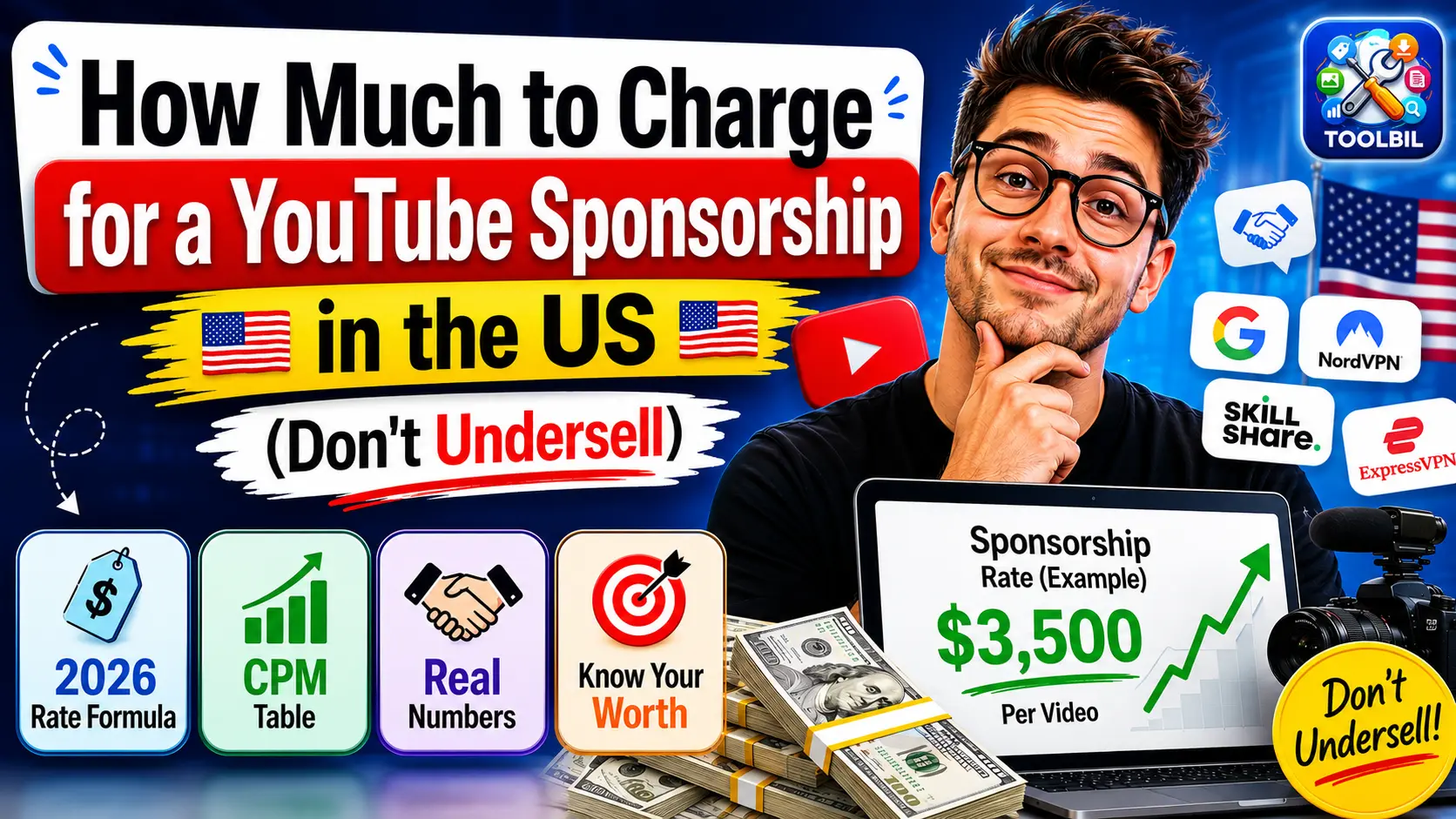
Sponsorship Calculator – estimates fair brand-deal rates based on channel size and engagement.
Strengths: genuinely free with no usage caps, no account required for any tool, and the monetization checker in particular fills a gap most competitors don’t cover at all very few free tools let you check any channel’s estimated monetization status, not just your own via YouTube Studio.
Limitations: it’s newer than the established players on this list, so it doesn’t yet have the deep historical analytics or browser extension based real time overlay that tools like TubeBuddy and VidIQ offer while you’re actively browsing YouTube.
2. VidIQ
Best for: competitor research and AI-driven keyword suggestions
VidIQ is one of the most widely used YouTube growth platforms, offering a free tier that includes competitor analysis, basic keyword research, and video optimization scoring. It overlays directly onto YouTube’s own interface via a browser extension, so you get keyword and performance data while you browse.
Strengths: strong free tier keyword suggestions, useful competitor insight, and an active community around the brand.
Limitations: the most useful analytics and historical data are gated behind paid tiers.
3. TubeBuddy
Best for: step by step video optimization while uploading
TubeBuddy functions like a built-in growth coach inside YouTube Studio. Its free plan includes a guided checklist that walks you through optimizing tags, thumbnails, and descriptions before a video goes live, plus basic keyword research tools.
Strengths: the in-upload checklist is genuinely useful for creators who don’t want to think about SEO as a separate step, and bulk-editing tools help channels with large back catalogs.
Limitations: advanced features like A/B testing and deeper keyword data require a paid plan, and some reviewers note the interface still reflects an older, more tag heavy approach to YouTube SEO.
4. YouTube Studio (Research Tab & Analytics)
Best for: first-party, 100% accurate performance data
It’s easy to overlook YouTube’s own built in tools, but YouTube Studio’s Research tab and Analytics dashboard remain the most accurate free source of audience search data because it comes directly from YouTube itself, not a third party estimate.
Strengths: completely free, no third-party data guessing involved, and shows exactly what your specific audience is searching for.
Limitations: no competitor analysis, and the interface isn’t built for quick topic brainstorming the way dedicated keyword tools are.
5. Google Trends
Best for: validating whether a topic is worth making a video about
Google Trends tracks search interest over time and by region, making it a solid free way to sanity check whether a topic idea has real, sustained audience demand before you invest time filming.
Strengths: completely free, shows geographic and historical interest, and works well alongside more YouTube specific tools.
Limitations: it’s a general search trend tool, not YouTube specific, so results need some interpretation for video content.
6. Social Blade
Best for: tracking channel growth and benchmarking against competitors
Social Blade is a long standing free tool for tracking subscriber growth, upload frequency, and estimated earnings over time both for your own channel and any public competitor.
Strengths: great for longer term growth tracking and competitive benchmarking at a glance.
Limitations: more of a monitoring tool than an optimization tool it tells you what’s happening, not specifically what to fix.
7. Keyword Tool (keywordtool.io)
Best for: long tail keyword discovery pulled from YouTube’s own autocomplete
Keyword Tool pulls suggestions directly from YouTube’s autocomplete data, which reflects what people are actually typing into YouTube’s search bar. It’s a straightforward way to find long-tail phrases for titles, tags, and descriptions.
Strengths: free tier is genuinely usable, and results are grounded in real YouTube search behavior rather than a third party estimate.
Limitations: search volume and deeper filtering are limited on the free plan.
8. RapidTags
Best for: fast, no-frills tag generation
RapidTags is a free, web-based tag generator no account needed. Enter a topic or keyword and it returns a list of relevant tags in real time.
Strengths: about as simple and fast as tag generation gets, with zero setup.
Limitations: narrowly focused on tags only, so it needs to be paired with other tools for a full SEO workflow.
9. Canva (Free Plan)
Best for: designing thumbnails that actually drive clicks
Thumbnails are one of the biggest click through rate levers on YouTube, and Canva’s free plan gives creators an accessible way to design polished, on brand thumbnails without any design background.
Strengths: huge template library, easy to learn, and genuinely free for core features.
Limitations: it’s a design tool, not an SEO tool per se best used in combination with a thumbnail research tool (like Toolbil’s downloader) to study what’s already working in your niche before designing your own.
10. TubePilot AI
Best for: a broad library of free AI powered YouTube tools
TubePilot AI offers a large collection of free tools covering tags, titles, descriptions, and other metadata generation tasks, aimed at creators who want quick AI assisted drafts rather than doing everything manually.
Strengths: wide range of free tools in one place, and no cost to access the core features.
Limitations: as with any AI generated metadata, outputs benefit from a human editing pass before publishing.
Which Free YouTube SEO Tool Should You Actually Use?
No single tool on this list covers everything, and that’s normal YouTube SEO in 2026 spans several distinct jobs: topic validation, keyword research, tag generation, thumbnail design, metadata analysis, and channel/monetization tracking. Most creators end up combining two or three tools rather than relying on one.
If you want the smallest number of tools to cover the widest range of daily tasks checking monetization eligibility, generating tags, studying competitor thumbnails, and pulling video metadata Toolbil is worth starting with simply because it consolidates several of these jobs into one free, no login toolkit rather than requiring separate accounts across multiple sites.
For deeper keyword research and real-time optimization while uploading, pairing it with VidIQ or TubeBuddy‘s free tiers, plus YouTube Studio’s own Research tab for first-party data, rounds out a solid, entirely free YouTube SEO stack for 2026.
Have a favorite free YouTube SEO tool we missed? Let us know we’re always updating this list as new tools launch.
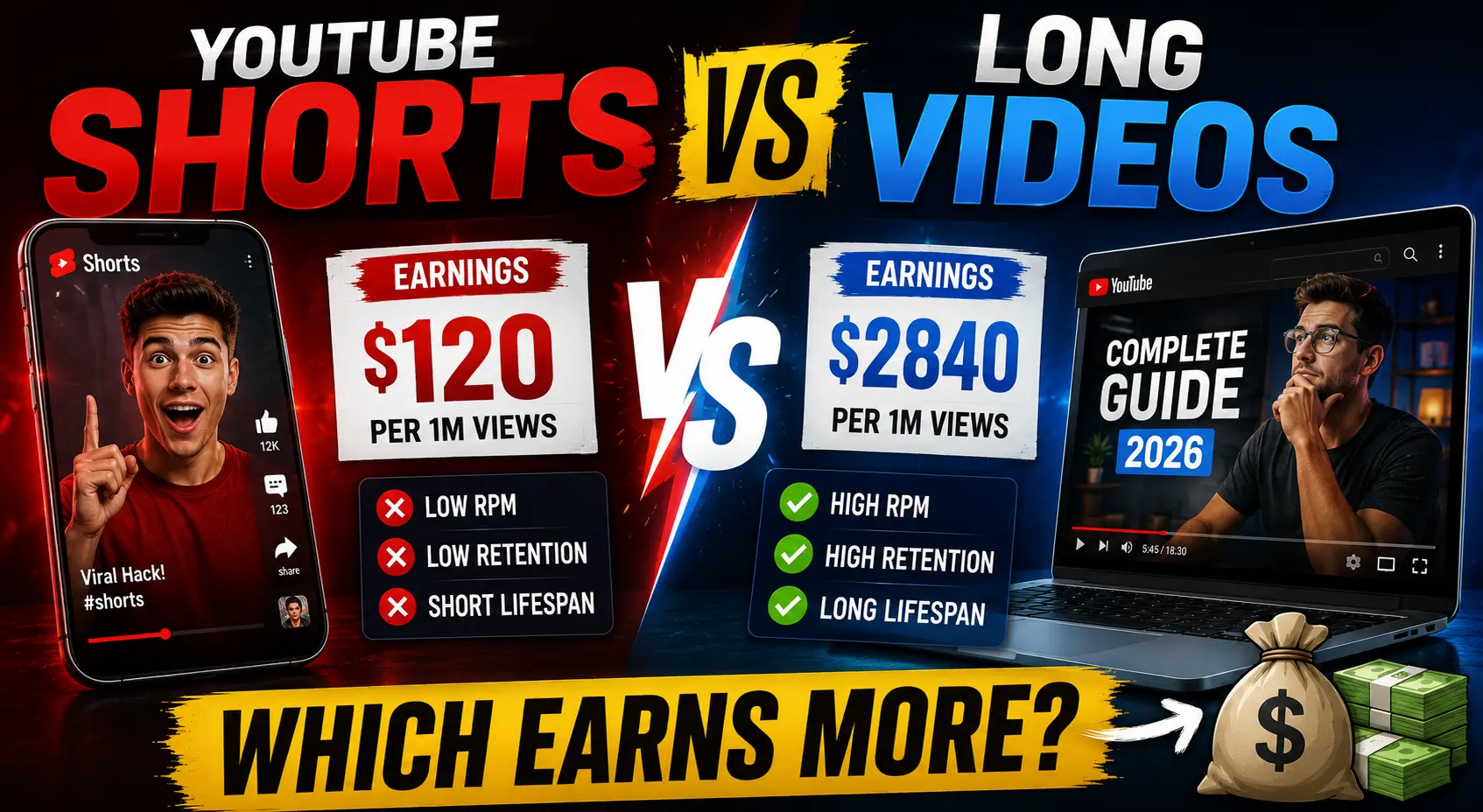
A creator posts a Short that reaches one million views in 48 hours. She earns $40.
Her friend posts a finance tutorial that reaches 40,000 views over two weeks. He earns $600.
Same platform. Same week. One video got 25 times more views. The other earned 15 times more money.
This is not an edge case. This is how YouTube’s revenue architecture actually works in 2026 and most creators don’t fully understand it until they’ve spent months posting Shorts and wondering why their earnings don’t move.
I’ve spent over a decade studying creator economics, and the Shorts vs long-form question is the one I get asked more than any other. This article gives you the real numbers verified data from across hundreds of channels and the honest strategic answer of YouTube Shorts vs Long Videos Which Earns More ? most guides are too careful to give you.
The Direct Answer — No Hedging
Long-form videos earn more money per view than YouTube Shorts in 2026. By a significant margin. The gap is structural, not temporary, and it is unlikely to close meaningfully in the next 12–18 months.
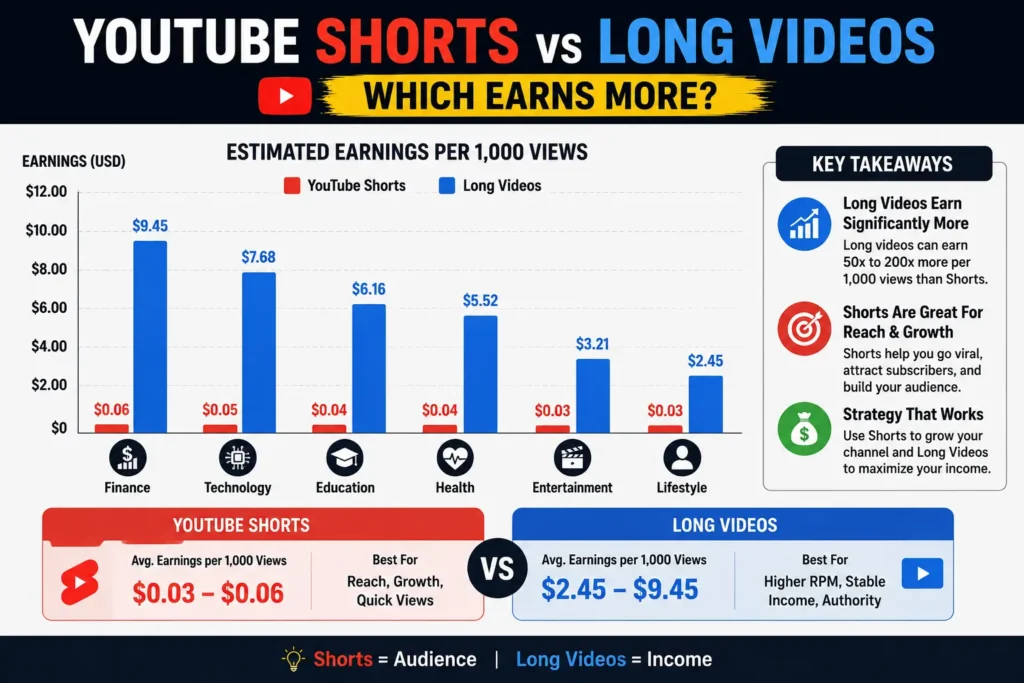
YouTube Shorts generate RPM between $0.03 and $0.08 per 1,000 views in 2026. Long-form videos in the same niches generate RPM between $1 and $10 a gap of roughly 20 to 30 times.
The median Shorts RPM across all niches is $0.05, while the median long-form RPM is $2.50.
Put another way: a long-form video with 100,000 views earns the same as a Short with 10,000,000 views. This 100:1 ratio is not an exaggeration it reflects the structural differences in how each format is monetized.
If you are making content decisions purely based on ad revenue potential, the answer is long-form, every time. That is the honest answer. But revenue per view is only one part of the picture, and the creators who are actually earning the most in 2026 understand the other parts. Let’s go through all of it.
Why Shorts Pay So Little: The Structural Explanation
The RPM gap between Shorts and long-form is not arbitrary. It is the result of four structural differences in how YouTube monetizes each format and understanding them tells you whether those differences are likely to change.
Reason 1: Different ad mechanics
Long-form videos can be monetized in the watch-page environment. Eligible long-form videos may include ads around the video experience, and videos longer than 8 minutes can be set up for mid-roll ad opportunities where available.
Shorts work completely differently. Unlike long-form videos, they don’t have ads plastered right in the middle of your video. Instead, the cash comes from a shared pool.
When you post a long-form video, advertisers bid to place ads specifically on your content before it starts, during it, and after it ends. The more relevant your audience is to what the advertiser sells, the higher they bid. Your video’s topic, your audience’s demographics, their location all of it influences the specific price.
When you post a Short, ads don’t run on your individual video at all. They run between videos in the Shorts feed. That revenue gets pooled, and your share is simply your proportion of total Shorts views across all creators worldwide. Your topic barely matters. Your audience location matters less. You’re sharing a pool with millions of other creators.
Reason 2: Creator share is reversed
On long-form, creators receive 55% of ad revenue. On Shorts, creators receive 45%, and YouTube retains 55%, partly to cover music licensing costs.
This is the exact opposite of the long-form split. Even before accounting for the RPM gap, Shorts creators are starting at a 10-percentage-point structural disadvantage per dollar of pool revenue allocated to them.
Reason 3: Viewer intent is different
People often consume Shorts by scrolling. A viewer watching a long-form video may be solving a problem, comparing options, learning a process, or spending several minutes with one creator’s explanation.
Advertisers pay premium prices to reach viewers who are actively researching something a product, a service, a decision. Long-form viewers signal that intent through their behaviour. Shorts viewers signal browsing and entertainment. That difference in intent directly affects how much advertisers will pay to reach each audience.
Reason 4: Shorter sessions compress ad inventory
A 20-minute tutorial can carry a pre-roll ad, two mid-roll ads, and a post-roll. That’s four ad impressions per view, each targeting a viewer who has demonstrated sustained interest. A 45-second Short generates a fraction of that inventory and none of it is directly attributed to your content’s topic.
The Real RPM Numbers in 2026
YouTube Shorts RPM ranges from $0.01 to $0.07 per 1,000 views. At $0.03 RPM, you need 3.3 million views to earn $100.
Here is what that looks like across formats and niches in a single comparison:
Format
Niche
RPM Range
Revenue per 1M views
Long-form
Finance & Investing
$10–$25
$10,000–$25,000
Long-form
Technology
$8–$15
$8,000–$15,000
Long-form
Health & Wellness
$5–$16
$5,000–$16,000
Long-form
Gaming
$1.50–$5.50
$1,500–$5,500
Long-form
Lifestyle/Vlog
$1.50–$5.50
$1,500–$5,500
Shorts
Finance
$0.05–$0.30
$50–$300
Shorts
Technology
$0.04–$0.10
$40–$100
Shorts
Gaming/Entertainment
$0.01–$0.07
$10–$70
Shorts
General
$0.03–$0.05
$30–$50
Finance Shorts earn 10× more than comedy Shorts but still trail long-form by 50–100×.
The implication is stark: 1 million views in finance on long-form earns $10,000–$25,000. The pooled revenue model, 45% creator share, and music licensing costs all compress Shorts earnings dramatically.
One number that tends to shock creators seeing it for the first time: only 14% of Shorts creators earn $1,000+ per month from ad revenue, and those typically have 50M+ monthly views.
The 100:1 Ratio You Need to See
This is the most important number in this entire article. Read it twice.
It takes 11,000–34,000 Shorts views to match 1,000 long-form views in revenue. Music channels need only around 1,100 (roughly 1:1). Kids and Teens large channels need approximately 2,156. Everyone else is in the 11,000–26,000 range, with Crafting at the far end at 34,000.
Let that sink in. For most creators, in most niches, you need to generate between 11,000 and 34,000 Shorts views to earn what 1,000 long-form views would generate. That is not a 2× or 5× gap it is a scale entirely different. If your long-form videos consistently reach 50,000 views, you would need 550,000 to 1,700,000 Shorts views every month just to match that revenue.
Direct Shorts revenue is negligible for most channels, accounting for less than 2% of total revenue while consuming a meaningful share of total production time.
When someone tells you Shorts are a path to revenue, that 2% figure is the reality check. They are not a path to revenue directly. They can be something else entirely — but we’ll get to that.
Where Shorts Genuinely Win
I want to be precise here, because dismissing Shorts entirely would be wrong. They genuinely win on three specific dimensions just not the ones most new creators assume.
Discovery reach
YouTube’s algorithm pushes Shorts far more aggressively to non-subscribers. A typical Short reaches 5–20× more unique viewers than a typical long-form video on the same channel. Shorts appear in the Shorts shelf, on the homepage, and in external app recommendations.
For a new channel particularly having less than 50 subscribers where building an audience from scratch is the primary challenge this reach asymmetry is genuinely valuable. Shorts can introduce your channel to audiences that would never find you through search alone.
Subscriber acquisition
Shorts convert viewers to subscribers at higher rates than long-form content because the commitment to watch is minimal.
A viewer who clicks on a 15-minute video is making a real time commitment. Many will assess the first 30 seconds and leave. A viewer who sees a 45 second Short to the end has already watched the whole thing — the conversion happens at a higher completion rate, and subscribe decisions often follow completion.
Speed of reach for new channels
YouTube Shorts now generates over 200 billion views per day. Shorts leads all short-form platforms in engagement with a 5.91% rate.
That is an enormous discovery platform. Used as a funnel rather than a revenue source, it is genuinely one of the fastest ways to grow a new channel’s subscriber base in the current YouTube landscape.
The Music Licensing Trap Most Creators Walk Into
This is the detail I rarely see in Shorts revenue articles, and it can cut your earnings by half.
Before creators see anything, music licensing costs are deducted. Zero tracks means keep all. One licensed track means losing approximately 33%. Two or more tracks means losing approximately 50%. This is why using original audio dramatically increases earnings.
The specific mechanics: the revenue pool is divided up among millions of views and adjusted for music licensing. Creators often notice that they earn a higher RPM on short videos that use original or non-copyrighted sounds compared to those that are full of music, even if the latter get more views.
This catches a large number of creators because the viral potential of a Short often seems to increase when popular music is used. The Short gets more views, the creator feels like it performed better, and they never realise that the licensed music track consumed a third of their already-small revenue share before they received anything.
The rule is simple: if you want to maximise Shorts revenue, use original audio, voiceover, or royalty-free music. The Short that earns $40 with trending licensed music might earn $60 with original audio on identical views. When your RPM starts at $0.03–$0.05, that 33–50% difference is not trivial.
Earnings Comparison by Niche
Not all niches experience the Shorts RPM gap equally. Here is where it is most severe and where it compresses slightly.
Most severe RPM gap (long-form wins by 50–100×):
YouTube Shorts RPM for the finance niche averages $0.05–$0.30 per thousand views, compared to $10–$25 for long-form content. Finance Shorts earn 10× more than comedy Shorts but still trail long-form by 50–100×.
Education has the highest RPM in the dataset at $14.97–$18.23 and zero Shorts channels in the sample. The opportunity cost of shifting Education views to Shorts is the largest of any niche.
If you run a finance, education, legal, or B2B software channel, the case for prioritising Shorts revenue over long-form revenue is essentially non-existent. The gap is too wide. You would need tens of millions of Shorts views to match what a well-optimised long-form channel earns on a fraction of the views.
Narrowest RPM gap:
Music channels need only around 1,100 Shorts views to match 1,000 long-form views in revenue. Kids and Teens large channels need approximately 2,156 related to a COPPA effect where Shorts have a 45.7% monetised playback rate versus 12.1% for long-form.
Gaming, meanwhile, is the stable exception where long-form and Shorts both pay comparably poorly. Across 10 channels in the within-channel sample, RPM barely shifts between Shorts months and non-Shorts months $3.42 versus $3.29. For gaming creators, the RPM argument either way carries less weight the income disparity between gaming Shorts and gaming long-form is far smaller than in premium niches.
The Case Where Shorts Actually Make Sense Financially
Given everything above, here is when the Shorts-first strategy actually makes financial sense:
Case 1: You are building a new channel from scratch
Shorts are better used as a discovery tool. If you have zero subscribers and zero search authority, Shorts compress the timeline for acquiring both. The Shorts revenue during this growth phase is negligible but the subscribers you accumulate will watch your long-form content and generate real RPM. The economics only make sense if you treat Shorts revenue as irrelevant during the growth phase.
Case 2: Affiliate and sponsorship income compensates for ad revenue weakness
76% of top-earning Shorts creators make more from brand deals and sponsorships than from ad revenue. Only 8% of Shorts creators rely on ads as their primary income source. Shorts with product mentions in the first 10 seconds see 22% higher affiliate sales.
If your content category has strong affiliate products (tech, finance, beauty, health), Shorts can generate meaningful affiliate revenue even at the RPM rates described above. The Shorts viewer who sees a product recommendation and clicks through to buy contributes affiliate income that is completely separate from the ad revenue pool.
Case 3: You can produce Shorts in significantly less time than long-form
AI-generated Shorts can actually beat long-form on a per-hour basis despite the RPM gap. A creator who spends one hour using AI tools to make ten Shorts that earn $70 total earns $70 per hour.
The production method dramatically affects which format is more time-efficient. A creator who can produce ten Shorts in the time it takes to produce one long-form video changes the per-hour earnings calculation entirely, even if per-view earnings remain far lower.
What 274 Real Channels Tell Us
In early 2026, AIR Media Tech pulled verified data directly from the YouTube Analytics API across 274 channels that mix Shorts and long-form content. This is the most rigorous multi-channel dataset available on this topic, and several findings from it should directly influence your content strategy.
The within-channel comparison shows the same channels earning $4.58 RPM in months without Shorts and $1.84 in months with Shorts — a 60% drop. The dose-response goes further: $4.99 at 0 Shorts per month falls to $1.15 at 21+ Shorts per month — a 77% decline.
This finding deserves to sit for a moment. Adding Shorts to a channel that previously had none was correlated with a 60–77% drop in long-form RPM on the same channel. The causality is not proven it could be that the Shorts bring in a different audience that converts less well for advertisers, or that the algorithm adjusts how the channel is categorised, or simply that the view mix shifts toward lower-value Shorts views that dilute the overall channel RPM metric.
Gaming is the stable exception. Across 10 channels in the within-channel sample, RPM barely shifts between Shorts months and non-Shorts months.
The Entertainment medium cross sectional gap is stark: irregular Shorts channels earn $559 per month versus $2,979 for pure long-form channels in the same niche. Shorts are generating 26% of their traffic and 1.5% of their income.
That last statistic is the clearest single-line summary of the Shorts economics problem. 26 % of traffic. 1.5% percent of income. And in some cases, that traffic appears to be diluting the RPM on the long-form income too.
None of this means Shorts are always wrong. The Arts and Crafts channel case achieved a 64% revenue increase in 30 days from a Shorts strategy — none of that revenue came from Shorts RPM. It came from the long-form views that Shorts viewers went on to watch.
That is the clean distinction: Shorts as a direct revenue source fails the math. Shorts as a funnel that fills a high-RPM long-form channel with new viewers can work well.
The Hybrid Strategy That Beats Both
Based on all of the data above, here is the approach that consistently outperforms both pure Shorts and pure long-form channels in 2026:
Post Shorts as a discovery layer, not a revenue layer
Produce 3–5 Shorts per week. Each Short should connect directly to a long-form video either clipping the most compelling 30–60 seconds from an existing long-form video, or creating a standalone Short that teases a longer treatment.
End every Short with a reference to a related long-form video. Use pinned comments linking to the full video. Track how many long-form views originate from Shorts viewers.
The Shorts RPM is not your metric of success here. The metric is Shorts-to-long-form conversion: how many viewers who saw your Short went on to watch a full video. That conversion generates the real revenue.
Make long-form videos longer than 8 minutes
Focus on high-RPM topics within your niche and make long-form videos 10+ minutes with mid-roll ads enabled.
The mid-roll ad unlock at 8 minutes is one of the most impactful technical decisions a creator makes. A 7-minute video earns from pre-roll and post-roll only. A 10-minute video earns from two additional mid-roll placements. In high CPM niches, that difference compounds significantly across a video catalogue.
Never use licensed music in Shorts
Using one licensed track reduces earnings by approximately 33%. Two or more tracks reduces earnings by approximately 50%. Use original audio or royalty-free tracks on every Short. At $0.03–$0.05 base RPM, protecting 100% of your allocated share is more valuable than any viral boost trending audio might provide.
Track revenue by format separately in YouTube Studio
Review your Shorts subscriber conversion rate monthly — this is the metric that tells you whether your Shorts investment is paying off through long-form audience growth.
YouTube Studio shows long-form and Shorts revenue separately in the Revenue dashboard. Check both each month. If Shorts represent more than 20% of your ad revenue, you may be under-investing in long-form content. If long-form is carrying 90%+ of revenue on 60% of your views, your Shorts strategy is working correctly.
How to Check What Your Channel Is Actually Earning
Before you make any format decision, check where your channel actually sits right now and what channels similar to yours are earning.
Use Toolbil’s free YouTube Monetization Checker to check any public YouTube channel’s estimated monthly earnings, CPM by country, subscriber count, and monetization status instantly, no login required. Enter a competitor’s channel or your own to get an external estimate of what you’re working toward.
If your channel is at a point where brand sponsorships make sense on top of AdSense, use Toolbil’s free YouTube Sponsorship Calculator to see what your channel should be charging brands based on your views, niche, and audience location. Sponsorship revenue is particularly important for Shorts creators, since 76% of top-earning Shorts creators make more from brand deals than from ad revenue.
Frequently Asked Questions
Do YouTube Shorts or long videos earn more money in 2026?
Long-form videos earn significantly more per view in 2026. The median Shorts RPM is $0.05 per 1,000 views, while the median long-form RPM is $2.50. That is a 50× gap at the median, and the gap widens further in high value niches like finance, education, and B2B software.
How much do YouTube Shorts pay per 1,000 views in 2026?
YouTube Shorts pay between $0.01 and $0.07 per 1,000 views (RPM). The midpoint is approximately $0.03–$0.05. This means 1 million Shorts views generates roughly $30–$70 in ad revenue before music licensing deductions if licensed tracks are used.
How many Shorts views equal 1,000 long-form views in revenue?
It takes 11,000–34,000 Shorts views to match 1,000 long-form views in revenue for most niches. Music channels are the exception at approximately 1,100:1. For finance, education, or B2B creators, the ratio is closer to 34,000:1.
Why do YouTube Shorts pay less than long-form videos?
Four structural reasons: The pooled revenue model, 45% creator share, and music licensing costs all compress Shorts earnings dramatically. Specifically: ads run between Shorts in the feed rather than on individual videos, creators keep 45% versus 55% for long-form, music licensing fees are deducted before the creator split, and shorter sessions give advertisers less targeting data per view.
Can I make a full-time income from YouTube Shorts alone?
Very unlikely from ad revenue alone. Only 14% of Shorts creators earn $1,000+ per month from ad revenue, and those typically have 50M+ monthly views. A sustainable income from Shorts requires stacking brand deals, affiliate commissions, and channel memberships on top of ad revenue with ad revenue being the smallest piece.
Should I stop posting Shorts and focus only on long-form?
Not necessarily. The Arts and Crafts channel achieved a 64% revenue increase in 30 days from a Shorts strategy none of that revenue came from Shorts RPM. It came from the long-form views that Shorts viewers went on to watch. Shorts as a discovery funnel that feeds a high-RPM long-form channel is a legitimate and proven strategy. Shorts as a primary revenue source is not.
Do Shorts help or hurt long-form RPM?
The within-channel comparison shows channels earning $4.58 RPM in months without Shorts and $1.84 in months with Shorts a 60% drop when Shorts are added at high frequency. The causality is unproven, but the pattern across 274 channels is consistent enough to warrant careful tracking of your own long-form RPM when you add Shorts to an established channel.
What is the best strategy for YouTube monetization in 2026?
The creators who try to earn primarily from Shorts ad revenue are fighting the math. Creators who use Shorts strategically to grow their long-form audience get the best of both worlds. Post 3–5 Shorts per week as a discovery layer. Post 1–2 long form videos per week as your revenue engine. Track the conversion from Shorts viewers to long-form watch time monthly, and treat Shorts RPM as a minor bonus rather than a meaningful income stream.
The Bottom Line
After twelve years of watching creator economics evolve, my read on 2026 is this: Shorts are the most powerful discovery tool YouTube has ever given small creators, and the worst primary revenue source they’ve ever launched.
The honest summary: Shorts ad RPM is real but small. At $0.03 RPM, you need 3.3 million views to earn $100. But if you treat Shorts as your growth engine and discovery layer, the total revenue picture changes completely.
The creators winning in 2026 are not choosing between Shorts and long-form. They are using Shorts to fill a long-form funnel building subscribers at scale through short-form reach and converting them to revenue through long-form watch time.
Long-form earns. Shorts grow. Both together is where the real income lives.
Before you decide which direction to weight your content strategy, check what similar channels are actually earning using Toolbil’s free YouTube Monetization Checker. Real data on what your competitors make is more useful than any general benchmark.
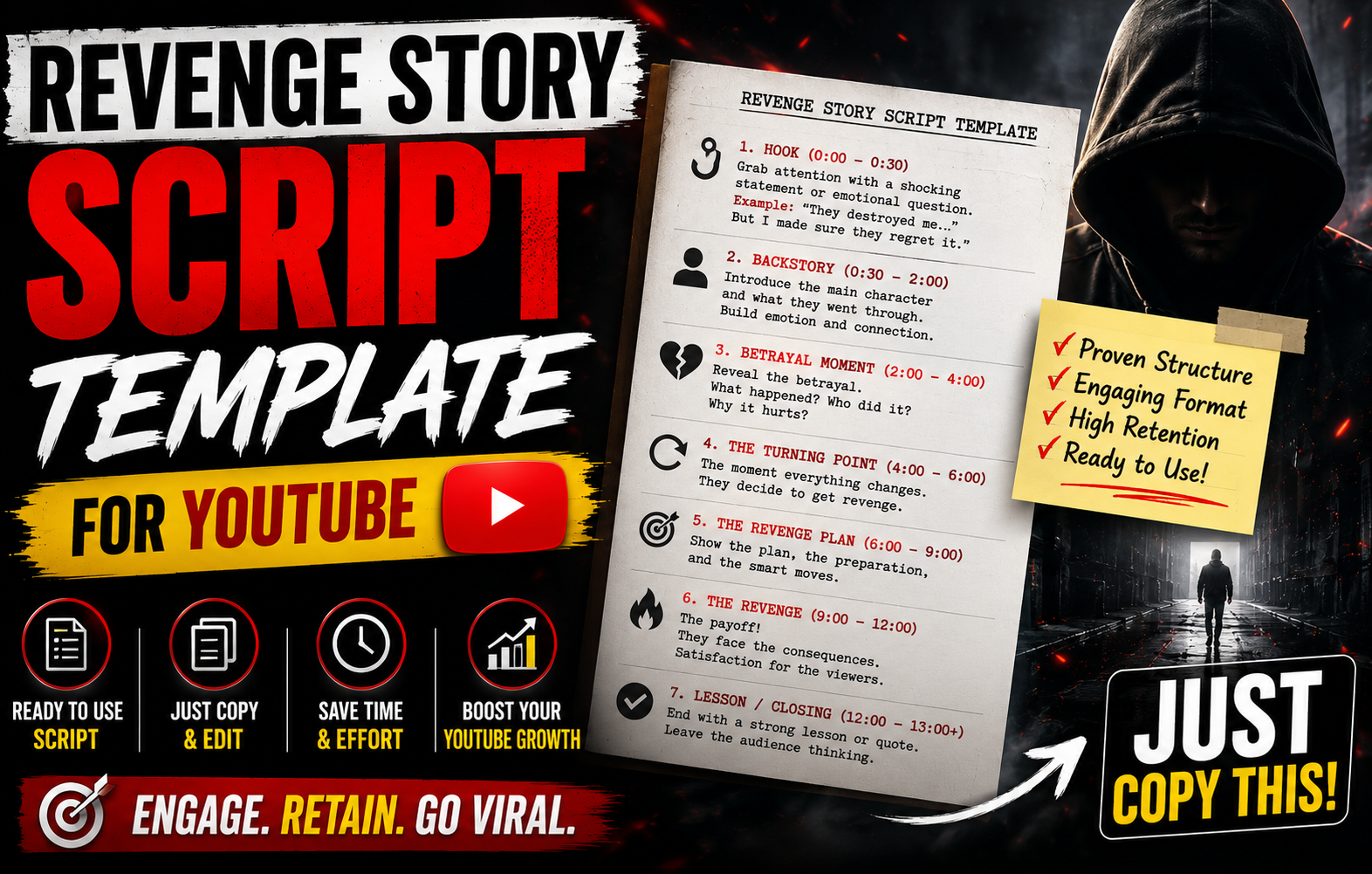
Revenge Story Script Template you can copy, fill the placeholders and create your story video using AI tools. This is completely free AI prompt for betrayal and revenge story creation.
Most betrayal and revenge YouTube channels die in their first 30 days not because the stories are bad, but because the scripts are structured wrong.
They open with background. They introduce the narrator before the injustice. They pace the betrayal too slowly, rush the revenge, and close with a vague ending that gives viewers no emotional release. The result: 35–40% audience retention, zero recommended traffic, and a channel the algorithm refuses to push.
The channels generating $12.82 RPM in this niche the highest verified creator take home rate on YouTube right now are not running on better stories. They are running on a better script structure. A specific, tested, emotionally engineered formula that tells the viewer’s brain exactly what emotional reward is coming and when.
This is that formula. A complete revenge story script template for YouTube that you can copy, fill in, and publish built specifically for the betrayal and revenge narrative niche, with real word for word examples, retention benchmarks for each section, and a full fill in the blank template at the end.
YouTube’s algorithm in 2026 primarily rewards watch time and retention rate. A 10 minute video where people watch 8 minutes (80% retention) beats a 20 minute video where people watch 6 minutes (30% retention). Every sentence in your script should serve one purpose: keep viewers watching.
In the betrayal and revenge niche, this principle is amplified. Your audience is watching because they want a specific emotional experience outrage at the injustice, tension during the build, catharsis in the resolution. Deliver that experience in the right order at the right pace and your retention holds. Deliver it out of order or skip emotional beats and viewers drop off, regardless of how dramatic the story is.
This is why identical story premises perform completely differently on different channels. A cheating partner story told with a weak structure averages 38% retention. The same emotional premise told with the 5-act structure below averages 72–78% retention. The story is the same. The structure is different.
For videos between 5 and 15 minutes, a healthy average percentage viewed is 40 to 55 per cent. This is the length where pacing becomes critical. Betrayal and revenge videos that consistently hit 70%+ are outliers and they achieve that because their script structure matches the psychological pattern the audience’s brain is primed for.
That pattern has five acts. Every one of them has a specific job.
The 5-Act Revenge Script Formula Explained
The 5-act revenge formula is derived from the storytelling architecture behind the highest retention betrayal channels in 2026, cross-referenced with the key building blocks of revenge stories including the climax that deals with two possible outcomes: the protagonist’s moment of triumph where they complete their goal and get justice, or their failure that resolves the main conflict.
Here is the high level structure before we break each act apart:
Act
Name
Timestamp Range
Retention Goal
Primary Job
Act 1
The Injustice Hook
0:00–1:30
Hold 80%+ viewers past 90 sec
Open in the injustice. Create outrage AND anticipation.
Act 2
The Build
1:30–6:00
Hold 70%+ through background
Layer the betrayal details. Build emotional investment.
Act 3
The Revelation
6:00–10:00
Hold 75%+ at the pivot
Full exposure of the betrayal. Shift from victim to planner.
Deliver the catharsis. Convert the viewer to a subscriber.
The two critical retention points to watch in YouTube Studio:
The 90 second mark and the 10-minute mark. If your retention curve shows a significant drop at either point, Act 1 or Act 3 is not doing its job. Most channels struggling with retention have a weak Act 3 the revelation comes too slowly or without sufficient emotional weight, and viewers who have been patient through the build decide the payoff is not coming and leave.
Act 1 — The Injustice Hook: The 15 Second Survival Window
The primary goal of a powerful YouTube hook is to earn the viewer’s investment for the next 30 seconds, thereby maximizing the video’s overall viewer retention rate. The hook must instantly communicate the outcome, benefit, or central conflict of the video, ensuring the viewer understands why they should spend their valuable time watching.
In betrayal and revenge content, this means one thing: open in the middle of the injustice, not before it.
The most common Act 1 mistake is chronological opening starting at “let me tell you about my marriage” before reaching the betrayal. Every second you spend on background before the injustice is a second you are bleeding viewers. 20–40% of viewers drop off in the first 10 seconds. They clicked your video based on title and thumbnail, but if the opening doesn’t immediately confirm they’ll get what they came for, they’re gone.
The 3-component hook formula for betrayal content
Component 1 — The injustice statement (1–2 sentences): State the betrayal directly. Specific, concrete, immediate.
✅ Correct:“My husband of eleven years had a completely separate family. I found out on the morning of our anniversary when a seven-year-old girl called him ‘Daddy’ in a grocery store parking lot.”
❌ Wrong:“Today I want to tell you about something that happened to me a few years ago in my marriage. It was a really difficult time.”
The difference: the correct version drops the viewer directly into a specific, visual moment of betrayal. The wrong version tells the viewer nothing emotional and gives them a reason to leave.
Component 2 — The stakes establishment (1 sentence): Tell the viewer what was at risk or what was lost.
“I had given up my career, my friendships, and eleven years of my life to someone who was living a lie the entire time.”
Component 3 — The control signal (1–2 sentences): This is the most important component. It signals to the viewer that the narrator has power that this is not a victimhood story but a justice story. This single signal is what separates content that gets 35% retention from content that gets 75%.
“I didn’t cry in that parking lot. I drove home, made dinner, and spent the next four weeks building a case. This is what happened to him.”
The control signal tells the viewer: the narrator is not helpless. A satisfying ending is coming. Stay and watch it.
Act 1 hook formulas — copy and adapt
Formula 1 — The Discovery Opener:“[Describe the exact moment of discovery in one sentence]. I had [time period] to process it. Then I started planning.”
Formula 2 — The Timeline Reveal:“For [time period], I smiled, cooked dinner, and acted like everything was fine. What [name/relationship] didn’t know was that I had known the truth for [time period] and I had been using every single day.”
Formula 3 — The Outcome First:“By the end of this story, [antagonist] had lost [specific losses]. I want to tell you exactly how that happened and why I don’t feel guilty about any of it.”
Formula 4 — The Witness Line:“I was not supposed to be in that [location] at that time. But I was. And what I saw changed the next [time period] of my life completely.”
Act 2 — The Build: Emotional Investment Architecture
Act 2 is where most script writers lose viewers they should not lose. The background information that makes the betrayal meaningful is necessary but it has to be delivered in a specific way to prevent the retention curve from dropping.
The job of Act 2 is to make the viewer feel what the narrator felt before they knew the truth. This is called emotional retroframing presenting the narrator’s past happiness or trust in a way that the viewer knows is wrong, creating dramatic irony that keeps them watching to see the moment everything falls apart.
The emotional retroframing technique
Instead of stating background facts neutrally, frame them as evidence of the betrayal the viewer already knows is coming.
❌ Neutral background (causes drop-off):“We met in college in 2013. We got married in 2016. We had a good life together and I trusted him completely.”
✅ Emotional retroframing (holds retention):“I still have the photo from our 2018 vacation. We’re both laughing at something I can’t remember what. What I know now is that he was already seeing her by then. That photo was taken during the same month she says she first knew she was pregnant with his child. I look at that photo differently now.”
The retroframing version takes the same information and charges it with meaning the viewer already knows, creating the feeling of painful dramatic irony that betrayal content is specifically engineered to produce.
Act 2 structure — layer by layer
Layer 1: The relationship history (concrete and specific) Establish the length and depth of trust. Use one or two specific details not a general summary. A specific detail (the exact number of years, a specific shared experience, a particular thing they built together) creates emotional investment that “we were close” never does.
Layer 2: The first signs that were ignored These are the moments the narrator dismissed at the time that they now understand. The darkest moment is the emotional core of a storytelling script. Write it first, in as much detail and specificity as you can. What exactly happened? What were the specific stakes? What did you think or feel? The ignored signs work because they make the viewer feel complicit in the betrayal they were watching the clues too and also let them pass.
Layer 3: The escalation evidence Before the full revelation, there should be a moment where the narrator got close to the truth but did not quite reach it. This creates a near-miss that raises tension before Act 3.
Act 3 — The Revelation: The Hinge That Locks Viewers In
Act 3 is the structural hinge of the entire script. It is where the story shifts from a betrayal narrative to a revenge narrative. Done correctly, it creates what screenwriters call the “point of no return” a moment where the viewer’s emotional investment locks in and dropping off becomes psychologically uncomfortable.
There are two stages to Act 3:
Stage A: The Full Discovery
The moment the complete truth is revealed. This should be the most specific, concrete, visually described moment in the entire script. Vague revelations (“I found out everything”) generate no emotional response. Specific revelations generate visceral reactions.
“The folder had 47 pages in it. Bank statements. Hotel receipts. Screenshots of messages. A lease agreement for an apartment I had never seen signed jointly. Two names. His and hers. The lease started three months after our wedding.”
Every detail adds weight. The number 47 is more impactful than “many.” The lease starting three months after the wedding is more devastating than “it had been going on a long time.”
Stage B: The Control Decision
This is the single most important moment in your entire script. The moment the narrator decides not to react immediately but to plan. Get this line right and your retention locks in. Get it wrong and your audience starts drifting in Act 4.
High retention control decision lines:
“I put the folder back exactly where I found it. I drove to work. I did not say a single word.”
“I closed the laptop, made tea, and sat at the kitchen table for forty minutes deciding what to do. By the time I finished that tea, I had decided three things.”
“The anger was there. But there was something under it that felt colder and much more useful. I decided to use that instead.”
What all of these have in common: They show the narrator transitioning from emotional reaction to strategic thinking. The viewer registers this shift as power and power is what they came to see.
The Act 3 bridge line
End Act 3 with a single sentence that bridges into Act 4 and re-establishes the promise from your opening hook:
“I had [time period] before [event]. That was enough.”
Act 4 — The Revenge Execution: The Longest and Most Important Act
Act 4 is the act viewers came for. It is also the act most scripts rush, underwrite, or handle incorrectly. The three most common Act 4 mistakes:
Mistake 1: Making the narrator angry instead of strategic Screaming matches, emotional confrontations, and dramatic tearful scenes feel like satisfying revenge but actually reduce audience retention because they position the narrator as reactive rather than in control. The highest retention revenge executions are methodical, calm, and multi-step. Viewers stay for controlled power, not emotional outbursts.
Mistake 2: Rushing the execution Act 4 should be the longest act in your script. Viewers who invested through Acts 1–3 have earned the detailed execution. Give them every step. What was prepared. What was communicated to whom. What happened when. In what order. The satisfaction comes from the methodical, layered delivery not from a single confrontation.
Mistake 3: Making the revenge disproportionate Revenge that far exceeds the original betrayal makes the narrator unsympathetic. The viewer’s satisfaction depends on justice feeling proportional. Losing a job for cheating: proportional. Losing their entire life, relationships, housing, and career over a workplace slight: disproportionate and unsatisfying.
The Act 4 structure — step by step
Step 1: The preparation phase
Detail what the narrator did before any confrontation. This is the planning section and it is crucial for the strategic positioning of the narrator.
“Week one: I contacted a [relevant professional lawyer, financial advisor, HR]. Week two: I moved [asset/resource] that they didn’t know about. Week three: I made contact with [third party who needed to know].”
Step 2: The evidence collection (if applicable)
The most satisfying revenge scripts include a moment where the narrator assembled undeniable evidence before confrontation. This is both a plot element and a retention device each piece of evidence revealed is a mini payoff that holds viewers through the longer Act 4.
Step 3: The strategic communication sequence
Who found out, and in what order? The most dramatically effective revenge scripts tell third parties before telling the antagonist. The viewer knows something the antagonist does not another layer of dramatic irony that holds attention.
Step 4: The confrontation (if included)
Not all revenge scripts include a direct confrontation and those that do should position it as the narrator’s controlled choice rather than an emotional reaction. If included, the confrontation should be brief, controlled, and devastating in its calmness.
Strong confrontation script line:“I had one sentence prepared. I had rehearsed it twice. I sat across from [name], waited for silence, and said it. Then I left without waiting for a response.”
Step 5: The cascade of consequences
The most satisfying Act 4s end with multiple consequences arriving for the antagonist professional, social, financial, relational each one landing separately and escalating. This escalation structure is what drives the retention spike that high performing revenge channels consistently show in YouTube Studio at the 15–18 minute mark.
Act 5 — The Resolution: The Emotional Payoff That Builds Subscribers
Act 5 has three jobs, and all three must be present for the closing to convert viewers into subscribers.
Job 1: The karma confirmation
State clearly and specifically what the antagonist’s situation is now. This is what the viewer has been watching to see. Deliver it directly, without hedging.
✅ “As of [timeframe], he no longer works in [industry]. The second family he chose over ours has been through two rounds of counseling. He sent me a message six months ago. I did not open it.”
❌ “Things eventually worked out and he got what he deserved.”
Job 2: The narrator’s current state
Brief one to two sentences. Where is the narrator now? This provides the audience with the validation that leaving was right, moving forward was right, and the revenge was the end of a chapter rather than a permanent obsession.
“I moved to [city/state] eighteen months ago. I took the position I had turned down when we got married. I go to sleep without checking my phone. That took longer to earn than anything else in this story.”
Job 3: The subscriber conversion line
The final 15–30 seconds of your script should be written specifically to convert the emotional connection of the resolution into a subscribe action. The most effective subscribe conversion lines for this niche connect the viewer’s personal experience to the channel’s ongoing content.
High conversion closing formulas:
Formula 1 — The shared experience close:“If any part of this felt familiar if you have been sitting across from someone and smiling while carrying something they don’t know you know I want you to hit subscribe. I share a new story every [day/week]. Some of them are even longer than this one.”
Formula 2 — The justice community close:“I read every comment. I know a lot of you have been through something similar. Tell me in the comments what you would have done differently. And subscribe because the next story is going to make this one look mild.”
Formula 3 — The curiosity close:“I have not told you everything. There is one more part of this story I left out deliberately. I am going to share it in a follow up video for subscribers only. Subscribe with the bell notification on. It will be up [day].”
Pattern Interrupt Techniques for Betrayal Scripts
Human attention spans on video are measured in seconds, not minutes. You need to recapture attention constantly.
Pattern interrupts are scripted moments that reset viewer attention before they drift. In voiceover narrated betrayal content, pattern interrupts cannot rely on visual cuts (since you are using stock footage or AI visuals) they have to be scripted into the narration itself.
Verbal pattern interrupt techniques for betrayal scripts
Technique 1: The pause question A direct rhetorical question dropped into the narration mid act. “I need to stop here for a second. Because what I found next changes everything I just told you.” This works by creating a micro-curiosity gap that refreshes viewer engagement at the exact moment attention is starting to drift.
Technique 2: The number revelation Introducing a specific number that the viewer did not expect. “I counted later. He had sent her 1,847 messages in the six months I thought we were fine. I know the exact number because I printed all of them.” Specific numbers create visceral impact and snap attention back.
Technique 3: The time jump“Fast forward six weeks. Everything I had set up was in motion. Three things happened in the same 24-hour period that I did not plan but I was ready for.” Time jumps signal that something is about to happen and buy 2–3 minutes of renewed attention.
Technique 4: The quiet line A sudden shift to very short, very simple sentences after a longer paragraph. “She knew. She had always known. And she kept coming to our house anyway.” The rhythm shift creates the sensation of a revelation landing even when it is a piece of information already introduced.
Technique 5: The object detail Ground the abstract in a specific physical object. “He had left his laptop open on the kitchen table. I have thought about that detail many times since. Of all the mornings to leave it open. Of all the windows to leave active.”
9. Word Count and Timing Guide Per Act
Most creators speak at 130–150 words per minute in narration. Use this table to hit the target timestamp for each act:
Act
Target Duration
Word Count (130 wpm)
Word Count (150 wpm)
Retention Target
Act 1 — Hook
1 min 30 sec
~195 words
~225 words
80%+
Act 2 — Build
4 min 30 sec
~585 words
~675 words
70%+
Act 3 — Revelation
4 min
~520 words
~600 words
75%+
Act 4 — Execution
10 min
~1,300 words
~1,500 words
65%+
Act 5 — Resolution
2 min
~260 words
~300 words
80%+
Total
~22 min
~2,860 words
~3,300 words
—
A 22 minute video at these word counts gives you 4–6 mid roll ad slots, which is where the $12.82 RPM comes from. Videos under 12 minutes in this niche miss the mid-roll revenue window and earn 40–60% less per 1,000 views. Do not cut your script short to keep production time down.
The Complete Fill In The Blank Revenge Story Script Template To Copy
Copy this entire template. Replace everything in [brackets] with your story’s specific details. Do not change the structural transitions between acts they are the retention mechanics.
ACT 1 — THE INJUSTICE HOOK
[OPEN DIRECTLY IN THE MOMENT OF BETRAYAL – no introduction, no background]
“[Describe the exact moment of discovery in one specific, visual sentence. Include a concrete detail a name, a location, a number, a physical object.]
[State what was at risk or what was lost as a result of this betrayal – one sentence.]
[THE CONTROL SIGNAL – The narrator decides not to react immediately. Two sentences maximum. This line must show calm decision making, not emotion.]
This is what happened next.”
ACT 2 — THE BUILD
“[His/Her/Their] name is [name or pseudonym]. We had been [relationship type] for [exact time period].
[ONE specific detail that establishes the depth of trust – a shared experience, a sacrifice made, a specific moment of genuine connection.]
[TWO OR THREE IGNORED SIGNS – Present each as something the narrator dismissed at the time and now understands differently. Frame each using retroactive knowledge: ‘What I know now is…’ or ‘I understand now why…’]
[THE NEAR-MISS – A moment where the narrator almost found out the truth but didn’t. This raises tension before Act 3.]
I thought I knew exactly what my life was. I was [time period] wrong.”
ACT 3 — THE REVELATION
“[THE SPECIFIC DISCOVERY – Describe the physical moment of finding out the full truth. Use concrete details: documents, messages, dates, numbers, locations. The more specific, the more emotionally impactful.]
[LAYER THE DETAILS – Add two to three additional pieces of evidence that expand the scope of the betrayal beyond the initial discovery.]
[THE EMOTIONAL RESPONSE Two to three sentences on the internal reaction. Keep it controlled and specific. Avoid generic phrases like ‘I was devastated.’]
[THE CONTROL DECISION – The narrator decides to plan rather than react immediately. This is the hinge of the entire script. One to two sentences. Calm. Decisive. Cold.]
I had [time period] before [triggering event the confrontation, the meeting, the filing, the announcement]. That was more than enough.”
ACT 4 — THE REVENGE EXECUTION
“[PREPARATION – What did the narrator do before any confrontation? List specific preparatory actions in sequence. Use time markers: ‘First,’ ‘By [day/week],’ ‘Before [event]’]
[EVIDENCE COLLECTION – What was assembled and how? Be specific about what was documented, copied, saved, or shared.]
[STRATEGIC COMMUNICATION – Who found out before the antagonist did? In what order? Why that order?]
[PATTERN INTERRUPT #1 – Use one of the verbal techniques: pause question, number revelation, time jump, quiet line, or object detail. Place here at approximately the 13–14 minute mark.]
[THE CONFRONTATION if included – Brief, controlled, the narrator’s choice. One prepared line delivered calmly.]
[THE CASCADE – List the consequences that followed in sequence. Each consequence should be specific and proportional to the betrayal.]
[PATTERN INTERRUPT #2 – Place at approximately the 17–18 minute mark. A second refresh of attention before the final act.]
[Name/antagonist] had options throughout all of this. [He/She/They] made a choice at every stage. So did I.”
ACT 5 — THE RESOLUTION
“[THE KARMA CONFIRMATION – State specifically and concretely what the antagonist’s situation is now. Two to three sentences. No hedging.]
[THE NARRATOR’S CURRENT STATE – Brief, one to two sentences. Where are you now? What does normal life feel like?]
[THE UNIVERSAL STATEMENT – One sentence that speaks to anyone who has been betrayed. This line is what viewers share and screenshot.]
[THE SUBSCRIBE CONVERSION – Use one of the three formulas: shared experience close, justice community close, or curiosity close. 20–30 seconds maximum.]”
End of template.
How to Use AI to Generate Revenge story
AI script tools have become genuinely useful in 2026, especially for generating first drafts and hook variants. The key limitation across all tools is niche-specific accuracy: AI doesn’t know your audience’s specific language, your competitors’ top videos, or the data patterns in your space. The best workflow combines AI generation with human editing.
Here are the exact AI prompts for use with Claude, ChatGPT, or Gemini that generate structurally correct betrayal/revenge scripts using the 5-act formula:
AI Prompt For Betrayal Revenge Story Generation
Prompt 1 – Full script generation
You are a YouTube scriptwriter specialising in betrayal and revenge
narrative content. Write a complete 2,800-word script using the
5-act structure below. Open directly in the injustice — no
introductory framing. Use specific concrete details throughout.
The narrator must demonstrate controlled strategic thinking in
Act 3 and Act 4, not emotional reactions.

Story premise: [Paste your story premise here]

Act structure:
Act 1 (195 words): Open directly in the betrayal moment. Hook,
stakes, control signal.
Act 2 (585 words): Background through emotional retroframing.
Three ignored signs. One near-miss.
Act 3 (520 words): Full revelation with specific details.
Control decision pivot line.
Act 4 (1,300 words): Preparation, evidence, strategic
communication, confrontation if any, cascade of consequences.
Include two pattern interrupts.
Act 5 (260 words): Karma confirmation, narrator's current state,
universal statement, subscriber conversion close.
Prompt 2 — Hook only (when you want multiple options)
Write 5 different opening hooks for a YouTube betrayal and revenge
story about [story premise]. Each hook must:
1. Open directly in the injustice, not before it
2. Use a specific concrete detail in the first sentence
3. Include a control signal — the narrator deciding to plan
   rather than react
4. Be 150–200 words maximum
5. End with a bridge line that creates anticipation for what follows
Prompt 3 — Pattern interrupts
For this section of a YouTube betrayal script [paste Act 4 draft],
add three verbal pattern interrupts that refresh viewer attention
without breaking the narrative flow. Use these techniques: one
pause question, one number revelation or specific detail, and one
quiet line (short simple sentences after longer paragraphs).
Insert them at natural pacing transition points.
Critical reminder: All AI generated scripts require human editing before publishing. Review each draft for generic phrasing, replace vague statements with specific details, and ensure the narrative voice is consistent throughout. YouTube’s inauthentic content policy requires demonstrable original creative contribution AI first drafts that are published unedited are at risk of demonetization.
Always enable the “Altered or synthetic content” toggle in YouTube Studio before publishing any video narrated with AI voiceover. Check your channel’s current monetization status and estimated earnings anytime with Toolbil’s free YouTube Monetization Checker.
Script Mistakes That Destroy Retention
These are the six most common scripting mistakes in betrayal and revenge channels and the fix for each.
Mistake 1: Chronological opening
What it looks like: Starting the script at the beginning of the relationship or situation, building toward the betrayal.
Why it kills retention: 20–40% of viewers drop off in the first 10 seconds. If your hook is “let me tell you about how we met,” those viewers are gone before the betrayal even arrives.
The fix: Move the moment of discovery to the first sentence. Every relevant background can be delivered in Act 2 as retroframed context.
Mistake 2: Telling emotions instead of showing specifics
What it looks like: “I was devastated.” “It was the worst day of my life.” “I couldn’t believe what I was seeing.”
Why it kills retention: Generic emotional statements create no visceral response in the viewer. Specific details do.
The fix: Replace every generic emotion statement with a concrete sensory detail. Not “I was devastated” but “I sat in my car in the parking lot for forty minutes before I could drive. I know it was forty minutes because I checked the clock three times.”
Mistake 3: Making the narrator emotional and reactive in Act 4
What it looks like: The revenge is a screaming confrontation, a dramatic public scene, or an emotional breakdown.
Why it kills retention: Viewers watch betrayal content for the satisfaction of controlled justice, not emotional drama. A narrator who loses control in Act 4 makes the viewer feel uncomfortable rather than satisfied.
The fix: Keep the narrator strategic and calm through Act 4. Emotion belongs in Acts 1 and 3. Acts 4 and 5 belong to controlled, methodical execution.
Mistake 4: A vague resolution
What it looks like: “Everything eventually worked out.” “She got what she deserved.” “Things are better now.”
Why it kills retention: The resolution is the emotional payoff the viewer sat through 20 minutes to receive. A vague payoff feels like a broken promise.
The fix: Be specific. State exactly what the antagonist’s situation is now professional, social, relational, financial. One specific consequence is more satisfying than three vague ones.
Mistake 5: No control signal in Act 3
What it looks like: The narrator finds out the full truth and immediately confronts the antagonist.
Why it kills retention: The control signal is the moment viewers understand this is a justice story, not a victimhood story. Without it, Act 4 loses its narrative momentum.
The fix: Insert the decision moment. Even one sentence: “I did not say a word. I needed time to think.” This pause creates the structural shift that holds Act 4 retention.
Mistake 6: Copying Reddit posts verbatim
What it looks like: Pasting a Reddit story directly into an AI voiceover tool and publishing it.
Why it kills the channel: YouTube’s inauthentic content policy, updated July 2025, explicitly includes content that narrates external sources without adding original creative contribution. Channels building on verbatim Reddit narration are being demonetized in 2026 with increasing frequency.
The fix: Use Reddit stories as source material only. Rewrite completely in your own narrative voice, add structural elements the original post lacks, and ensure the published script could not have been produced without your specific creative choices. Use Toolbil’s YouTube Video Data Extractor to analyse the tags, structure, and metadata of top-performing channels in this niche and understand what original elements their scripts contain.
Frequently Asked Question
What is the best revenge story script template for YouTube? The most effective template for betrayal and revenge YouTube channels is the 5-act structure: Injustice Hook, The Build, The Revelation, The Revenge Execution, and The Resolution. The complete fill-in-the-blank version of this template is in Section 10 above. It is specifically designed for 20–25 minute videos that earn multiple mid-roll ad placements and the $12.82 RPM this niche produces.
How long should a revenge story script be for YouTube? Target 2,800–3,300 words for a 20–22 minute video at 130–150 words per minute narration speed. This length enables 4–6 mid-roll ad placements, which drives the premium RPM this niche earns. Scripts under 1,500 words (under 12 minutes) miss the mid-roll revenue window and earn significantly less per 1,000 views.
What is the most important part of a revenge story script? The control signal at the end of Act 3 — the moment the narrator decides to plan rather than react immediately. This single structural element is what separates betrayal content with 35% retention from content with 70%+ retention. Without it, Act 4 loses narrative momentum and viewers drift.
Can I use AI to write my betrayal and revenge YouTube script? Yes, with mandatory human editing. AI tools generate structurally competent first drafts quickly, but they default to generic emotional statements instead of specific concrete details the exact element that drives retention. Use the prompts in Section 11 to generate a first draft, then edit every generic phrase into a specific detail. All AI-narrated content must have the YouTube “Altered or synthetic content” disclosure enabled before publishing.
How do I avoid demonetization on a betrayal and revenge channel? Three rules: (1) Never narrate Reddit posts or any external source verbatim rewrite completely in your own voice. (2) Enable the “Altered or synthetic content” toggle for all AI-narrated videos. (3) Ensure every published script demonstrates original creative contribution through specific details, narrative voice, and structural choices that could not have been auto generated without human input.
What makes betrayal and revenge content hold 70%+ audience retention? The combination of dramatic irony (the viewer knowing the truth before the antagonist does), the control signal (making the narrator strategically powerful rather than a victim), specific concrete details (which create visceral emotional response), and proportional justice (which delivers the satisfaction the viewer came for). Scripts that hit all four elements consistently outperform scripts that hit only one or two.
Where do I find stories for my betrayal and revenge YouTube channel? Three sources: (1) Reddit — r/AITA, r/ProRevenge, r/relationship_advice, r/MaliciousCompliance — as source material to be completely rewritten. (2) Viewer submissions via a Google Form in your channel description. (3) Original fiction, which has zero copyright concerns and unlimited supply via AI-assisted generation. Check Toolbil’s free YouTube Tag Generator to find the exact search terms your target audience uses when looking for this type of content.
The Script Is the Product
In the betrayal and revenge niche, the algorithm does not care about your equipment, your thumbnail quality, or how many videos you post per week if your scripts cannot hold viewers. Retention is everything and retention in this niche is completely structural.
The 5-act formula above produces 70%+ audience retention when followed correctly. The fill in the blank template in Section 10 is the exact starting point. Every section of that template has a specific retention job. Do not skip sections, do not reorder acts, and do not rush Act 4.
If you want to see what the top-performing channels in this niche are earning from their scripts, use Toolbil’s free YouTube Monetization Checker to check any channel’s estimated monthly revenue instantly, free, no login needed.
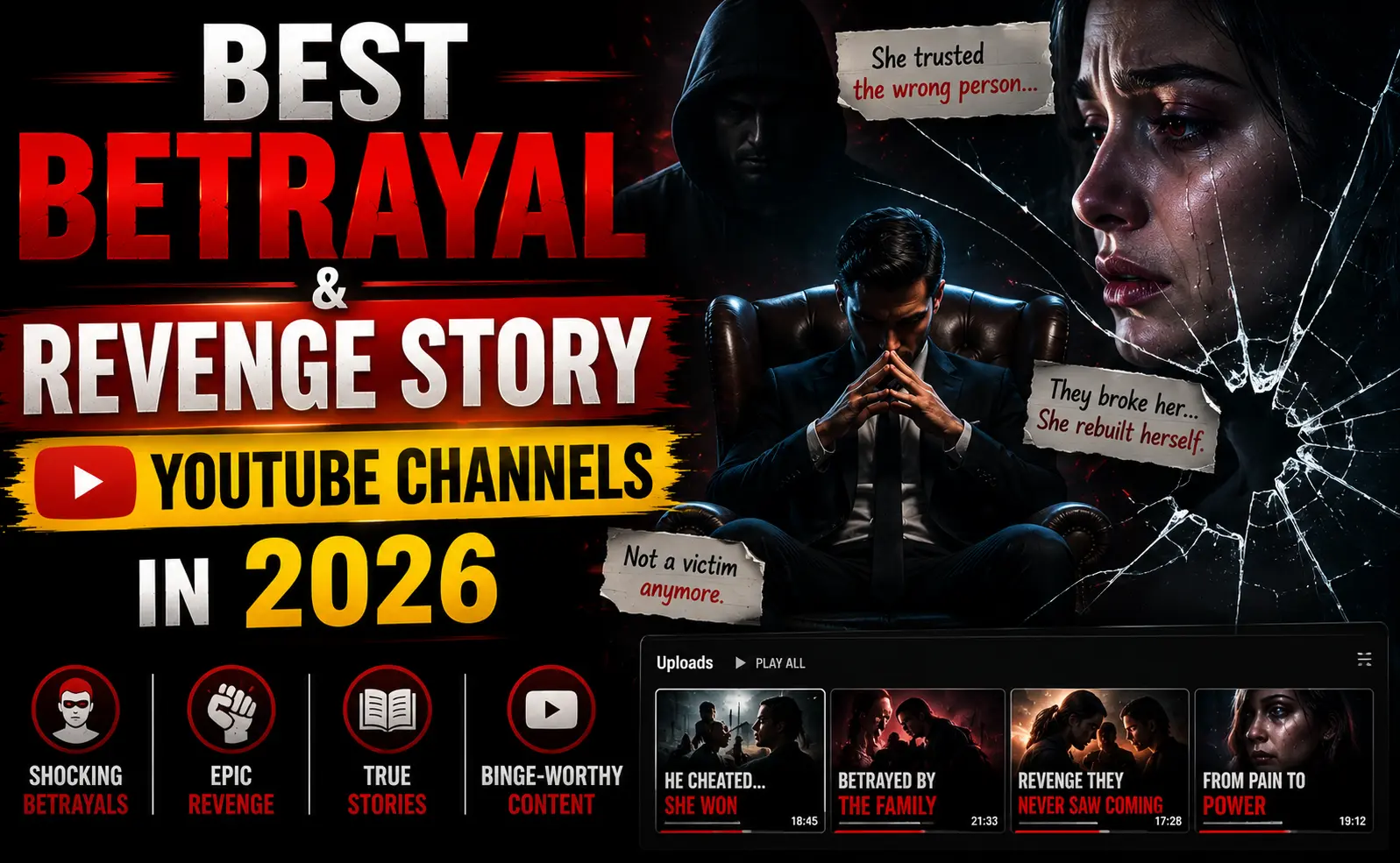
If you are looking for the best betrayal and revenge story YouTube channels to binge or study before starting your own, this guide covers the 12 most important ones in detail with verified subscriber counts, monthly earnings estimates, and a breakdown of exactly what makes each one work.
The betrayal and revenge storytelling niche is the fastest growing content category on YouTube right now 21× year over year growth, verified $12.82 RPM the highest YouTube niche , and an audience that watches longer and engages harder than almost any other niche. Channels like Revenge With Jake and Stories of Retaliation use AI narration over stock footage, making it fully automatable.
We’ve analysed over 50 channels in this niche and selected the 12 that represent the full spectrum from million subscriber giants to fast rising newcomers who cracked the formula in under six months.
Why the Betrayal and Revenge Niche Is Exploding in 2026
Faceless storytelling channels represent an unexpected entry in the top performing YouTube niches, with betrayal and revenge narratives achieving 21× year over year growth. This category proves that compelling narratives outperform polished production when executed well.
Three factors are driving this explosion simultaneously:
The algorithm change. YouTube’s 2025 algorithm update specifically rewards watch time and audience retention over upload frequency. Betrayal and revenge stories typically 15–30 minutes with emotional arcs that hold viewers to completion are algorithmically ideal content. This is the highest RPM niche because it combines long watch times with advertiser friendly drama content.
The AI production shift. Top earning niches on YouTube in 2026 include revenge and drama storytelling at $12–$13 RPM. AI voiceover tools have made it possible for a single creator to produce a 20-minute video in under an hour. Production costs are minimal compared to output quality, enabling daily uploads that compound subscriber growth.
The audience demand gap. The niche rewards storytelling skills over on-camera presence. Universal themes of betrayal, justice, and redemption resonate across demographics and languages. The primary audience women aged 25–45 navigating complex relationships is one of YouTube’s most engaged demographics, and they’re not being served by enough quality content yet.
How We Ranked These Channels
Every channel on this list was evaluated across five criteria:
Subscriber count and total views — verified from public data (May 2026)
Estimated monthly earnings — based on FindAChannel gravity scores and SpeakRJ analytics data
Content format — faceless AI narration, voice actor, on-camera presenter, or mixed
Growth trajectory — is the channel growing, plateauing, or declining in 2026?
Niche specificity — how dedicated is the channel to betrayal/revenge vs. general storytelling?
This is not a subjective “best channels” list. Every metric is sourced from public analytics data verified as of May 2026. Estimated earnings are based on publicly available data and represent approximations actual revenue varies based on CPM, engagement, and monetization tier.
The Complete Comparison Table
#
Channel
Subscribers
Total Views
Est. Monthly Earnings
Format
Niche Focus
1
Charlotte Dobre
2.52M
1.7B
$8,000–$15,000+
On camera presenter
Broad storytelling/reactions
2
Cake Lovers
1.3M
304M
~$2,817
Faceless AI narration
Reddit stories + drama
3
UE Stories
328K
253.9M
~$2,520
Faceless narration
General inspiring stories
4
r/mr redder
193K
127.6M
~$1,225
Voice actor (human)
Reddit: r/ProRevenge, r/AITA
5
Slash Start
129K
174.3M
~$1,527
Faceless AI narration
Karen/revenge daily uploads
6
Ripe
112K
100.7M
~$1,234
Voice actor (human)
Reddit storytelling with commentary
7
Karma Stories
138K
59.1M
~$442
Human presenter (Rob)
Reddit karma/revenge stories
8
Revenge Glow
Growing
N/A
Emerging
Faceless AI narration
Fictional betrayal womenfocused
9
The Revenge Stories Channel
Growing
N/A
Emerging
Faceless AI narration
Betrayal/justice/karma
10
AR Times
66.2K
15.4M
~$112
Faceless narration
Relationship betrayal + revenge
11
Revenge Stories (@revenge.stories)
Growing
N/A
Emerging
Faceless AI narration
Marriage/family betrayal + AITA
12
Hellfreezer
69.2K
30M
~$132
Human voice (UK)
Narration + weekly news round up
Note: Estimated monthly earnings are approximations based on publicly available analytics tools and industry CPM benchmarks. Check any channel’s exact estimated earnings and monetization status instantly using Toolbil’s free YouTube Monetization Checker.
Top 12 Channels Detailed Breakdown
🥇 1. Charlotte Dobre — The Category Leader
Subscribers: 2.52M | Total Views: 1.7B | Format: On camera presenter Channel:@charlottedobre | Started: 2014 (storytelling pivot ~2020)
Charlotte Dobre has 2,520,000 subscribers on YouTube with an average of 26,718 likes per video and 1.7 billion total channel views.
Charlotte Dobre is the closest thing this niche has to a mainstream star. Originally a general lifestyle creator, her pivot to Reddit story reactions and betrayal/revenge commentary is the defining case study in how an existing creator can retool for this niche and achieve explosive growth.
What she does right: Charlotte presents stories with genuine on camera emotional reactions laughing, gasping, going quiet at the right moments which creates a parasocial connection that faceless channels can’t replicate. Her videos run 15–25 minutes with tight editing and strong pacing. She also operates a dedicated second channel, Charlotte Dobre TV, specifically for reader-submitted confession and revenge stories.
Format breakdown: Main channel covers Reddit reactions and relationship drama. The TV channel is dedicated betrayal/revenge story narration with Charlotte’s face. This dual channel strategy maximises YouTube’s recommendation system viewers who subscribe to one channel are served the other.
What new creators can learn: You don’t need to be faceless to win in this niche. An on camera personality creates brand loyalty that faceless channels struggle to build. The tradeoff is production time Charlotte’s videos are polished and require camera setup, editing, and on camera performance. Faceless channels scale faster; Charlotte’s approach builds deeper per-subscriber loyalty.
Monthly earnings estimate: $8,000–$15,000+ from AdSense alone, based on 1.7B total views and consistent upload frequency. Charlotte’s actual revenue is likely significantly higher including sponsorships, merchandise, and her dedicated second channel.
🥈 2. Cake Lovers — The Faceless Giant
Subscribers: 1.3M | Total Views: 304M | Est. Monthly Earnings: ~$2,817 Channel:Cake Lovers (US) | Started: Active US-based channel
Cake Lovers has 1.3M subscribers and 304M total views with an estimated $2,817 monthly earnings.
Cake Lovers is the most studied success story in the faceless betrayal/revenge space. At 1.3 million subscribers with daily uploads and completely faceless AI narration over stock footage, it’s the clearest proof that this niche works without a face, a voice actor, or expensive production.
What they do right: Daily upload consistency is the primary growth engine. At one video per day, the channel accumulates watch hours faster than weekly or bi-weekly channels. The titles follow the proven betrayal template (“She Thought She Won Until…”, “He Didn’t Know I Had Everything Documented”) and thumbnails consistently use high contrast dark backgrounds with shocked expressions.
Content source: Reddit-inspired stories and originally written fiction, adapted through AI narration. The channel’s disclaimer is careful stories are presented as entertainment without explicit claims of being factual, which protects against both copyright and policy issues.
Format: Fully automated pipeline — AI-written script or Reddit-adapted script → AI voiceover → stock footage assembly → thumbnail → upload. Estimated production time per video with an established workflow: 25–45 minutes.
What new creators can learn: Daily uploads at this volume are only possible with a systemised workflow. The channel doesn’t optimise individual video quality it optimises upload volume and consistency. This is a volume driven growth strategy, not a quality driven one. Both work; your choice depends on how much time you can invest per video.
🥉 3. UE Stories — The Inspiration Hybrid
Subscribers: 328K | Total Views: 253.9M | Est. Monthly Earnings: ~$2,520 Channel:UE Stories (US)
UE Stories has 328K subscribers and 253.9M total views with an estimated $2,520 monthly earnings.
UE Stories occupies a unique position in this niche straddling the line between betrayal/revenge narratives and inspirational storytelling. The channel describes itself as covering “the most entertaining, surprising, and inspiring stories online,” which gives it algorithmic flexibility: the same viewer who watches betrayal content also watches comeback/triumph content.
What they do right: High total views relative to subscriber count (253.9M views from 328K subscribers) indicates strong algorithmic recommendation outside the channel’s subscriber base. Videos are being recommended to non subscribers at a high rate a sign of exceptional retention and engagement metrics.
Format: Faceless narration over curated footage and imagery. The visual production quality is notably higher than many competitors custom motion graphics and cinematic B-roll rather than generic stock footage.
What new creators can learn: The inspiration hybrid format is more algorithmically versatile than pure revenge content. Adding an element of triumph, comeback, and self worth to betrayal stories widens the audience beyond the core revenge demographic and increases recommendation reach.
4. r/mr redder — The Human Voice Standard
Subscribers: 193K | Total Views: 127.6M | Est. Monthly Earnings: ~$1,225 Channel:@MrRedderYT | Started: February 2019
r/mr redder narrates Reddit stories across r/entitledparents, r/prorevenge, r/maliciouscompliance, and r/AITA with a voice actor performing both mr redder and Karen characters.
r/mr redder is the gold standard for human voice actor storytelling in this niche. Unlike AI narration channels, mr redder performs multiple characters including the antagonist “Karen” which creates a dramatically richer listening experience.
What they do right: Character performance is the differentiator. When the betrayer has a distinct voice and personality, the emotional investment in the protagonist’s revenge deepens significantly. The character-based format generates extremely high comment rates viewers discuss the characters as if they’re real, which signals strong algorithmic engagement to YouTube.
Content format: Daily uploads from r/prorevenge, r/maliciouscompliance, and r/AITA. Longer Saturday compilations of the week’s best stories. The channel uses music under a Creative Commons license and background footage from Pexels under the Pexels license.
What new creators can learn: A distinctive voice performance creates brand identity that AI narration cannot replicate. Viewers who love mr redder are loyal specifically to the character delivery. However, this format does not scale to daily uploads without significant time investment it’s a quality over volume approach.
5. Slash Start — The Karen/Revenge Daily Machine
Subscribers: 129K | Total Views: 174.3M | Est. Monthly Earnings: ~$1,527 Channel:Slash Start (US) | Started: August 2017
Slash Start has 129,000 subscribers with 4,483 videos uploaded so far and 174.3M overall channel views.
4,483 videos. That number tells you everything about Slash Start’s strategy. This is the most prolific channel in the revenge/Karen storytelling niche daily uploads, consistent format, long running operation since 2017. The channel positions itself as “your daily dose of Karen” which means the content is specifically revenge stories involving entitled behaviour, confrontations, and justice served.
What they do right: Sheer volume creates an enormous searchable library. New viewers who find one video discover hundreds of similar ones. The internal recommendation loop from this library keeps viewers on the channel longer than any single video could.
Growth note: Slash Start YouTube total subscribers dropped by -7,000 from January 2024 to March 2026. This plateau/slight decline suggests the Karen specific angle is facing saturation. For new creators, this is a data signal: the pure “Karen” framing is becoming crowded. The broader betrayal/revenge angle with relationship drama and family betrayal is the growth direction.
What new creators can learn: Volume works but it requires a format so streamlined that daily production is genuinely sustainable. Slash Start’s modest per video view counts are compensated by the total library size. If you cannot sustain daily output, a lower frequency but higher quality approach will outperform this strategy long term.
6. Ripe — The Commentary Voice Actor
Subscribers: 112K | Total Views: 100.7M | Est. Monthly Earnings: ~$1,234 Channel:Ripe (US) | Started: February 2019
Ripe has 112K subscribers and 100.7M total views with an estimated $1,234 monthly earnings. The channel is run by a voice actor who reads and does commentaries on stories, brings characters to life with a variety of funny and interesting voices, and builds an active community through dialogue with viewers.
Ripe sits at the intersection of betrayal/revenge storytelling and reaction commentary. Stories are narrated with character voices but the creator also adds their own commentary opinions on the characters, verdicts on who was wrong, reactions to the most shocking moments. This commentary layer transforms passive watching into active discussion.
What they do right: The “verdict delivery” format where the narrator states their opinion at the end of the story (“And that’s why this person was absolutely right to do what they did”) drives comment engagement dramatically. Viewers agree, disagree, and debate in comments, creating community signals that boost algorithmic distribution.
What new creators can learn: Adding commentary and verdicts to narrated stories increases engagement metrics disproportionately. The slight production overhead of recording your own opinions is worth it for the comment rate improvement comments are one of the strongest engagement signals in YouTube’s 2026 algorithm.
7. Karma Stories — The Human Host Podcast Format
Subscribers: 138K | Total Views: 59.1M | Est. Monthly Earnings: ~$442 Channel: @KarmaStoriesPodcast | Started: March 2017 | Based in: Canada
Karma Stories has 138K subscribers, 59.1M total views, and an estimated $442 monthly earnings. The channel is run by Rob, who delivers daily entertaining Reddit stories with original commentary from favourite subreddits.
Karma Stories represents the podcast style approach to this niche Rob delivers stories with personal commentary in a conversational format that feels more like a podcast than a traditional YouTube video. The “karma” framing is specifically designed to emphasise justice and consequence rather than revenge as motivation, which makes the content feel morally cleaner and more shareable.
What they do right: The Canada base is interesting Rob’s relatively neutral accent makes the channel accessible to UK, Australian, and US audiences equally, broadening the potential recommendation reach beyond US-centric channels.
Earnings note: The $442 monthly estimate appears low relative to 59.1M total views. This suggests either a significant non US audience composition (lower CPM markets) or that the channel is not monetising all available revenue streams. At 138K subscribers in this niche, the channel should be earning $800–$1,500/month from AdSense alone with full US audience composition.
What new creators can learn: The “karma” framing is an underused angle. Positioning stories as karma delivery rather than revenge makes content more palatable to audiences who feel uncomfortable with pure revenge framing and it widens the shareable demographic.
8. Revenge Glow — The Fastest Rising New Channel
Format: Faceless AI narration | Content: Fictional betrayal — women focused Channel:@RevengeGlow
Revenge Glow shares fictional, story driven narratives inspired by common life situations. Stories focus on women wives, daughters, and individuals facing family betrayal, broken relationships, and toxic dynamics. These are fictional re-enactments created for storytelling and entertainment using narrative techniques and illustrative visuals to explore emotional turning points, personal growth, and justice served.
Revenge Glow is the most strategically smart newer channel in this niche for one specific reason: fully fictional, fully disclosed. By explicitly stating all stories are fictional and using “Reddit-style” framing rather than claiming stories are real, the channel eliminates every legal and policy risk that affects Reddit-sourcing channels — copyright, privacy, defamation while maintaining the same emotional narrative format.
What they do right: The women focused positioning (“our stories focus on women wives, daughters, and individuals”) targets the core high engagement demographic directly and explicitly. This specificity makes the channel more algorithmically matchable to the audience that converts best in this niche.
The disclaimer strategy: All stories, characters, and situations on the channel are fictional. Any resemblance to real persons or events is coincidental. This is the cleanest compliance approach in the niche it satisfies YouTube’s inauthentic content policy requirements while maintaining narrative authenticity.
What new creators can learn: Fictional storytelling with proper disclosure is the safest long term strategy in this niche. It eliminates copyright risk, eliminates defamation risk, enables AI generation without attribution concerns, and produces content that YouTube’s policy reviewers have no grounds to question.
9. The Revenge Stories Channel —Justice Focused Storytelling
Format: Faceless AI narration | Started: April 2026 Channel: UC4b1uhAD9Kv7N1-HfUB-1eg
The Revenge Stories Channel shares gripping revenge stories, betrayal stories, life lessons, and emotional storytelling. From shocking betrayals to inspiring comebacks, every story reveals how people turned pain into power.
The Revenge Stories Channel launched in April 2026 making it one of the newest entries on this list and represents the current generation of channels entering this niche. The “pain into power” positioning is the most emotionally sophisticated framing in the newer channel tier: it reframes revenge content as transformation content, which has broader appeal and better advertiser alignment.
What they do right: Weekly upload cadence rather than daily a quality over volume choice that prioritises longer, more detailed stories over high upload frequency. This strategy targets viewers who have been burned by thin daily upload content and are specifically seeking longer, more satisfying narratives.
What new creators can learn: April 2026 channel launch with clean professional branding and a clear niche position demonstrates that this niche is still genuinely open for new entrants. The 21× growth rate means the audience is expanding faster than creators can serve it even channels starting in mid-2026 can still reach meaningful size by year end.
10. AR Times — The Relationship Specialist
Subscribers: 66.2K | Total Views: 15.4M | Est. Monthly Earnings: ~$112 Channel:AR Times (US) | Started: January 2016
AR Times delves into the intriguing world of relationship dynamics and human emotions through captivating Reddit stories. From tales of betrayal and cheating to stories of revenge and regret, the channel explores the complexities of human relationships.
AR Times is notable for its narrow focus exclusively relationship betrayal (cheating, infidelity, romantic deception) rather than the broader family/workplace/friendship betrayal that most channels cover. This specificity makes it the most directly algorithmically matched channel for viewers searching specifically for relationship betrayal content.
What they do right: The tight niche focus means AR Times likely appears in recommendations for a highly specific set of viewers who are the most engaged audience in this entire space. Quality over quantity: 689 videos in 10 years is a deliberately slow build.
Earnings note: At $112/month with 66.2K subscribers, AR Times significantly undermonetises relative to its niche. This channel is either not fully monetised or has a heavily non-US audience composition. A CPM optimisation strategy (targeting US search terms, publishing during US peak hours) could dramatically increase earnings without any change to content.
What new creators can learn: A narrow relationship betrayal focus is a valid niche strategy but it requires a US audience targeting approach to monetise the premium CPM that this specific topic category commands.
11. Revenge Stories (@revenge.stories) — The Daily Drama Feed
Format: Faceless AI narration | Content: Marriage/family betrayal + AITA Channel:@revenge.stories
The channel brings thrilling stories about protagonists betrayed by husbands, harassed by in-laws, and facing relationship problems that ultimately resolve with satisfying revenge. New stories are posted every day.
Revenge Stories (@revenge.stories) is the pureplay daily-upload revenge channel — no commentary, no personality, just story after story at high frequency. It represents the automation-first approach to the niche: maximum upload volume, consistent format, fast production cycle.
What they do right: The Reddit-native framing (#aita #reddit #redditstories in every description) directly targets the search terms that drive the most discovery traffic for this niche. The channel acts as a content hub for AITA and relationship advice story consumers who want drama without commentary.
What new creators can learn: Pure AITA/Reddit story channels without commentary face the greatest risk from YouTube’s inauthentic content policy. To sustain a channel in this format long term, original narrative rewriting (not verbatim Reddit narration) and consistent creative contribution are non negotiable. The channels that get demonetised in this niche are almost uniformly the ones that skip the rewriting step.
12. Hellfreezer — The UK Narrator
Subscribers: 69.2K | Total Views: 30M | Est. Monthly Earnings: ~$132 Channel:Hellfreezer (UK) | Started: May 2007
Hellfreezer has 69.2K subscribers and 30M total views, narrating stories old and new with a weekly news round up. Designed for listening while working, feeling bored or to lull you to sleep.
Hellfreezer is the most veteran channel on this list started in May 2007, it predates the revenge niche’s current explosion by over a decade. The channel’s “working and sleeping” positioning makes it primarily an audio first experience, which is a different content strategy from the visual-heavy newer channels.
What they do right: 3.1K videos over 17 years creates an enormous archive. The weekly news round up format adds a topical recurring element that drives habitual subscription behaviour viewers return weekly for new content.
What new creators can learn: Longevity and consistency over years builds a library that generates passive views long after individual videos are published. Hellfreezer’s 30M total views on 3.1K videos means each video earns views over a long tail not just in the first 48 hours.
What the Best Channels Have in Common
After analysing all 12 channels, five patterns appear in every high performing channel regardless of format, size, or age:
Pattern 1: The justice framing — not pure revenge
Every top-performing channel frames stories as justice being served, not as revenge being taken. The language difference is subtle but critical for both audience psychology and advertiser safety. “She got what she deserved” is justice framing. “I destroyed her life” is revenge framing. The former is more algorithmically and advertiser-safe; the latter attracts the wrong engagement signals.
Pattern 2: Emotional specificity in titles
The titles that generate highest CTR across all 12 channels share one characteristic: a specific, concrete detail rather than a vague promise. “He Thought I Didn’t Know for Three Years” outperforms “My Husband’s Betrayal Story” because it contains a time specific detail that creates curiosity. Every channel in the top 6 uses this formula consistently.
Pattern 3: Clear production consistency
Viewers subscribe to betrayal channels for reliable emotional experiences, not surprises in format. Every top channel maintains consistent thumbnail style, consistent narration tone, and consistent video length within a narrow range. Consistency trains the algorithm to recommend the channel to the same audience repeatedly.
Pattern 4: Comment section engagement
The highest-earning channels have active comment sections where viewers discuss the stories as if the characters are real. This engagement level signals deep emotional investment to YouTube’s algorithm, which increases recommendation reach. Channels that invite verdict-sharing (“What would you have done?”) have measurably higher comment rates.
Pattern 5: Proper content disclosure
Every sustainable channel on this list uses proper content framing either explicit fictional disclaimers (Revenge Glow, The Revenge Stories Channel) or clear Reddit-source attribution (mr redder, Karma Stories). Channels that omit these disclosures face growing demonetisation risk under YouTube’s 2026 inauthentic content policy.
What New Creators Can Learn from These Channels
If you are building a betrayal and revenge channel in 2026, these are the four most actionable takeaways from the top 12:
Lesson 1: Choose fictional over Reddit sourced from the start
Revenge Glow’s fully fictional approach is the most future-proof strategy. It eliminates copyright risk, eliminates defamation exposure, makes AI generation completely clean, and produces content that YouTube has no policy grounds to question. For new channels starting in mid-2026, the fictional storytelling path is lower-risk and equally high-RPM.
Lesson 2: Narrow your focus immediately
The fastest-growing newer channels all have a tighter focus than the broader established channels. “Family betrayal — women-focused” (Revenge Glow) outgrows “all Reddit stories” (Slash Start, Cake Lovers) in algorithmic specificity. The algorithm can match a focused channel to a specific audience more efficiently than a general one.
Lesson 3: Pick quality or volume not the middle
Charlotte Dobre and r/mr redder are quality-focused (2–4 videos per week, strong production). Cake Lovers and Slash Start are volume focused (daily). The channels in the middle 3–4 weekly videos with medium production consistently underperform both extremes. Commit to one strategy from the start.
Lesson 4: Check what’s working before you start
Before building your channel, research what the top channels in this niche are earning and what their most-viewed videos have in common. Use Toolbil’s free YouTube Monetization Checker to check any channel’s estimated monthly earnings, CPM, and monetization status instantly. Use Toolbil’s free YouTube Video Data Extractor to see the tags, titles, and metadata structure of top-performing videos in this niche.
And when you’re ready to understand what your growing channel should charge for sponsorships, use Toolbil’s free YouTube Sponsorship Calculator to price your channel correctly before your first brand approach.
Frequently Asked Questions
What are the best betrayal and revenge story YouTube channels?
The best betrayal and revenge story YouTube channels in 2026 include Charlotte Dobre (2.52M subscribers), Cake Lovers (1.3M subscribers), UE Stories (328K), r/mr redder (193K), Karma Stories (138K), and Slash Start (129K). Newer channels including Revenge Glow and The Revenge Stories Channel are among the fastest-rising entries. Each channel covers the betrayal and revenge niche with different formats on camera, voice actor, or faceless AI narration.
How much do betrayal and revenge YouTube channels make?
Betrayal and revenge narratives currently show the highest RPM at $12.82 per 1,000 views. At 100,000 monthly views, that equals approximately $1,282/month from AdSense alone. Established channels like Cake Lovers earn an estimated $2,817/month and UE Stories approximately $2,520/month. Charlotte Dobre, with 1.7B total views, earns significantly more including sponsorships and merchandise. Use Toolbil’s free YouTube Monetization Checker to check any specific channel’s earnings estimate.
Is it too late to start a betrayal and revenge YouTube channel?
No. The 200K niche size with only low competition means new creators can still rank. Growth is explosive at 21x, driven by YouTube’s algorithm favouring high retention storytelling formats. Channels that started as recently as April 2026 are already growing. The audience demand is expanding faster than creator supply in this niche the early mover window is still open.
What format works best for betrayal and revenge channels?
Three formats work: on-camera presenter (Charlotte Dobre), human voice actor (r/mr redder, Ripe), and faceless AI narration (Cake Lovers, Revenge Glow). For new creators, faceless AI narration is the most scalable and lowest production cost entry point. Human voice performance drives deeper engagement per video but limits output volume.
Do betrayal and revenge YouTube channels use real stories or fiction?
Both. Channels like r/mr redder and Karma Stories source from Reddit (r/AITA, r/ProRevenge) and adapt stories with human narration. Channels like Revenge Glow use fully fictional stories with proper disclaimers. The fictional approach is increasingly preferred in 2026 due to YouTube’s tightened inauthentic content policy, which creates risk for channels that narrate external sources verbatim.
What is the best betrayal and revenge YouTube channel for new creators to study?
Revenge Glow for format and compliance strategy it shows the cleanest 2026-compatible approach. Cake Lovers for volume and scale it shows what a daily upload faceless channel looks like at 1.3M subscribers. r/mr redder for quality and voice performance it shows how human narration builds loyalty that AI channels cannot easily replicate.
How do I check a YouTube channel’s monetization and earnings?
Use Toolbil’s free YouTube Monetization Checker. Enter any channel’s name, @handle, or URL to see estimated monetization status, monthly earnings, CPM by country, subscriber count, and total views — free, instant, no login required.
The Bottom Line
The betrayal and revenge storytelling niche is producing real, sustainable income for channels of every size from single creators with 10,000 subscribers earning $300–$600/month to faceless channels at 1M+ subscribers generating $15,000+/month. The fastest growing content categories on YouTube are expanding at 15–21× rates, and betrayal and revenge narratives sit at the top of that list.
The channels on this list all found different paths through the same niche: on-camera personality, voice actor performance, fictional AI narration, Reddit curation. None of them are doing the same thing the same way. That diversity means there is still room for a channel with a distinct voice and a consistent format to grow significantly in the second half of 2026.
Before you start, check what the channels you want to compete with are earning. Use Toolbil’s free YouTube Monetization Checker to pull any channel’s estimated earnings in 30 seconds so you know exactly what you’re building toward.
There is a YouTube niche that earns $12.82 RPM the highest verified creator take home rate on the platform right now. It has grown 21x year over year. It requires no camera, no face, no expensive equipment, and no credentials. And almost nobody has idea about how to start betrayal and revenge YouTube channel.
Yes, I’m talking about the emerging YouTube niche betrayal and revenge narratives and i’m sure at the end of this article you will get detailed information that is enough to start your YouTube channel in this niche.
While finance creators fight for rankings against million subscriber giants and gaming creators earn $1.50–$5.50 RPM on the same views, creators in the betrayal and revenge storytelling space are quietly generating more per view revenue than personal finance with a fraction of the competition.
This guide is the only dedicated, step by step walkthrough for starting a betrayal and revenge YouTube channel that exists. If you follow it, you will understand exactly why this niche pays what it pays, how to source unlimited story content legally, what the proven 5 act script structure looks like, which AI tools to use, how to design thumbnails that get double digit CTR, and how to hit monetization faster than most channels in any niche.
Why the Betrayal and Revenge Niche Pays highest RPM (verified $12.82 RPM )
Most creators who hear “$12.82 RPM” assume it must be a finance or legal channel. It is not. It is storytelling. And the reason it pays so much comes down to three intersecting factors that most creators never look at.
Factor 1: Watch time is exceptional
Long form betrayal and revenge videos typically 12 to 35 minutes hold viewers through the entire narrative arc because of the emotional investment structure. A viewer who is 14 minutes into a story about a cheating spouse getting exposed is not clicking away. YouTube’s algorithm rewards extended watch sessions with higher value ad placements in mid roll slots. More mid rolls per video × higher watch through rate = significantly more ad revenue per view than shorter content.
Factor 2: The advertiser demographic is premium
The primary audience for betrayal and revenge content is women aged 25–45. This demographic is one of the highest converting on YouTube for relationship counseling apps, therapy platforms, legal services, self help courses, and premium subscription products. When mental health apps, divorce attorneys, and life coaching brands compete for ad placements against your audience, CPMs climb. Your RPM is directly determined by how much advertisers want to reach your specific viewers.
Factor 3: Supply hasn’t caught up with demand yet
OutlierKit data shows 21× year over year growth in this niche with “remarkably low competition.” Audience demand is growing faster than new channels can serve it. In most profitable niches finance, tech, make money online you are competing against channels with millions of subscribers and years of authority. In betrayal and revenge, you are competing against channels that started six months ago.
This combination of high engagement, premium audience demographics, and early mover advantage is why the niche earns more RPM than finance channels while requiring zero financial credentials.
Is Betrayal and Revenge Niche Right for Beginners? Be Honest
Before building anything, run this honest assessment. Betrayal and revenge channels are not right for everyone, and starting in the wrong format wastes months.
You are well suited for this niche if:
You enjoy narrative storytelling — reading, writing, consuming dramatic story content
You can sustain a consistent emotional tone in writing (suspense, outrage, satisfaction)
You are comfortable using AI tools for voiceover and basic editing
You want a faceless channel that protects your privacy
You can commit to a consistent posting schedule of at least 2–3 videos per week for the first 60 days
You should reconsider if:
You struggle to write coherent, emotionally engaging narrative
You want immediate income (like most niches, monetization takes 3–6 months of consistent work)
You plan to use other people’s exact Reddit posts verbatim without adaptation (we cover the legal reality of this in Step 2)
You want to show your face and build a personal brand this is a faceless niche by design
The production reality:
With modern AI tools, one person can realistically produce and publish one 15–20 minute betrayal and revenge video per day. The actual hands on time is approximately 25–45 minutes per video once you have a workflow established. This is what makes the niche scalable and why some channels in this space publish daily without a team.
Set Up Your Betrayal and Revenge Channel the Right Way
Channel setup for the betrayal and revenge niche has specific requirements that differ from generic YouTube advice.
How to set suitable channel name for betrayal and revenge niche
Your channel name needs to signal the emotional content immediately. The most successful channels in this niche use names that either reference drama or betrayal directly or suggest narrative storytelling with an emotional edge.
Naming formulas that work:
The [emotion] Chronicles — (The Revenge Chronicles, The Betrayal Chronicles)
[name] Confessions — (Anonymous Confessions, Dark Confessions)
[story type] Untold — (Betrayal Untold, Hidden Truth Untold)
Stories of [emotion] — (Stories of Revenge, Stories of Betrayal)
The [narrator archetype] — (The Storyteller, The Witness, The Verdict)
What to avoid: Generic names like “Drama Channel” or “Story Time” these are too broad and don’t signal the specific emotional content that causes algorithm matched viewers to click Subscribe immediately after watching.
Description and about section for betrayal and revenge channel
Your channel description is indexed by Google and YouTube search. Include these elements:
State clearly what the channel is: “This channel shares dramatic betrayal and revenge stories narrated for maximum emotional impact.”
Who the stories are for: “For anyone who has felt wronged, overlooked, or cheated and believes in karma.”
Upload schedule: “New stories every [day/week] subscribe so you never miss one.”
Keywords to include naturally: “true stories,” “betrayal story,” “revenge story,” “relationship drama,” “AITA,” “karma stories”
Betrayal and Revenge channel art and branding
Betrayal and revenge channels use dark, high contrast branding. The colour palette that consistently performs best in this niche: deep red, black, dramatic gold, or dark purple. Avoid pastels, soft blues, or anything that reads as “friendly content.” Your brand visuals should create the immediate emotional expectation of drama.
Recommended icon approach: A silhouette, a cracked heart, scales of justice, a shadowed face, or symbolic imagery (a chess piece, a snake, a broken mirror). No real faces this is a faceless channel.
Source Your Stories from Reddit, Original, and Submissions
This is the step most aspiring revenge channel creators get wrong or skip entirely. Story sourcing is the engine of your entire channel. Run it poorly and you either run out of content within weeks or get your channel flagged for reused content.
The three legitimate content sources
Reddit — with proper adaptation
Reddit is the largest repository of real betrayal and revenge stories on the internet. The subreddits that provide the best content for this niche:
r/AITA (r/AmITheAsshole) — 40M+ members, daily stories of interpersonal conflict, betrayal, and justice-seeking
r/ProRevenge — dedicated revenge stories with satisfying outcomes
r/MaliciousCompliance — stories of working-within-the-rules revenge
r/relationship_advice — ongoing betrayal and infidelity stories
r/CharlotteDobreRealStories — this specific subreddit was created for YouTube storytelling content
The critical legal and policy reality: Reddit posts are not public domain. The original poster owns the copyright to their story. However, ideas, facts, and general situations cannot be copyrighted. You cannot paste a Reddit post word for word into a script and narrate it that is copyright infringement and YouTube’s Content ID system will detect it.
What you CAN do: Use the situation, the emotional arc, and the key facts as inspiration. Rewrite the story completely in your own voice, with your own sentence structures, additional detail, and narrative framing. This transforms the source material into original creative content. Think of it as a journalist covering a news story the facts are real but the writing is yours.
The best practice, used by the highest earning channels in this niche: ask for permission in the Reddit comments (“Would you be OK with me turning this into a YouTube story?”). Most people say yes and appreciate the acknowledgment. Many even submit their own stories directly after seeing your videos.
Original fiction
Some of the fastest growing betrayal channels in 2026 use entirely original fictional stories. This eliminates all copyright concerns and enables AI tools to generate unique storylines at scale. Fictional betrayal stories are completely permitted on YouTube, require no disclosure beyond the standard AI content toggle if AI-generated, and have unlimited supply.
Viewer submissions
Once your channel has a few hundred subscribers, open a submissions inbox (a simple Google Form linked in your channel description). Ask viewers to submit their own betrayal and revenge stories for narration. This builds community, provides an endless stream of authentic original content, and viewers who submitted a story almost always share the video when it publishes driving organic growth.
Write Your Script Using the 5 Act Revenge Formula
This is the step most guides don’t include and it is the most important one.
Generic “storytelling structure” advice will not work for betrayal and revenge content. This niche has a specific emotional arc that viewers are psychologically conditioned to expect and reward with watch time. Deviate from it and your audience retention craters. Follow it and viewers will watch every second.
The 5 act revenge formula that drives 70%+ audience retention in this niche:
Act 1. The Injustice Hook (0:00–1:30)
Open directly in the middle of the injustice. Do not begin with background. Do not introduce the narrator. Start at the moment of betrayal or conflict.
Structure:
The initial injustice stated in 1–2 sentences: “My husband of 12 years had a second family. I found out on our anniversary.”
Immediate emotional stakes established: “I didn’t cry. I started planning.”
Promise to the viewer: “By the end of this story, you’ll see exactly how I made sure he never saw it coming.”
Why it works: The viewer needs to know within 15 seconds that this story has a satisfying ending coming. The hook creates both outrage (injustice) and anticipation (revenge). Both emotions are required to lock in the viewer.
Act 2. The Build (1:30–6:00)
Establish the full context of the betrayal. Who are the characters, what was the relationship, how long was the deception, and why did it hurt so deeply.
Key techniques:
Use specific, concrete details (“He told me he was working late every Thursday for two years. I later found out those nights were when he saw her”)
Build the emotional temperature gradually — introduce each new revelation as a fresh layer of betrayal
Use the narrator’s internal monologue to create viewer identification: what was she thinking, what did she tell herself, what signs did she ignore
Avoid: General statements without specifics. “He was a bad person” tells the viewer nothing. “He left our daughter’s birthday party to take a call from her, and when I looked at his phone later, the call lasted 47 minutes” shows the viewer exactly what kind of person he was.
Act 3. The Revelation (6:00–10:00)
The moment the betrayal is fully exposed. This is the emotional climax of the first half of the story and should be written to create a genuine reaction in the viewer.
Structure:
The discovery: how did the narrator find out the full truth?
The confrontation or decision: what did they do with this information?
The pivot point: this is where the story shifts from victim to architect of revenge
The most important line in any betrayal revenge video appears in Act 3: The moment the narrator decides not to react immediately but to plan. “I didn’t say a word. I smiled, kissed him on the cheek, and started making arrangements.” This line is the structural hinge between Act 3 and Act 4. Viewers who reach this line almost never click away.
Act 4. The Revenge Execution (10:00–18:00)
The methodical, step by step execution of the narrator’s plan. This is the act that drives the longest watch time in the niche. The more specific, calculated, and emotionally satisfying the revenge, the higher the retention.
Key principles:
The revenge must be proportional to the betrayal disproportionate revenge reads as villainous, not satisfying
Show the preparation: what did the narrator do before acting? (“I spent three weeks documenting everything before I moved”)
Layer the consequences: effective revenge stories have multiple stages, not a single confrontation
Use dialogue quoted conversations are the most engaging sections of any script (“I put the folder on the table and said, ‘I think we need to talk about your other life’”)
What separates good Act 4 from great Act 4: The best revenge execution scenes are not about anger they are about control. The narrator who remains calm, calculated, and one step ahead while the betrayer unravels is far more satisfying to watch than screaming matches.
Act 5. The Resolution and Karma Confirmation (18:00–End)
The aftermath. Where did everyone end up? What did the narrator learn? What would they do differently?
Structure:
The immediate aftermath: what happened to the person who betrayed them?
The long term outcome: where is the narrator now?
The closing statement: something that validates the viewer’s emotional investment (“And that is how I rebuilt everything they tried to take from me”)
Optional audience engagement hook: “Has something like this ever happened to you? Tell me in the comments I read every one.”
The closing 30 seconds are your subscribe driver. The emotional satisfaction of the resolution, combined with a final line that resonates with viewers who have experienced betrayal themselves, is what converts first time viewers to subscribers. Write this closing as carefully as you write the opening hook.
Choose Your AI Voice
The voice is the most critical production element in a faceless betrayal channel. The wrong voice kills a perfectly written script. The right voice makes average scripts compelling.
What the voice needs to do in this niche:
Sound human, with natural pacing and emotional variation
Carry tension (slow, measured delivery during revelation scenes)
Carry triumph (lighter, slightly faster delivery in Act 5)
A monotone AI voice will destroy your audience retention regardless of how good your script is.
Recommended AI voice tools for betrayal/revenge content
ElevenLabs ($22/month Creator tier) — The industry standard for betrayal/revenge channels in 2026. The “Charlotte” and “Rachel” voices have the measured, controlled emotional range that performs best in this niche. The ability to adjust stability and similarity settings lets you dial in exactly the right emotional delivery. If you use one tool, use this one.
Microsoft Personal Voice (free with Azure) — If you want to clone your own voice but remain faceless, this is the best option. A 1-minute voice clone delivers authenticity that pure AI voices cannot match. Works especially well if you have a natural storytelling cadence.
Play.ht ($29/month) — Good secondary option. The “Olivia” and “Sophie” voices work well for betrayal content. Slightly more robotic than ElevenLabs at equivalent price points.
Murf AI ($29/month) — Better for educational content than dramatic storytelling. The voice range is narrower and the emotional dynamics less pronounced. Not ideal for this niche.
The free option: If you are starting with zero budget, use ElevenLabs’ free tier (10,000 characters/month) to test voice options before committing to a subscription. This is enough for two to three short videos to validate your channel concept.
Critical 2026 policy reminder: Any AI-generated voice must be disclosed using YouTube Studio’s “Altered or synthetic content” toggle before publishing. This is a YouTube policy requirement not optional. Failure to disclose can result in demonetization. This toggle has no negative effect on your channel’s monetization or ranking it is simply a disclosure label.
Build Your Video with Stock Footage and AI Visuals
Betrayal and revenge videos use a specific visual language. Understanding it prevents the most common mistake new channels make using generic stock footage that feels disconnected from the emotional intensity of the narrative.
The visual formula that works
Primary visuals (60–70% of the video):
Silhouetted figures in dramatic environments shadowed corridors, empty rooms, rain lit windows
Close up emotion shots hands, feet, doors closing, phones face down
Couple/relationship imagery that transitions from warm to cold as the story progresses
Text overlays for key quotes and revelations (use sparingly 3–5 per video maximum)
Avoid: Generic office stock footage, happy family imagery, overly corporate visuals. Every visual choice should reinforce the emotional tone of the narrative moment.
Best stock footage sources for this niche
Pexels (free) — largest free library, has extensive dramatic/cinematic footage
Pixabay (free) — good for atmospheric and emotional B-roll
Storyblocks ($15/month) — unlimited downloads, specifically strong in dramatic/cinematic footage that fits storytelling channels
AI visual generation (for creators who want unique visuals)
Midjourney and DALL-E 3 (via ChatGPT Plus) both generate dramatic, cinematic imagery that can be used as visual backing for betrayal content. Prompt style: “cinematic still, dramatic lighting, [scene description], emotional, photorealistic, shallow depth of field.” Generated images used as video backgrounds create a more distinctive visual style than stock footage and differentiate your channel visually.
Editing tools
CapCut (free) — the most used tool among betrayal/revenge channel creators for its automatic caption generation, subtitle styling, and simplicity. The auto caption feature alone saves 20–30 minutes per video.
DaVinci Resolve (free) — more advanced, better color grading for the dark aesthetic this niche uses.
Pictory AI ($19/month) — can assemble stock footage automatically against your audio track, cutting editing time to approximately 10 minutes per video. Good for scaling output.
Design Thumbnails That Earn 8–15% CTR
Thumbnails in the betrayal and revenge niche have a specific visual language that consistently achieves 8–15% click through rate. Understanding this is the difference between a video that gets recommended and one that does not.
The high CTR thumbnail formula for this niche
Element 1: A shocked or devastated facial expression (even on a silhouette)
The most clicked thumbnails in betrayal content feature visible emotional expression. If you are creating faceless content, use a silhouette with a hand over the mouth (shock), head in hands (devastation), or a turned away posture (betrayal). Real face or illustrated face the emotional expression is what drives the click.
Element 2: High contrast dark background
Black, deep red, or dark charcoal backgrounds make thumbnail elements pop and signal dramatic content immediately. Bright, cheerful backgrounds underperform in this niche by 40–60% CTR.
Element 3: Short, emotionally loaded text (maximum 5 words)
The most clicked thumbnail text in betrayal/revenge content:
“He Had a Second Family”
“She Didn’t Know I Knew”
“I Let Him Think He Won”
“They All Found Out Together”
“She Exposed Him at the Wedding”
The formula: subject + single action + emotional implication. Keep the font bold, white or red, and readable at thumbnail size (remember most YouTube views are on mobile where thumbnails are small).
Element 4: Never show the resolution in the thumbnail
The thumbnail should represent the injustice or the revelation not the revenge execution. The curiosity gap between the betrayal shown in the thumbnail and the revenge that the title implies is what generates the click.
To research what thumbnail styles are performing best in this niche right now, use Toolbil’s free YouTube Thumbnail Downloader to save and analyse the thumbnails of top performing channels in the betrayal revenge space.
SEO Your Video: Titles, Descriptions, and Tags
Title formula
The highest performing title structures in the betrayal and revenge niche follow these patterns:
Pattern 1 – The Outcome Tease: “I Discovered My Husband’s Double Life and Waited 3 Months to Respond”
Pattern 2 – The Setup + Twist: “She Thought I Didn’t Know. I Knew Everything for Two Years.”
Pattern 3 – The Stakes Statement: “My Best Friend Stole My Identity and My Fiance Here’s What Happened Next”
Pattern 4 – The Confrontation Promise: “I Exposed My Sister’s Secret at the Family Dinner She Planned”
What all four have in common: They establish the betrayal, hint at the narrator’s power/control, and create a curiosity gap that requires watching the video to close.
What to avoid: Question titles (“Did My Boyfriend Cheat on Me?”), vague titles (“My Betrayal Story”), and clickbait that doesn’t deliver (“This Will Shock You”).
Description structure
[First 2 sentences — repeat the hook from your video and include the focus keyword]

In this video: [2–3 sentence summary of the story arc]

Chapters:
0:00 — Introduction
1:30 — The Betrayal
6:00 — The Full Truth
10:00 — How I Responded
18:00 — What Happened Next

[Relevant links — your other videos in the niche, Toolbil tool links]

Want to check your YouTube channel's monetization status or estimate your earnings?
Use Toolbil's free YouTube Monetization Checker: [link]

#BetrayalStory #RevengeStory #TrueStories #YouTubeDrama #KarmaStories
Long tail: “i discovered my husband was cheating story,” “how i got revenge at work youtube”
Use Toolbil’s free YouTube Tag Generator to find additional keyword-optimized tags specifically matching your video’s topic and the current search trends in this niche.
Hit Monetization Faster in This Niche
The betrayal and revenge niche has a specific monetization advantage most creators overlook: long watch times accumulate 4,000 hours faster than short form content.
A viewer who watches a 20 minute betrayal video through to the end contributes 20 minutes of eligible watch time toward your 4,000 hour YPP threshold. Compare this to a general vlogging channel where the average video is 8 minutes with 55% retention contributing about 4.4 minutes per view. You need roughly 4.5× fewer viewers to hit the same watch hour milestone.
The fastest path to 4,000 hours in this niche:
Upload 3 videos per week minimum for the first 60 days
Every video should be 15–25 minutes long with high retention (the 5-act structure above delivers this)
Use YouTube Shorts from your long form content clip the most dramatic 30–60 seconds of each video (usually the Act 3 revelation) and post as a Short with a link to the full story
The Short drives subscribers; the long form video drives watch hours. Both move you toward monetization simultaneously.
At 3 long form videos per week averaging 18 minutes and a 70% average view duration, you need approximately 4,800 views per video to hit 4,000 hours in 90 days. That is achievable in this niche within the first few months for a channel with strong thumbnails and titles.
Check your progress toward monetization anytime using Toolbil’s free YouTube Monetization Checker. You can also check what established channels in your niche are currently earning to benchmark realistic income targets.
Revenue Beyond AdSense: The Full Monetization Stack
The $12.82 RPM figure represents AdSense revenue only. The highest earning betrayal and revenge channels stack multiple income streams on top:
1. AdSense ($12.82 RPM)
The foundation. At 500,000 monthly views, this equals approximately $6,410/month from ads alone. At 1 million monthly views, approximately $12,820/month.
2. Channel Memberships ($5–$15/month per member)
Offer members exclusive content: extended stories, bonus episodes, behind the scenes of how you source and script stories, or early access to new videos. Betrayal and revenge channels attract deeply loyal audiences (97% audience loyalty rate according to OutlierKit data). Even converting 0.5% of your subscribers to paid members generates meaningful recurring income.
3. Sponsorships
Once you hit 10,000 subscribers, relationship-adjacent brands will approach you. Therapy apps (BetterHelp, Headspace), journaling apps, relationship courses, self help book publishers, and legal document services all advertise on this niche. Your viewers are actively navigating difficult relationship situations these advertisers pay well to reach them.
An ebook or course on “how to handle betrayal and move forward” or “how I rebuilt my life after discovering infidelity” aligns perfectly with your audience and requires no ongoing effort once created. The betrayal/revenge audience is highly motivated to consume resources that help them process similar experiences.
5. Super Thanks and Super Chat (during Live streams)
Monthly live story sessions where you narrate new stories in real time or react to viewer submitted stories generate Super Chat and Super Thanks revenue. Betrayal channels that run monthly live events report Super Chat revenue of $300–$2,000 per session even at mid tier subscriber counts.
The One Mistake That Gets Betrayal Channels Demonetized
This section exists because it is the most important thing to understand about operating a channel in this niche in 2026.
YouTube renamed its “repetitious content” policy to “inauthentic content” in July 2025.
Under the old “repetitious content” policy, channels were rejected for posting near identical, mass produced videos. Under the expanded “inauthentic content” policy, channels are now rejected or demonetized for content that:
Narrates other sources (Reddit, news articles, other creators’ scripts) verbatim without original contribution
Uses identical story templates across videos with only the names and locations changed
Produces content where the AI generated script adds no original perspective, narrative voice, or creative element
This is why Step 3 (the 5-act script structure) is the most important step in this guide. Every video you publish needs to demonstrate original creative contribution your specific narrative voice, your pacing choices, your emotional framing, your dialogue construction.
The channels that are getting demonetized in 2026 are copy pasting Reddit posts into AI voiceover tools with zero human editing. The channels that are thriving are treating each story as an original creative work that happens to be inspired by real events.
The test: If your video would be identical to the source material with the names swapped out, you are at risk. If your video is a distinct creative piece that could not have been produced without your specific narrative choices, you are safe.
Real Earnings Snapshot: What Betrayal Channels Actually Make
Before starting any channel, you need realistic income expectations. Here is what the data shows for channels in this niche at different sizes:
Monthly Views
RPM
Monthly AdSense
With Sponsorships + Members
50,000
$12.82
~$640
~$900–$1,200
150,000
$12.82
~$1,920
~$2,800–$3,500
500,000
$12.82
~$6,410
~$9,000–$12,000
1,000,000
$12.82
~$12,820
~$18,000–$25,000
These are US audience estimates. International audiences reduce the RPM to $4–$8 in the same niche. If you follow the SEO strategy in Step 7 – using English language titles and descriptions optimised for US search intent your audience will naturally skew toward US viewers, maintaining the premium RPM.
Frequently Asked Questions
How to start a betrayal and revenge YouTube channel for free?
You can start completely free using Reddit as your story source, ElevenLabs’ free tier (10,000 characters/month) for AI voice, Pexels and Pixabay for stock footage, CapCut for editing, and YouTube itself. The only cost is time. Upgrade to paid tools ($47–$100/month total) once you hit your first monetization milestones.
How many subscribers do you need to start earning from a betrayal channel?
YouTube requires 1,000 subscribers and 4,000 watch hours (or 10 million Shorts views in 90 days) for full AdSense monetization. The 500 subscriber Expanded YPP tier unlocks fan funding features (Super Thanks, memberships) earlier. Given the long watch times in this niche, most channels hit 4,000 hours before 1,000 subscribers.
Is it legal to use Reddit stories on YouTube?
Reddit posts are copyrighted by their original authors. Copying them verbatim is infringement. However, facts, situations, and story premises cannot be copyrighted. You can use a Reddit story as source material if you rewrite it completely in your own narrative voice. Best practice: ask the original poster for permission before publishing.
Do betrayal and revenge channels need to show a face?
No. The top channels in this niche are entirely faceless, using AI voiceover and stock footage. The storytelling content is the product not the creator’s personality. Faceless production is both the standard and the competitive advantage of this niche.
How long should betrayal and revenge YouTube videos be?
The optimal length is 15–25 minutes. This is long enough to run multiple mid-roll ads (which drives the $12.82 RPM) while remaining short enough for viewers to watch in a single session. Videos under 10 minutes miss the mid roll ad revenue. Videos over 35 minutes see increased audience drop-off unless the story is exceptionally compelling.
What is the fastest way to grow a betrayal revenge YouTube channel?
Post Shorts clipped from your long-form videos daily. The Short (showing the most shocking 30–60 seconds of the story) drives discovery, while the long-form video captures the viewer and builds watch hours. This dual-format approach is the fastest proven path to both 1,000 subscribers and 4,000 watch hours simultaneously.
Can I use AI to write my entire betrayal story script?
Yes, with one important caveat: YouTube’s “inauthentic content” policy requires that AI generated content adds original human creative value. Use AI to generate first drafts and then edit, refine, and add your narrative voice to every script. All AI scripts with no human editing are at risk of demonetization under 2026 policy enforcement. Always enable the “Altered or synthetic content” disclosure toggle before publishing AI narrated content.
How much does it cost to start a betrayal and revenge YouTube channel?
You can start for $0 using free tools. A professional-quality setup costs $47–$100/month: ElevenLabs Creator ($22/month), Storyblocks ($15/month), and CapCut Pro ($10/month) covers your full production stack. This compares extremely favourably to most content businesses.
Summary
The betrayal and revenge narrative niche is the clearest content opportunity on YouTube in 2026. It has the highest verified RPM on the platform, 21× year over year growth, low competition relative to its earnings potential, and a production model that one person can run with AI tools and 25–45 minutes of daily work.
The creators who build channels in this niche over the next 6 months will have the same first-mover advantage in betrayal/revenge that finance creators had in personal finance in 2018 before the niche became saturated.
Before you publish your first video, check whether your target competitors are already monetized and estimate what they earn using Toolbil’s free YouTube Monetization Checker. It takes 30 seconds and tells you exactly what you are competing against.
Two creators. Both post twice a week. Both hit 100,000 views a month.
One earns $300. The other earns $6,000.
Same platform. Same effort. The only difference is the niche they chose.
This is the reality of YouTube RPM in 2026. The highest RPM YouTube niches pay up to 40× more per view than the lowest ones. A finance creator with 50,000 subscribers can out earn a gaming creator with 500,000 subscribers just because of where they chose to plant their flag.
If you are starting a new YouTube channel, considering a niche switch, or simply wondering why your RPM is lower than you expected, this guide gives you the complete 2026 data: every major niche ranked by RPM, a full comparison table, the reason each niche pays what it pays, and the exact formula to calculate what your channel should be earning.
CPM vs RPM: What You Actually Get Paid
Before getting into the rankings, this distinction matters more than most creators realise.
CPM (Cost Per Mille) is what advertisers pay YouTube per 1,000 ad impressions. It is not the number in your bank account. It is the sticker price on the ad, before YouTube takes its cut.
RPM (Revenue Per Mille) is what you actually earn per 1,000 video views — after YouTube keeps its 45% share and after accounting for the fact that not every view shows an ad.
The formula:
RPM = (CPM × 0.55) × Ad Impression Rate
The ad impression rate — meaning the percentage of your views that actually show ads — typically sits between 40% and 65% depending on your niche, audience geography, and video length. Longer videos with mid-rolls have higher impression rates. Short videos and Shorts have much lower ones.
Real example:
A finance channel with a $40 CPM and a 55% ad impression rate earns:
($40 × 0.55) × 0.55 = $12.10 RPM
That is your take-home per 1,000 views. At 100,000 monthly views, that is $1,210 from ads alone — before sponsorships, affiliates, or memberships.
This is why RPM, not CPM, is the number you should care about. CPM is an advertiser metric. RPM is a creator metric. Always check your actual RPM in YouTube Studio Analytics, not the CPM figures quoted by other creators, because CPM numbers get inflated in discussions.
Highest RPM YouTube Niches 2026: Full Comparison Table
This table is based on verified 2025–2026 data from creator earnings reports, advertising platform benchmarks, and industry data. All RPM figures represent US-dominant audience earnings after YouTube’s 45% revenue share.
#
Niche
RPM Range (US)
CPM Range
Competition
Best For
1
Personal Finance & Investing
$12 – $35
$22 – $65
Very High
Established creators with expertise
2
Insurance & Financial Planning
$15 – $32
$27 – $58
High
Finance niches, adjacent content
3
Real Estate Investing
$15 – $30
$27 – $55
Medium-High
Property, investing, market analysis
4
Legal Advice & Attorney Content
$10 – $28
$18 – $51
Medium
Lawyers, legal educators
5
B2B Software & SaaS Reviews
$8 – $24
$15 – $44
Medium
Tech-focused, tutorial channels
6
Digital Marketing & SEO
$8 – $22
$15 – $40
Medium-High
Marketing, agency, freelance creators
7
Make Money Online & Business
$8 – $18
$15 – $33
Very High
Entrepreneurship, side hustle content
8
Technology Reviews
$8 – $15
$15 – $27
High
Consumer tech, AI tools, gadgets
9
Health, Medicine & Wellness
$5 – $16
$9 – $29
Medium
Healthcare, supplements, fitness
10
Education & Career Development
$5 – $14
$9 – $25
Medium
Tutoring, skill development, courses
11
Travel (Aspirational)
$5 – $14
$9 – $25
Medium
Credit card brands, hotels, booking
12
Food & Cooking
$4 – $10
$7 – $18
Medium
DTC food brands, kitchen products
13
Fitness & Gym
$4 – $10
$7 – $18
Medium
Equipment, supplement advertisers
14
History & Documentary
$4 – $10
$7 – $18
Low-Medium
Premium subscription advertisers
15
Parenting & Family
$3 – $9
$5 – $16
Low-Medium
DTC baby brands, education apps
16
Gaming
$1.50 – $5.50
$3 – $10
Very High
Gaming peripherals, VPN sponsors
17
Entertainment & Comedy
$1.50 – $7
$3 – $13
Very High
Broad audience, low advertiser intent
18
Lifestyle & Vlogs
$1.50 – $5.50
$3 – $10
Very High
Low advertiser specificity
19
Music
$0.80 – $4
$1.50 – $7
High
Music streaming platform ads
Youtube RPM ForPersonal Finance & InvestingNiche
Finance channels earn $12–$35 RPM, making it the highest-paying niche on YouTube for creators with a US dominant audience.
Insurance and financial planning channels earn $15–$32 RPM, driven by advertisers whose single customer is worth thousands of dollars in lifetime value.
Youtube RPM ForReal Estate InvestingNiche
Real estate channels earn $15–$30 RPM, attracting premium advertisers from mortgage lenders, property platforms, and investment apps.
Legal content channels earn $10–$28 RPM, one of the strongest RPM ranges on YouTube outside of core finance niches.
Youtube RPM ForB2B Software & SaaS ReviewsNiche
B2B software and SaaS review channels earn $8–$24 RPM, fuelled by enterprise software companies willing to pay high CPMs to reach business decision-makers.
Youtube RPM For Digital Marketing & SEO Niche
Digital marketing and SEO channels earn $8–$22 RPM, as agency tools, course platforms, and marketing software brands compete to reach a commercially active audience.
Youtube RPM ForMake Money Online & BusinessNiche
Make money online and business channels earn $8–$18 RPM, attracting course creators, business tools, and entrepreneurship platforms as their primary advertisers.
Youtube RPM For Technology Reviews Niche
Tech review channels earn $8–$15 RPM, with consumer electronics brands, AI tools, and software companies all bidding for placement alongside purchase intent content.
Youtube RPM For Health, Medicine & Wellness Niche
Health and wellness channels earn $5–$16 RPM, with RPM varying widely based on whether content skews toward clinical health topics or general wellness.
Youtube RPM ForEducation & Career DevelopmentNiche
Education channels earn $5–$14 RPM, with online learning platforms and career-focused tools driving the advertiser mix.
Youtube RPM ForTravel Niche
Travel channels earn $5–$14 RPM, with credit card companies, hotel brands, and booking platforms paying a premium to reach audiences actively planning trips.
Youtube RPM ForFood & Cooking Niche
Food and cooking channels earn $4–$10 RPM, supported by direct to consumer food brands and kitchen product advertisers.
Youtube RPM ForFitness & GymNiche
Fitness channels earn $4–$10 RPM, with supplement brands and equipment companies making up the bulk of the advertiser mix.
Youtube RPM ForHistory & DocumentaryNiche
History and documentary channels earn $4–$10 RPM with a Tier 1 audience, sitting in the mid tier range behind finance and tech but well above entertainment.
Youtube RPM ForParenting & FamilyNiche
Parenting and family channels earn $3–$9 RPM, driven by baby product brands, parenting apps, and education platforms targeting new and expecting parents.
Youtube RPM ForGamingNiche
Gaming channels earn $1.50–$5.50 RPM, one of the largest gaps between niche popularity and ad revenue on the entire platform.
Youtube RPM ForEntertainment & ComedyNiche
Entertainment and comedy channels earn $1.50–$7 RPM, reflecting the challenge of monetising broad audiences that lack specific advertiser purchase intent.
Youtube RPM ForLifestyle & Vlogs Niche
Lifestyle and vlog channels earn $1.50–$5.50 RPM, with general consumer advertisers filling the inventory rather than high value vertical brands.
Youtube RPM ForMusicNiche
Music channels earn $0.80–$4 RPM, the lowest baseline of any major YouTube niche, largely because music streaming platform ads dominate the category at low CPMs.
Note: RPM varies significantly by audience country. The figures above apply to channels with 60%+ US viewership. Non US audiences typically earn 30–60% less per view in the same niche. For country specific CPM data, use Toolbil’s free YouTube Monetization Checker to see earnings estimates based on your target country.
Top 10 Highest RPM Niches Detailed Breakdown
🥇 1. Personal Finance & Investing — $12–$35 RPM
Why it pays: Financial services advertisers banks, brokerages, insurance companies, and fintech apps compete aggressively for placement on finance content. A viewer researching credit cards, index funds, or tax strategies is actively looking to spend or invest money. That purchase intent makes them extremely valuable to advertisers, who pay $22–$65 CPM to reach them.
Finance creator Graham Stephan has publicly shared RPM figures ranging from $6 to $29.30 in a single month, with his channel earning over $600,000 in its first year purely from ad revenue. At 100,000 monthly views in this niche, a US-focused channel earns roughly $3,000–$10,000 per month from ads alone before sponsorships.
Best sub-niches: Credit cards, index fund investing, tax planning, personal budgeting, retirement planning, financial planning for freelancers.
The catch: This is the most competitive niche on YouTube. New creators face established channels with millions of subscribers. Breaking through requires a specific micro niche angle “investing for nurses” or “personal finance for new immigrants” perform better than generic finance content for new channels.
Monetization beyond ads: Finance creators consistently earn more from affiliate commissions (broker referrals, credit card sign-ups) and sponsorships than from AdSense. A $15 RPM finance channel earning $1,500/month from ads might earn $5,000–$10,000/month from a single brokerage affiliate deal.
🥈 2. Insurance & Financial Planning — $15–$32 RPM
Why it pays: Insurance is one of the highest-spending categories in Google Ads, and that directly elevates YouTube CPMs for related content. A single insurance customer is worth thousands of dollars in lifetime value to an insurer which is why they bid $27–$58 per 1,000 impressions to reach potential customers on YouTube.
Best sub-niches: Life insurance explainers, health insurance guides, auto insurance comparisons, disability insurance, estate planning, retirement income strategies.
Note: Pure insurance content is harder to make engaging. The highest-performing channels combine financial planning with insurance topics rather than making standalone insurance content.
🥉 3. Real Estate Investing — $15–$30 RPM
Why it pays: Real estate attracts premium advertisers including real estate platforms, mortgage lenders, property management software, and investment apps. Viewers are high income individuals actively considering large financial decisions, making them extremely valuable to advertisers.
Real estate investing channels with a US-heavy audience report some of the strongest RPMs on the platform $18–$35 RPM for channels covering real estate investing, property analysis, and housing market content.
Best sub niches: Real estate investing for beginners, rental property analysis, house flipping, REIT investing, commercial real estate, short term rental (Airbnb) strategy.
4. Legal Advice & Attorney Content — $10–$28 RPM
Why it pays: Law firms pay $100+ per click in Google Ads because a single client can generate $10,000–$100,000+ in fees. That advertising spend flows into YouTube CPMs for legal content. A viewer searching for information about personal injury, immigration law, or estate planning is potentially a high value client for legal advertisers.
Best sub-niches: Immigration law, personal injury rights, estate planning, small business legal basics, tenant rights, criminal law explainers.
Important: Legal content must always include clear disclaimers that it is educational and not legal advice. YouTube’s advertiser guidelines are strict about health and legal claims.
5. B2B Software & SaaS Reviews — $8–$24 RPM
Why it pays: SaaS companies pay premium CPMs because their target customers are business owners and professionals with company budgets. A single SaaS customer on a $299/month subscription plan is worth $3,500+ in annual revenue making $15–$44 CPM a sensible investment.
Best sub-niches: CRM software reviews, project management tools, AI productivity tools, developer tools, email marketing platforms, cybersecurity software.
Bonus: SaaS companies offer among the highest affiliate commission rates in the creator economy often 20–40% recurring commissions for software referrals. A B2B software channel earns significantly more from affiliate links than from AdSense alone.
6. Digital Marketing & SEO — $8–$22 RPM
Why it pays: Digital marketing agencies, SEO tools, and marketing education platforms compete for a high intent audience of business owners and marketers. Viewers are actively looking to grow their businesses, making them premium advertising targets.
Best sub-niches: YouTube SEO (highly relevant for toolbil.com readers), keyword research tutorials, Google Ads walkthroughs, social media marketing strategy, content marketing, local SEO for small businesses.
7. Make Money Online & Business — $8–$18 RPM
Why it pays: Online education platforms, business course creators, and productivity tool companies pay premium rates to reach entrepreneurially-minded viewers. The audience has high purchase intent for courses, tools, and services that promise income growth.
Competition warning: This is one of the most oversaturated niches on YouTube. Hundreds of thousands of channels cover this space. New creators need a highly specific angle “make money online for teachers” or “side hustles for truck drivers” to stand out and rank in search.
8. Technology Reviews — $8–$15 RPM
Why it pays: Consumer electronics brands, software companies, and cloud service providers pay solid CPMs to reach viewers with purchase intent. Tech review channels also benefit from high affiliate revenue through Amazon Associates and direct brand partnerships.
MKBHD style tech channels with US-heavy audiences typically see $15–$25 RPM on long form content, particularly for reviews of higher priced consumer electronics where viewers are close to a purchase decision.
Best sub-niches: AI tools and automation, smartphone reviews, laptop comparisons, smart home devices, productivity tech, cybersecurity tutorials.
9. Health, Medicine & Wellness — $5–$16 RPM
Why it pays: Supplement companies, health insurance providers, fitness apps, and medical technology brands all advertise heavily on health content. The audience is broad and the advertiser variety keeps CPMs competitive across sub niches.
Best sub-niches: Nutrition and diet science, mental health education, sleep optimization, chronic disease management, medical explainers, fitness for specific demographics (seniors, postpartum, etc.).
Note: Health content falls under YouTube’s YMYL (Your Money or Your Life) guidelines. Medical misinformation can result in demonetization. Stick to educational, evidence-based content.
10. Education & Career Development — $5–$14 RPM
Why it pays: Job platforms (LinkedIn, Indeed), online learning platforms (Coursera, Udemy, Skillshare), and professional certification companies pay competitive CPMs for career-focused content. Viewers are motivated, employed adults with spending power.
Best sub-niches: Coding tutorials, resume and interview skills, professional certification guides, skill development for specific industries, higher education navigation.
Emerging High-RPM Niches Most Creators Overlook
Beyond the established top 10, these three niches are generating surprisingly high RPMs in 2026 with significantly less competition:
Betrayal & Revenge Narratives — $12.82 RPM
Betrayal and revenge narrative channels currently show the highest verified RPM at $12.82 per 1,000 views, driven by long watch times (8–15 minute stories keep viewers engaged) combined with advertiser-friendly drama content. The niche shows 21× growth with relatively low competition, meaning new creators can still rank.
This niche works well for faceless creators AI narration over stock footage is the dominant format.
English Learning Podcasts & Tutorials — $11.88 RPM
English learning content earns $11.88 RPM with only around 10,000 competing channels one of the most underserved high-RPM niches on YouTube. Education platforms like Duolingo, Babbel, and Cambly pay premium CPMs to reach learners actively seeking language learning tools.
AI Tools & Automation — $10–$18 RPM (fast growing)
AI companies are flooding YouTube advertising as the software market expands. Channels reviewing, comparing, and tutoring AI tools are seeing CPMs climb rapidly. This niche combines the SaaS software CPM advantage with extremely high audience growth and most channels in this space are still under 100,000 subscribers.
Lowest RPM Niches: What to Know Before Choosing
Not all niches are created equal for ad revenue. Here is what the data says about the lowest-paying categories:
Gaming ($1.50–$5.50 RPM) is the most notorious low RPM niche. Despite massive viewership, gaming advertisers pay comparatively little per impression because the audience (predominantly younger males) converts poorly on high value financial products. Gaming creators who break through to sustainable income typically rely on sponsorships from gaming peripheral brands, VPN providers, and energy drinks rather than AdSense.
Entertainment and comedy ($1.50–$7 RPM) suffers from the same issue high views but low advertiser specificity. Brands can not easily identify what product a comedy viewer is likely to buy next, reducing CPM bids.
Music ($0.80–$4 RPM) is the lowest paying niche on YouTube. Music videos frequently contain rights managed content that captures revenue for labels rather than creators, and the non music related viewer demographic does not convert well for advertisers.
The important caveat: Low RPM does not mean you should never enter these niches. If you build a large enough audience, sponsorships, merchandise, and affiliate revenue can far outweigh the AdSense deficit. Many of the highest earning YouTubers overall are gaming or entertainment creators who have built massive audiences and diverse revenue streams. The RPM disadvantage hurts more at smaller audience sizes.
How to Calculate Your Expected Monthly Earnings
Use this formula to set realistic earnings expectations before choosing a niche:
Monthly Ad Revenue = (Monthly Views ÷ 1,000) × RPM
Example calculations for 100,000 monthly views:
Niche
RPM
Monthly Ad Revenue
Personal Finance
$20
$2,000
Real Estate
$18
$1,800
Legal Content
$15
$1,500
Tech Reviews
$10
$1,000
Health & Wellness
$8
$800
Education
$7
$700
Gaming
$3
$300
Entertainment
$3
$300
Lifestyle/Vlog
$2.50
$250
Music
$1.50
$150
The difference between the top and bottom of this table is $1,850 per month from the same 100,000 views. That is a $22,200 annual earnings gap driven entirely by niche selection.
Want to check exactly what any YouTube channel is currently earning in your niche? Use Toolbil’s free YouTube Monetization Checker to see estimated monthly earnings for any public channel no login required.
How to Increase Your RPM Without Changing Your Niche
If you are already in a niche and want to push your RPM higher without starting over, these strategies directly impact what advertisers pay to reach your audience:
Target a US audience
Tier-1 markets like Australia and the US command CPMs far above the global average Australia at $36.21 and the US at $32.75 per 1,000 impressions, compared to sub-$1 averages in lower tier markets. If your content can attract US viewers, your RPM climbs significantly even in a mid tier niche.
US audience targeting tactics: publish at times when US viewers are most active (12pm–8pm ET), use US specific examples and references, optimise for keywords searched primarily by US users. For US-specific keyword opportunities, check our YouTube SEO tag generator to find search terms that pull US traffic.
Make longer videos with mid-roll ads enabled
Videos under 8 minutes can only have pre roll and post-roll ads. Videos over 8 minutes unlock mid-roll ad placement, which significantly increases your ad impression rate the percentage of views that show an ad. More ad slots per view = higher effective RPM.
Publish in Q4 (October–December)
Creators who combine high-intent finance topics, Tier-1 audience targeting, and strategic Q4 publishing can maximise ad revenue significantly above the platform average. Q4 is when advertiser budgets peak for holiday campaigns, and CPMs across all niches spike 20–50% from October through December. Publishing your strongest videos in this window captures that premium.
Find the high CPM sub niche within your category
Every broad niche has sub-niches with dramatically different CPMs. Gaming in general pays $1.50–$5.50 RPM but a gaming channel specifically reviewing gaming laptops earns tech CPMs ($8–$15 RPM) because laptop manufacturers advertise on it. A general health channel earns $5–$10 RPM but a channel covering health insurance or Medicare earns $15–$25 RPM because insurers bid aggressively for that audience.
The strategy: within your existing niche, identify which sub-topics attract the highest value advertisers and produce more content in those areas.
Add channel memberships and Super Thanks
Once you are in the YouTube Partner Program, enabling Channel Memberships and Super Thanks adds revenue streams that do not depend on CPM at all. These features compound your earnings independently of advertiser demand. Read our guide on YouTube monetization requirements 2026 to make sure you qualify for the full suite of monetization features.
How Much Can Your Channel Earn Right Now?
Before picking a niche or evaluating your current channel, check what channels in your target niche are actually earning. Toolbil’s free YouTube Monetization Checker lets you enter any channel URL and see estimated monthly earnings, CPM by country, and monetization status instantly, free, no login needed.
If you are also thinking about brand sponsorships on top of AdSense (which is almost always the higher income path in high-RPM niches), check Toolbil’s free YouTube Sponsorship Calculator to estimate what your channel should be charging brands based on your views and niche.
Frequently Asked Question
What are the highest RPM YouTube niches in 2026?
The highest RPM YouTube niches in 2026 are Personal Finance & Investing ($12–$35 RPM), Insurance & Financial Planning ($15–$32), Real Estate Investing ($15–$30), Legal Advice ($10–$28), and B2B Software & SaaS ($8–$24). These niches command premium CPMs because advertisers targeting high intent financial audiences pay significantly more per ad impression than advertisers in entertainment or gaming.
What is a good RPM on YouTube?
A good RPM on YouTube depends entirely on your niche. For a finance channel, $10–$20 RPM is average. For a gaming channel, $3–$5 RPM is average. Across all niches globally, the average YouTube RPM is approximately $3–$5 for long form content. US creators typically earn $5–$8 RPM across all niches combined.
Why is RPM different from CPM?
CPM is what advertisers pay YouTube per 1,000 ad impressions. RPM is what you, the creator, actually receive per 1,000 video views after YouTube takes its 45% revenue share and after accounting for views that don’t show any ads. Your RPM is always lower than your CPM typically 40–55% of the CPM figure.
Does Shorts watch time affect your RPM?
No. YouTube Shorts have a completely separate monetization path from long form videos, and their RPM is significantly lower than long form content in the same niche. Shorts ad revenue comes from a shared pool, not individual video CPMs. For the complete explanation of how Shorts monetization works, read our guide on does YouTube Shorts watch time count toward monetization.
Is gaming a bad niche for YouTube earnings?
Gaming is not a bad niche, but it is a low-RPM niche ($1.50–$5.50). Successful gaming channels typically earn the majority of their income from brand sponsorships, not AdSense. If you love gaming and want to make YouTube a viable income, plan from the start to monetize through sponsorships, merchandise, and affiliate deals rather than relying on ad revenue.
Can I increase my RPM without changing my niche?
Yes. The most effective strategies are: targeting a US/UK/Australia audience (5–8× higher CPMs), making longer videos with mid-roll ads enabled, publishing your best content in Q4 when CPMs peak 20–50%, and finding the highest-CPM sub topic within your existing niche.
Which niche has the highest RPM but lowest competition?
English learning and language tutorial content consistently earns $10–$12 RPM with very low competition only around 10,000 competing channels globally. Betrayal and revenge narrative content earns approximately $12.82 RPM and is growing at 21× with niche level competition that new creators can still break into. Both are significantly less competitive than personal finance while delivering comparable RPMs.
How does audience country affect RPM?
Dramatically. A US audience earns 5–8× more RPM than a developing-market audience in the same niche. A finance creator with 70% US viewership earns $20–$35 RPM. The same creator with 70% Indian viewership earns $3–$7 RPM in the same niche. Geographic audience composition is one of the most powerful levers for RPM optimisation.
Summary
Niche selection is the single highest leverage decision you make as a YouTube creator. RPM on YouTube ranges from $0.50 to over $50 depending on your niche a dramatic difference that means creators in high RPM niches earn up to 100× more per view than those in oversaturated categories.
The highest RPM YouTube niches in 2026 finance, insurance, real estate, legal, and B2B software pay premiums because their audiences have high purchase intent and their advertisers have high customer lifetime values. If you are choosing a niche purely for income potential, those five categories sit at the top of the table by a wide margin.
If you are already in a lower RPM niche, the path to higher earnings is not necessarily to switch it is to target a US audience, make longer videos with mid rolls, publish heavily in Q4, and stack sponsorship revenue on top of AdSense.
Do You Have to Pay Taxes on YouTube Income in the US? answer is Yes. You have to pay taxes on YouTube income in the US. Every dollar you earn from AdSense, brand sponsorships, Super Chats, channel memberships, affiliate commissions, and even free products you receive in exchange for content is taxable income under US federal law. The IRS does not care that YouTube never sent you a W-2. You are self employed in their eyes and that changes everything about how you file.
If you have been treating your YouTube income like bonus money that slips under the radar, this article is important reading. The IRS has access to your bank deposits, AdSense payment records, and the 1099s brands file when they pay you. Not reporting YouTube income is not a gray area it is tax evasion.
This guide walks you through exactly what the IRS expects from US YouTube creators in 2026: how your income is classified, what taxes you owe, which forms you will receive, what you can legally deduct, when your payments are due, and how much to set aside so tax season does not blindside you.
Disclaimer: This article is for educational purposes only and does not constitute tax advice. Tax situations vary. Consult a licensed CPA or tax professional for guidance specific to your situation.
Here is everything in nutshell
You have to pay taxes on YouTube income in the US every revenue stream, every dollar, no exceptions. The IRS classifies you as self employed, which means you owe both federal income tax and a 15.3% self employment tax on your net earnings. The $400 net earnings threshold triggers the SE filing requirement, but all income is reportable regardless. Set aside 25–30% of every payment into a dedicated tax savings account and make quarterly estimated payments to avoid underpayment penalties. The upside of being self-employed is access to substantial business deductions most US creators leave $2,000–$5,000 in legitimate write offs unclaimed every year.
The moment your YouTube channel earns money even a single dollar the IRS classifies you as self employed. Not a hobbyist. Not a passive earner. A self employed individual operating a business.
This is the classification that governs everything. Unlike a W-2 employee whose employer withholds federal income tax, Social Security, and Medicare from every paycheck, self employed creators receive their full income with zero withholding. YouTube does not deduct taxes. Google does not deduct taxes. The brands that pay for your sponsored videos do not deduct taxes. Every dollar lands in your account gross, and it is entirely your responsibility to calculate and pay what you owe.
That means two things practically:
First, you are responsible for paying both the employee and employer share of Social Security and Medicare taxes combined into what the IRS calls the self employment tax. More on this below.
Second, you are responsible for making estimated tax payments throughout the year rather than waiting until April. Miss those payments and the IRS charges penalty interest on top of the taxes owed.
The self employed classification also comes with a major upside: access to business deductions. Equipment, software, home office, travel, education all deductible. A W-2 employee cannot write off their work laptop. You can.
The $400 Rule: When You Must File
Here is the threshold most new creators are not aware of:
If your net earnings from YouTube (income minus deductible expenses) are $400 or more in a calendar year, you are required to file a federal tax return and pay self employment tax.
Note the word “net.” If you earned $1,200 from AdSense but spent $900 on equipment, software, and your home office, your net earnings are $300 below the $400 threshold. You are not required to file a self-employment return in that scenario, though you may still need to file a regular return depending on your total income from all sources.
If your net YouTube earnings are $1 or more but under $400, you do not owe self employment tax but you must still report the income on your regular Form 1040 if your total income exceeds the standard deduction ($15,000 for single filers in 2026).
The practical rule for new creators: As soon as your channel is generating real income, start tracking it and treating it as a business. Do not wait until April to figure out whether you owe anything.
What YouTube Income Is Taxable
Every revenue stream from your YouTube channel is taxable. Here is the complete list:
AdSense ad revenue Your monthly Google AdSense payments are fully taxable as self employment income. This is the most common income source for monetized creators and the one most likely to generate a 1099 NEC from Google.
Brand sponsorships and paid integrations Every dollar a brand pays you for a sponsored segment, dedicated video, or pre roll mention is taxable income. This applies whether you are paid by check, wire transfer, PayPal, Venmo, or any other method. The IRS does not distinguish between payment methods income is income.
Super Chats, Super Thanks, and Super Stickers Viewer tips sent during live streams and on videos are taxable income. YouTube takes a 30% cut before the money reaches you, but you report the net amount you actually receive.
Channel memberships Monthly membership fees paid by your subscribers are taxable. Again, you report what you actually receive after YouTube’s cut.
Affiliate commissions Any commissions earned through affiliate links Amazon Associates, LTK, ShareASale, Impact, individual brand programs are fully taxable. Even if a single affiliate program pays you less than $2,000 (the 2026 1099-NEC threshold), you still owe tax on every dollar earned across all programs.
Merchandise and digital product sales If you sell merch through Merch Shelf, Shopify, or any platform tied to your channel, those sales are taxable business income.
Free products received in exchange for content This catches a lot of creators off guard. If a brand sends you a $300 ring light in exchange for a review or mention, the IRS considers the fair market value of that product ($300) to be taxable income. You did not receive cash, but you received something of value and that is taxable. The FTC also requires you to disclose it as compensation.
Appearances, events, and speaking fees If your YouTube presence leads to paid speaking engagements, conference appearances, or event hosting fees, those are taxable income too.
The Two Taxes US Creators Owe
As a self employed US creator, you owe two separate categories of federal taxes:
Federal Income Tax
This is calculated based on your net profit (income minus deductions) using the standard US tax brackets. The 2026 brackets for single filers:
Taxable Income
Federal Tax Rate
$0 – $11,925
10%
$11,926 – $48,475
12%
$48,476 – $103,350
22%
$103,351 – $197,300
24%
$197,301 – $250,525
32%
$250,526 – $626,350
35%
Over $626,350
37%
Note: You pay the rate for each bracket only on the income within that bracket. If your net profit is $60,000, you do not pay 22% on all of it you pay 10% on the first $11,925, 12% on the next $36,549, and 22% on the remainder.
Self Employment (SE) Tax
This is the tax most creators are unprepared for. As a self employed individual, you pay both the employer and employee portions of Social Security and Medicare a combined rate of 15.3% on your net earnings.
Breaking it down:
Social Security: 12.4% on net earnings up to $184,500 (2026 wage base)
Medicare: 2.9% on all net earnings (no cap)
Additional Medicare surtax: 0.9% on net SE income above $200,000 for single filers
The one relief: you can deduct half of your self employment tax as an above the line adjustment when calculating your adjusted gross income (AGI). This reduces your federal income tax slightly.
Real world example:
A YouTube creator in Dallas, Texas earns $45,000 from AdSense and sponsorships, claims $8,000 in deductions. Net profit: $37,000.
Self employment tax: $37,000 × 15.3% = $5,661
SE tax deduction (half): $5,661 ÷ 2 = $2,830
Adjusted gross income: $37,000 − $2,830 = $34,170
Standard deduction (2026): $15,000
Taxable income: $34,170 − $15,000 = $19,170
Federal income tax: ~$2,069 (10% on first $11,925 + 12% on remaining $7,245)
Total federal tax: ~$7,730 (SE tax + income tax)
Texas has no state income tax, so this creator’s total bill is approximately $7,730. A creator in California would owe an additional $1,300–$2,000 in state tax on the same income.
Tax Forms You Will Receive in 2026
Understanding which forms you will receive and which ones you may not receive even though you still owe tax is critical.
Forms you may receive:
Form 1099-NEC (Nonemployee Compensation) Google issues this for AdSense payments when your total compensation reaches $2,000 or more in 2026. This threshold was raised from $600 under the One Big Beautiful Bill Act. Brands and sponsors who pay you $2,000 or more in a calendar year are also required to issue a 1099-NEC.
Important: If a brand pays you $1,500 for a sponsorship, they are not required to issue a 1099-NEC. But you are still legally required to report that income on your tax return. The absence of a form does not mean the income is exempt.
Form 1099-K (Payment Card and Third-Party Network Transactions) If you receive payments through third-party processors PayPal, Venmo, Stripe, Cash App those platforms issue a 1099-K when transactions exceed their reporting thresholds. This commonly affects creators who receive brand payments through PayPal.
Form 1099-MISC Less common for YouTube creators, but occasionally used for certain prize, award, or rental-type payments.
Forms you file:
Schedule C (Form 1040) Profit or Loss from Business This is the primary form for reporting YouTube income and deductions. You list all revenue, subtract all legitimate business expenses, and arrive at your net profit (or loss). That net profit number flows to your Form 1040 and your Schedule SE.
Schedule SE (Form 1040) Self Employment Tax This form calculates your 15.3% self employment tax based on the net profit from Schedule C.
Form 1040 US Individual Income Tax Return Your main tax return. It incorporates your Schedule C profit, the SE tax deduction, the standard deduction, and your tax brackets to calculate your total federal tax liability.
Form 1040-ES Estimated Tax Payments If you expect to owe $1,000 or more in federal taxes for 2026, you are required to make quarterly estimated payments using this form or via IRS Direct Pay online.
How to Report YouTube Income: Step by Step
Here is the exact process for filing taxes on YouTube income as a US creator:
Step 1: Collect all income records Gather every source of YouTube income for the year. This includes AdSense statements, brand deal invoices and payment confirmations, affiliate dashboards, Super Chat payouts, and membership earnings. Do not rely solely on 1099s brands that paid you under $2,000 will not send one, but you still owe tax.
Step 2: Total all business expenses Compile receipts and records for every legitimate business expense (see Section 8 for the full deductions list). Organize by category: equipment, software, home office, travel, education, contractor payments.
Step 3: Complete Schedule C Enter total income in Part I. Enter total deductible business expenses in Part II. Calculate net profit or loss. This is the number that matters.
Step 4: Calculate self-employment tax on Schedule SE Your net profit from Schedule C goes into Schedule SE. Multiply by 92.35% (this accounts for the SE tax deduction), then by 15.3%. That is your SE tax.
Step 5: Complete Form 1040 Transfer your Schedule C net profit and SE tax deduction to Form 1040. Apply the standard deduction ($15,000 for single filers in 2026) or itemized deductions. Calculate federal income tax using the brackets.
Step 6: File by April 15 The federal tax deadline is April 15, 2027 for the 2026 tax year. You can file for a six-month extension (Form 4868), but an extension to file is not an extension to pay any taxes owed are still due on April 15.
Hobby vs Business: Why It Matters More Than You Think
The IRS makes a critical distinction between running a YouTube channel as a business versus treating it as a hobby. The difference has significant financial consequences.
If your channel is classified as a business:
You can deduct all ordinary and necessary business expenses on Schedule C
A loss in one year can offset income from other sources
You owe self employment tax on net profit
If your channel is classified as a hobby:
You must report all income as taxable
You cannot deduct any expenses against that income (since the TCJA, and now made permanent by the One Big Beautiful Bill Act)
You do not owe self employment tax on hobby income but you also cannot offset it with expenses
The IRS uses a facts and circumstances test. The key factors it considers:
Do you depend on this income for your livelihood?
Do you operate in a businesslike manner separate bank account, contracts, records?
Have you shown a profit in 3 of the last 5 consecutive years?
How much time and effort do you put into the channel?
Does the activity have elements of personal pleasure or recreation (gaming channels face more scrutiny here)?
Have you consulted experts and followed their advice?
The practical implication: If you are actively trying to grow your channel, investing in equipment, treating brand deals like business transactions, and keeping financial records you are a business. Document that intent from day one. Open a dedicated business checking account. Keep every receipt. Write a simple business plan stating your monetization goals. These steps protect you if the IRS ever questions your classification.
Tax Deductions Every US YouTuber Should Claim
This is where most creators leave money on the table. The IRS allows you to deduct any expense that is “ordinary and necessary” for your YouTube business. Here is the full list of what qualifies:
Equipment and Gear
Cameras, lenses, tripods, gimbals, drones, lighting kits, ring lights, microphones, audio interfaces, headphones, green screens, and any other equipment used for content creation. In 2026, 100% bonus depreciation is available for qualifying property acquired after January 19, 2025 meaning you can deduct the full cost of equipment in the year of purchase rather than depreciating it over several years.
Computer and Editing Setup
Your editing computer, external hard drives, monitors, and any other hardware used for content production. If you use your personal computer for both personal and business use, you can deduct the percentage used for business (track this honestly the IRS watches this category closely).
Software Subscriptions
Adobe Creative Cloud, Final Cut Pro, DaVinci Resolve, Canva Pro, TubeBuddy, VidIQ, Epidemic Sound, Artlist, and any other software subscriptions used for your channel. These are fully deductible as business expenses.
Home Office Deduction
If you have a dedicated space in your home used exclusively and regularly for your YouTube business a filming room, a dedicated editing desk, a podcast style studio you can deduct a portion of your rent or mortgage interest, utilities, and internet based on the square footage percentage.
Two methods:
Simplified method: $5 per square foot, up to 300 sq ft ($1,500 max deduction)
Regular method: Calculate the percentage of your home used for business and apply it to actual home expenses. More paperwork but often a larger deduction.
Internet and Phone
The business use percentage of your monthly internet and phone bills is deductible. If you use your phone 60% for YouTube-related work, 60% of your phone bill is deductible.
Music and Licensing
Subscriptions to royalty free music libraries (Epidemic Sound, Artlist, Musicbed) and any individual music licenses purchased for your videos are deductible.
Education and Professional Development
Courses, workshops, YouTube creator conferences (VidSummit, VidCon, Creator Economy Live), books, and masterminds directly related to improving your YouTube business are fully deductible.
Travel
Travel to filming locations, creator conferences, brand meetings, and collaboration shoots is deductible. The IRS requires a clear business purpose for travel deductions. Personal travel disguised as business travel is a common audit trigger do not stretch this one.
Contractor Payments
If you pay a video editor, thumbnail designer, voiceover artist, script writer, or any other contractor to help with your channel, those payments are deductible. If you pay a single contractor $2,000 or more in a year, you must issue them a 1099-NEC.
Props, Costumes, and Set Design
Items purchased specifically for use in your videos not for personal use are deductible. A gaming chair used only on camera is deductible. One that you also use daily for personal gaming is only partially deductible.
Professional Services
CPA fees, legal fees for contract review, and business consulting fees related to your YouTube business are fully deductible.
Section 199A Qualified Business Income (QBI) Deduction
If your channel operates as a sole proprietorship or single-member LLC and your taxable income is below $197,300 (single, 2025 threshold 2026 threshold TBD), you may qualify for a 20% deduction on your qualified business income. This is one of the most valuable deductions self-employed creators have access to and one of the least claimed. Consult a CPA to determine if you qualify.
Quarterly Estimated Tax Deadlines for 2026
If you expect to owe at least $1,000 in federal taxes for the 2026 tax year, the IRS requires you to make quarterly estimated payments throughout the year rather than paying everything in April.
2026 quarterly deadlines:
Payment Period
Due Date
January 1 – March 31, 2026
April 15, 2026
April 1 – May 31, 2026
June 16, 2026
June 1 – August 31, 2026
September 15, 2026
September 1 – December 31, 2026
January 15, 2027
Missing these deadlines triggers an underpayment penalty from the IRS. The penalty is calculated as interest on the unpaid amount not a flat fee so the longer you delay, the more it costs.
How to pay: Use IRS Direct Pay at irs.gov (free, no registration required for bank transfers) or mail a check with Form 1040-ES.
How much to pay each quarter: A safe method is to pay 25% of your estimated annual tax liability each quarter. If your total expected tax bill for 2026 is $8,000, pay $2,000 each quarter. Another safe harbor: pay 100% of what you owed last year (110% if your prior year income was over $150,000) and you will not be penalized even if you owe more at filing.
How Much to Set Aside for Taxes
The simplest system: set aside 25% to 30% of every YouTube payment the moment it hits your account.
Transfer it immediately to a dedicated savings account labeled “Tax.” Do not touch it. This ensures you never face a situation where you owe $8,000 in April and do not have the funds.
By income level, here is a rough guideline for total US federal tax burden:
Annual Net YouTube Profit
Estimated Total Federal Tax
Set-Aside Rate
$5,000 – $15,000
$1,500 – $4,000
25%
$15,000 – $40,000
$4,000 – $9,500
28%
$40,000 – $80,000
$9,500 – $22,000
30%
$80,000 – $150,000
$22,000 – $48,000
32–35%
$150,000+
Varies significantly
Consult a CPA
These estimates are for federal tax only. If you live in a high-income-tax state like California (up to 13.3%), New York (up to 10.9%), or New Jersey (up to 10.75%), add 8–13% to your set-aside rate.
If you live in a no income tax state Texas, Florida, Nevada, Washington, South Dakota, Wyoming, Alaska your total burden is lower and 25–28% is generally sufficient for most income levels.
State Taxes on YouTube Income
Federal taxes are the foundation, but most US states also tax self-employment income. Here is how the landscape breaks down for YouTube creators:
No state income tax (best states for YouTube creators): Texas, Florida, Nevada, Washington, South Dakota, Wyoming, Alaska
High state income tax (budget accordingly):
California: up to 13.3% the highest in the US
New York: up to 10.9% (plus NYC city tax of up to 3.876% if you live in New York City)
New Jersey: up to 10.75%
Oregon: up to 9.9%
Minnesota: up to 9.85%
Moderate state income tax: Most remaining states fall in the 3–6% range.
State taxes use the same self-employed classification as federal taxes. File a state return in every state where you have nexus generally the state where you live and work. Multi state tax situations (filming in one state, living in another, attending brand events in a third) can get complex quickly. If you travel frequently for YouTube content, consult a CPA who understands multi-state tax obligations.
The Biggest Tax Mistakes US YouTubers Make
These are the errors that cost US creators thousands of dollars every year either in unnecessary taxes paid or in IRS penalties and interest:
Mistake 1: Not reporting income because you did not receive a 1099 The $2,000 1099-NEC threshold in 2026 means many small brand payments will never generate a form. A brand that paid you $800 for a sponsored post is not required to send a 1099 but you are required to report that $800. The IRS cross-references bank deposits and payment platform records. Unreported income is detectable.
Mistake 2: Missing quarterly estimated payments First year creators often do not realize they owe taxes until April. By then they have not made a single quarterly payment and face both the full tax bill and an underpayment penalty. The fix: once your channel starts earning real money, start making quarterly payments immediately.
Mistake 3: Underclaiming deductions The average full time US creator leaves $2,000–$5,000 in legitimate deductions unclaimed each year. Equipment, home office, software, education, and professional services are the most commonly missed. Every dollar of deduction reduces both your income tax and your self employment tax.
Mistake 4: Treating free products as non taxable Free gear from a brand is taxable income at fair market value. Many creators accept products, never declare them, and never disclose them per FTC rules creating both an IRS problem and a compliance problem simultaneously.
Mistake 5: Mixing personal and business finances Running YouTube income through your personal bank account and paying for equipment with a personal card makes bookkeeping a nightmare and raises audit risk. Open a dedicated business checking account for your channel from day one.
Mistake 6: Waiting until April to think about taxes Tax planning is a year round activity. The deductions you can claim, the entity structure that saves you the most money, and the quarterly payments that prevent penalties all require decisions made throughout the year not in the last two weeks of filing season.
Check Your Channel’s Monetization Status
Curious how much your channel is actually earning or how a competitor’s channel is performing? Use Toolbil’s free YouTube Monetization Checker to see any channel’s estimated monthly earnings, CPM, subscriber count, and monetization status instantly. No login required.
Frequently Asked Questions
Do you have to pay taxes on YouTube income in the US?
Yes. All YouTube income is taxable in the US regardless of amount, payment method, or whether you received a 1099. The IRS classifies YouTube creators as self employed, meaning you owe both federal income tax and self-employment tax (15.3%) on your net earnings.
How much YouTube income is tax free in the US?
There is no tax free threshold for self-employment income in the traditional sense. If your net YouTube earnings are $400 or more, you must file a self employment return and pay SE tax. Below $400 in net earnings, no SE tax is owed but the income may still be reportable on your regular Form 1040 depending on your total income.
Does YouTube report your earnings to the IRS?
Yes. Google files 1099-NEC forms with the IRS for creators earning $2,000 or more through AdSense in 2026. The IRS receives a copy of every 1099 issued. Even for earnings below the 1099 threshold, the IRS can cross reference bank deposits and payment platform records.
What happens if you do not report YouTube income?
Unreported income is considered tax evasion, which carries penalties including back taxes owed plus interest, a 20–25% accuracy related penalty, and in serious cases, criminal prosecution. The IRS has become increasingly sophisticated at identifying unreported creator income through bank record subpoenas and platform data.
Do I need to pay taxes on YouTube income if it is a side hustle?
Yes. Whether YouTube is your primary income or a side hustle, all net earnings of $400 or more require filing a self employment return and paying SE tax. Having a W-2 job does not exempt you from reporting additional self employment income.
What is the self employment tax rate for YouTube creators?
15.3% on net earnings broken down as 12.4% for Social Security (on earnings up to $184,500 in 2026) and 2.9% for Medicare (no cap). High earners above $200,000 pay an additional 0.9% Medicare surtax.
Can I deduct equipment I bought before my channel was monetized?
Generally, no deductions apply to expenses incurred while operating a business with profit intent. However, if you started your channel with the intent to monetize from the beginning, some pre-monetization expenses may qualify. Consult a CPA familiar with creator taxes.
Do I need an LLC to file taxes as a YouTuber?
No. Most US creators file as sole proprietors, which requires no LLC formation. You simply report on Schedule C. An LLC can offer liability protection and potential tax advantages at higher income levels, but it is not required to legally operate your channel or file your taxes correctly.
What is the tax deadline for YouTube creators in the US?
April 15, 2027 for the 2026 tax year. Quarterly estimated payments for 2026 are due April 15, June 16, September 15, 2026, and January 15, 2027.
Is free product I received from a brand taxable income?
Yes. The IRS considers the fair market value of any product or service received as compensation for your content to be taxable income. If a brand sent you a $400 camera in exchange for a review, you owe tax on $400 as income.
I’ve watched creators with 80,000 subscribers accept $300 for a dedicated sponsorship video. I’ve also seen creators with 15,000 subscribers negotiate $2,500 for a 60 second mid roll integration. The difference isn’t talent, content quality, or even audience size.
It’s knowing what to charge and why.
If you’ve been Googling “how much to charge for a YouTube sponsorship in the US,” you’ve probably found answers all over the map. That’s because there is no universal rate. But there is a formula, there are real benchmarks, and there are rules that brands use internally that most US creators never see.
The Formula Every US Creator Needs to Know
Before we get into tables and benchmarks, understand this: brands don’t price sponsorships based on your subscriber count. They price based on your views.
Your subscribers are a vanity number to a brand manager. Your average views per video is the number they actually use internally. A channel with 500,000 subscribers averaging 8,000 views per video is worth less to a brand than a channel with 40,000 subscribers averaging 35,000 views per video.
Here is the standard CPM based pricing formula used across the US creator economy in 2026:
(Average Views per Video ÷ 1,000) × Niche CPM × Format Multiplier = Your Rate
Breaking it down:
Average views per video = Use your last 30–90 days of data from YouTube Studio. Don’t use your all time average a viral video from 18 months ago inflates the number. Brands know this.
Niche CPM = The rate brands in your niche pay per 1,000 views. This varies dramatically see the full table in Section 2.
Format multiplier = Dedicated video, mid roll integration, pre roll mention, and Shorts mentions all carry different multipliers. See Section 4.
Example:
You run a personal finance channel in the US. Your last 90 days average 28,000 views per video. Your niche CPM is $50 (mid-range for finance). You’re quoting for a 60 second mid roll integration (format multiplier: 1.0×).
(28,000 ÷ 1,000) × $50 × 1.0 = $1,400
Your base rate for that integration is $1,400. For a dedicated video, multiply by 1.4–1.5: $1,960–$2,100.
That’s what you quote. Not $300. Not $500. $1,400 for an integration, $2,000 for dedicated.
YouTube Sponsorship CPM Rates by Niche (2026 US Data)
This is the table most creators never see. These are sponsorship CPMs what US brands pay you directly per 1,000 views not AdSense CPMs. Sponsorship CPMs are typically 5–20× higher than your AdSense RPM for the same niche.
Niche
Sponsorship CPM (US, 2026)
Why Brands Pay This
Finance, investing, credit
$50–$200
Highest value audience on YouTube. Converts on financial products at 3–5× lifestyle rate.
B2B SaaS & developer tools
$40–$80
Business buyers with company budgets. Each customer LTV is high.
AI & productivity
$28–$55
Fast growing category, high advertiser competition. Emerging hotspot.
Strong brand trust, underserved by creators. Lower competition.
General entertainment/vlog
$8–$18
Broad audience, lower advertiser specificity.
Pro tip for US creators: A US based audience in a high value niche is your biggest leverage point. A finance channel with 70%+ US viewership commands the top end of the $50–$200 CPM range. A finance channel with primarily international viewers might be in the $15–$40 range. Your geographic breakdown in YouTube Analytics is a selling point put it on your rate card.
Rate Benchmarks by Subscriber Count
These ranges reflect what US creators at each tier are realistically commanding in 2026, based on SponsorRadar data from 50,000+ brand creator campaigns. Treat these as your starting reference your actual rate should be calculated using the CPM formula above.
Nano Creators (1,000–10,000 subscribers)
Rate range: $100–$500 per video
At this level, many US brands offer product seeding deals free product in exchange for a mention rather than cash. That’s fine as a starting point, but don’t accept it as the norm forever. If your engagement rate is above average (5%+ comments to views ratio is strong) and your niche is finance, tech, or education, push for $150–$400 cash even at this tier.
US based nano channels in local markets (a Chicago food blogger, a Dallas fitness creator) can command higher rates from regional brands that specifically want their geographic audience.
Micro Creators (10,000–100,000 subscribers)
Rate range: $500–$5,000 per video
This is the sweet spot for US brands in 2026. Micro creators deliver high engagement, niche authority, and audiences that trust their recommendations at a rate mega channels can’t match. A tech channel with 50,000 subscribers averaging 35,000 views should be charging $1,500–$2,500 for a mid roll integration not $400.
If brands are reaching out to you at this tier, you have leverage. Don’t let the excitement of being contacted make you undersell.
Mid Tier Creators (100,000–500,000 subscribers)
Rate range: $2,000–$25,000 per video
At this level, you should have a formal rate card and a media kit. Brands approaching you at this tier have real marketing budgets, and they expect a professional proposal back. Most US creators at this level are working with at least one sponsorship agency or marketplace.
Your rate floor for a standard mid roll integration should be $2,000. For finance or tech, it should be $5,000+.
Macro Creators (500,000–1 million subscribers)
Rate range: $5,000–$80,000 per video
At this tier, you’re often negotiating packages (multiple videos, cross-platform mentions, live stream shoutouts). Single video rates of $10,000–$30,000 are common for 60 second mid rolls in high CPM niches. Six figure deals begin at this level for exclusive partnerships.
Mega Creators (1 million+ subscribers)
Rate range: $20,000–$250,000+ per video
Package deals, ambassador programs, and multi quarter retainers are the norm. Individual video rates of $50,000–$150,000 for dedicated videos in finance or tech are real numbers in the current US market.
Sponsorship Rates by Format Type
The type of sponsorship placement significantly affects your rate. Here are the standard format multipliers US creators use in 2026:
Format
Description
Multiplier
Pre roll mention
15–30 sec shoutout at the start of the video
0.5–0.7× base rate
Mid roll integration
60-second dedicated segment in the middle of the video
1.0× base rate (your standard)
Post roll mention
Brief mention at the end of the video
0.3–0.5× base rate
Dedicated video
Entire video is about the sponsor’s product/service
1.4–1.5× base rate
Shorts mention
15–60 second Shorts featuring the sponsor
$200–$2,000 flat (separate from long-form)
Live stream integration
Verbal sponsor mention during a live stream
0.5–1.0× base rate depending on live audience
Community post
Sponsored post in YouTube Community tab
$100–$500 flat, US micro tier
Series sponsorship
Same brand across multiple videos
4–6× single video rate (volume discount built in)
The dedicated video premium explained:
A dedicated video (also called a “dedicated review”) is where your entire video covers the sponsor’s product. Brands love these because the viewer is fully focused on their product not just catching a 60 second segment between your regular content. This increased exposure justifies the 1.4–1.5× premium. For a finance channel averaging 30,000 views, a dedicated video should be priced at $2,100–$2,250 based on a $50 CPM.
US Audience Premium: Why Your Geography Multiplies Your Rate
If your audience is primarily US based, this is your most powerful negotiating asset in 2026.
US viewers have significantly higher purchasing power than viewers in most other markets. A brand selling a $79/month SaaS product cares deeply about whether your viewers are in New York and San Francisco or in countries where that price point isn’t within reach. The CPM data reflects this reality.
A US/UK heavy audience is worth 2–3× more to most brands than a developing-market audience for the same niche. A finance channel with 70% US audience commands $55–$80 CPM. The same finance channel with a predominantly non US audience commands $10–$20 CPM. Brands pay for purchasing power.
How to use this in your pitch:
Pull your audience geography from YouTube Studio (Analytics → Audience → Geography). If 60%+ of your views come from the US, lead with that number in your media kit. That single data point justifies a premium rate and separates you from international creators in the same niche with similar subscriber counts.
Add Ons That Increase Your Base Rate
Your base rate covers a standard integration. These extras are legitimate reasons to charge more and brands expect them:
Usage rights (+30–50%) If the brand wants to repurpose your sponsored segment in their own paid ad campaigns, social media, or website, that is a usage rights license. It significantly increases the value of what you’re delivering. A $1,500 mid roll integration with usage rights should be priced at $2,100–$2,250.
Exclusivity (+20–40%) If the brand wants you to not work with any competing brands for a defined period, that exclusivity restricts your future income and should be compensated accordingly. A 30 day exclusivity window on a $1,500 deal should add $300–$600 to the price.
Revision rounds (+10–15% per extra round) Your base rate includes one round of revisions. If a brand wants unlimited revision rights or more than two rounds, price that in. Uncontrolled revision requests are a hidden time cost that burns creators constantly.
Rush turnaround (+20–30%) If a brand needs the video live within 5 business days instead of your standard 2–3 week timeline, charge a rush fee. Your standard timeline exists for a reason.
Cross platform inclusion (+$200–$2,000) If the brand wants you to also post about the sponsorship on your Instagram, TikTok, or X account, that is a separate deliverable. Do not include it in your YouTube rate.
How to Negotiate: What Brands Actually Budget vs. What They Offer
This is the information brands don’t want you to have.
Brands almost always open with an offer 30 to 40 percent below their actual budget. A brand with $8,000 available for a mid size finance channel will open at $4,800 to $5,600. This is standard practice, not a reflection of what they actually think your channel is worth.
Knowing this changes how you respond to every inbound sponsorship inquiry.
The three number framework:
Before any negotiation, define three numbers for yourself:
Floor rate: The minimum you’ll accept. Never go below this. Below market deals signal low confidence to future sponsors and set a bad precedent.
Fair market rate: What your CPM formula says you should charge. This is your opening quote.
Premium rate: 130% of fair market value. Use this when a brand requests exclusivity, usage rights, or has a tight turnaround.
Step-by-step negotiation for US creators:
Never quote first if you can avoid it. When a brand reaches out, respond with enthusiasm and ask: “What budget have you allocated for this partnership?” If they share a number first and it’s above your floor, negotiate up from there.
If they ask your rate first, send your fair market rate (not your floor). Frame it as: “For a standard 60 second mid roll integration, my rate is $X. I can also share a full rate card including dedicated video pricing if that’s useful.”
When they counter low, don’t drop immediately. Respond with: “I appreciate the offer. My rate is based on [X average views] in [niche] here’s my recent analytics if helpful. Could you come up to $X?” Give them one counter. If they can’t meet your floor, it’s okay to decline.
Always negotiate payment terms. For US creators working with smaller or newer brands, request 50% upfront and 50% on delivery. Never deliver sponsored content without any payment secured.
Get everything in writing. A Venmo payment and a DM agreement is not a contract. Use a simple sponsorship agreement that covers deliverables, payment schedule, revision rounds, usage rights, and exclusivity terms.
Where to Find US Brand Deals in 2026
As a US based creator, you have access to the most developed influencer marketplace ecosystem in the world. Here’s where to look:
Creator marketplaces (free to join):
AspireIQ — Strong presence in beauty, lifestyle, and CPG brands. US-focused.
IZEA — One of the oldest platforms, active across tech, finance, and consumer brands.
Grapevine — Popular with YouTube-specific micro and mid-tier creators.
YouTube BrandConnect — YouTube’s own built-in sponsored content platform. Available to US YPP creators with 25,000+ subscribers.
Mavrck — Strong in wellness, food, and DTC brands.
Creator.co — Good for nano and micro creators just starting out.
Direct outreach (the highest-paying path):
The highest value US brand deals come from direct outreach, not marketplaces. Marketplaces take a cut and set pricing ceilings. Here’s the shortcut: search YouTube for channels in your niche with 50,000–500,000 subscribers and watch which brands appear in their recent sponsored videos. These are brands already spending money in your space. Those are your warmest leads.
Inbound approach (long game, highest ROI):
Build a media kit, publish your channel rate card publicly (or semi publicly), and include a business email in your YouTube channel description. US brands actively search for creators to pitch. A professional media kit in your channel bio pulls inbound at the mid-tier level.
FTC Disclosure Rules for US Creators: What You Must Do Legally
This section isn’t optional reading. As a US based creator, FTC compliance is federal law.
The FTC’s Endorsement Guides (updated 2023 and enforced more strictly in 2026) require any creator with a “material connection” to a brand including payment, free product, or any other compensation to disclose that relationship clearly and conspicuously.
What you must do on every sponsored YouTube video:
1. Toggle the “Paid Promotion” checkbox in YouTube Studio. Before publishing, go to the video settings and check the “Video contains paid promotion” box. This adds a small disclosure banner to your video. This satisfies YouTube’s policy but it does NOT fully satisfy FTC requirements on its own.
2. Add a written disclosure in your video description. Include a clear disclosure in the first few lines of your description not buried at the bottom. Use language like: “This video is sponsored by [Brand]. I received compensation in exchange for this content. All opinions are my own.”
3. Make a verbal disclosure within the first 30 seconds. The FTC recommends verbal disclosure early in the video, before you discuss the sponsor’s product. A natural way to handle it: “Quick note before we dive in today’s video is sponsored by [Brand]. I’ll tell you all about them in a bit.”
4. For free product, still disclose. Even if you received a $20 product and no cash payment, you must disclose that you received it for free. The disclosure requirement applies to any form of compensation, not just cash.
In 2026, the FTC has stepped up enforcement against creators who bury disclosures in long descriptions or disclose only at the end of videos. Non compliance carries penalties up to $53,088 per violation. This is not theoretical the FTC brought its first enforcement action targeting undisclosed sponsored content in late 2025.
Do NOT rely on these alone:
A YouTube “Paid Promotion” checkbox alone
A hashtag in the description (#ad without further context)
A disclosure only at the end of the video
How to Build Your Rate Card
A rate card is a one page document that tells brands what you charge before they even ask. Having one signals professionalism, sets expectations, and prevents you from being lowballed by brands that assume you don’t know your value.
What to include in your US YouTube rate card:
Page 1: Channel overview
Channel name and URL
Subscriber count (current)
Average views per video (last 90 days)
Audience demographics: US percentage, age range (18–34, 35–44), gender split
Top-performing videos (3 examples with view counts)
Niche/category
Page 2: Rate table
Format
Rate
60-second mid-roll integration
$[your base rate]
Dedicated video (5–15 min)
$[base rate × 1.5]
Pre-roll mention (30 sec)
$[base rate × 0.6]
YouTube Shorts feature
$[flat rate]
Community post
$[flat rate]
Series (3 videos)
$[3× rate with 10% discount]
Page 3: Add-on pricing
Usage rights: +35% of base rate
30-day exclusivity: +25% of base rate
Rush delivery (<5 business days): +25%
Cross-platform (Instagram/TikTok post): $[flat rate per platform]
Page 4: Past sponsors (optional but powerful) If you’ve worked with brands before, list their logos. Social proof from recognizable US brands immediately elevates your perceived value.
Format: Build it as a clean PDF in Canva or Google Slides. One page per section, professional design. Attach it to every brand inquiry response.
Real World Examples by Channel Size and Niche
Let’s apply the formula to real scenarios so you can see exactly what to charge.
Example 1: Personal Finance, 22,000 subscribers, 18,000 avg views
Quote: $1,200–$1,500 for mid-roll. $1,800–$2,000 for dedicated. Gaming CPMs are lower volume is the advantage here. If a VPN or tech sponsor (higher CPM) approaches this channel, adjust the CPM upward to $25–$35 for their category.
Example 4: Health & Wellness, 8,500 subscribers, 6,200 avg views
(6,200 ÷ 1,000) × $20 (health CPM) × 1.0 = $124
Quote: $150–$200 for an integration. This is nano territory also pitch for product deals + affiliate commission stacked on top.
Example 5: Lifestyle Vlog, 280,000 subscribers, 95,000 avg views
Quote: $1,500 for mid-roll. $2,200 for dedicated. This is the scenario where a creator might mistakenly charge $3,000+ based purely on subscriber count but the lower lifestyle CPM keeps the fair market rate closer to $1,500.
How to Calculate Your Rate Right Now
Before you pitch your next brand, check your channel’s current value with Toolbil’s free YouTube Sponsorship Calculator. Enter your average views, niche, and audience location it gives you an instant rate estimate based on current US market CPM benchmarks. No login. No cost. Takes 30 seconds.
Frequently Asked Questions
How much should I charge for a YouTube sponsorship with 10,000 subscribers in the US?
Subscriber count alone doesn’t set your rate average views does. A 10,000 subscriber channel averaging 8,000 views per video in the finance niche should charge approximately $400–$500 for a mid roll integration (8 × $50 CPM). In gaming or lifestyle, that drops to $120–$200 for the same format.
Do brands pay more for US based creators?
Yes, significantly. A US audience commands a 2–3× premium over developing market audiences in the same niche because US viewers have higher purchasing power and convert on brand offers at higher rates. Your US audience percentage is a key selling point include it on your rate card.
What is CPM in YouTube sponsorships?
Sponsorship CPM (Cost Per Mille) is what a brand pays you per 1,000 views your sponsored video receives. This is completely separate from AdSense CPM. Sponsorship CPMs are typically 5–20× higher than AdSense RPM for the same niche.
How many subscribers do I need to get sponsored on YouTube in the US?
There is no minimum. US nano creators with as few as 1,000 highly engaged subscribers in a targeted niche can land product deals. Cash deals typically start around the 3,000–5,000 subscriber range with consistent views and a defined niche.
Should I charge a flat rate or CPM based rate?
CPM based rates are more defensible and fair to both sides they tie your compensation to your actual delivery. Flat rates shift the risk to you if a video underperforms. For mid tier and larger US creators, CPM based pricing is the professional standard.
How do I know if a brand’s offer is fair?
Use the formula: (your avg views ÷ 1,000) × your niche CPM. If a brand’s offer is more than 40% below that number, it’s low. Counter with your calculated rate and share your recent analytics to justify it.
Do I need a contract for YouTube sponsorships?
Yes. Always. A DM agreement and a payment promise is not enforceable. Use a simple one-page sponsorship agreement covering deliverables, revision rounds, payment schedule, usage rights, and exclusivity terms. Many US creator attorneys offer template contracts for under $100.
What FTC disclosure is required for sponsored YouTube videos in the US?
You must: (1)check the “paid promotion” box in YouTube Studio, (2)include a written disclosure in your video description within the first few lines, and (3) verbally disclose the sponsorship within the first 30 seconds of the video. All three are required any single one alone does not satisfy FTC requirements.
Is it better to work with a sponsorship agency or find brands directly?
Direct deals pay more agencies and marketplaces take 15–30% of the deal value. However, agencies bring volume, vet brands, handle contracts, and get you access to brands you’d never cold pitch. For US creators under 100,000 subscribers, a mix of marketplace discovery and direct outreach works well. Above 100,000, agencies become worth the cut.
What is the best time of year to negotiate higher YouTube sponsorship rates in the US?
Q4 (October–December) is peak sponsorship season in the US. Advertisers increase budgets for Black Friday, holiday campaigns, and year end spending. Request 15–25% higher rates during this window most US brands expect it and have the budget for it.
Summary
Here’s the entire guide in five sentences for US creators who want the fast version:
Price your YouTube sponsorship using the formula: average views ÷ 1,000 × niche CPM × format multiplier. Your niche matters more than your subscriber count finance commands $50–$200 CPM, gaming commands $10–$25 CPM, and everything else falls in between. A US-based audience is worth 2–3× more to brands than a comparable developing-market audience, so include your US viewer percentage on every media kit. Brands open 30–40% below their actual budget, so always quote your fair market rate first not your floor. And in the US, FTC disclosure is federal law: verbal mention in the first 30 seconds, written disclosure in the description, and YouTube’s paid promotion checkbox all three, every time.
If you are an Indian creator wondering how to monetize your YouTube channel in 2026, you are not alone. India is one of the fastest growing YouTube markets in the world, with millions of new creators starting channels every year. But getting monetized in India is not always straightforward and most beginners make avoidable mistakes that delay their approval by months. No worries we brought complete roadmap of YouTube Monetization for Beginners in India.
This complete step by step guide covers everything you need to know as a beginner in India: the exact YouTube Partner Program requirements in 2026, how to apply, how long approval takes, how much you can earn, and how to grow your income beyond ad revenue.
Whether you are just starting your channel today or you are sitting at 500 subscribers wondering what comes next this guide will give you a clear, honest roadmap to your first monetization approval.
What Is YouTube Monetization and Why It Matters for Indian Creators
YouTube monetization means earning money from the content you upload to YouTube. Once your channel is approved for the YouTube Partner Program (YPP), YouTube places ads on your videos and shares a portion of that ad revenue with you.
But ad revenue is just one stream. Monetized channels in India can also earn through:
Ad revenue:the primary income for most creators
Channel memberships: fans pay a monthly fee for exclusive perks
Super Chat and Super Stickers: viewers pay during live streams
YouTube Shopping: earn commissions by tagging products in videos
YouTube Premium revenue: share of subscription fees from Premium viewers
Sponsorships: brand deals independent of YouTube’s system
For Indian creators specifically, monetization is significant because it validates your channel in the eyes of brands and opens doors to sponsorship deals even beyond YouTube’s own payment system.
YouTube Monetization Requirements in India 2026
To join the YouTube Partner Program in India, your channel must meet the following criteria:
Standard YPP Requirements (Long Form Videos)
Requirement
Threshold
Subscribers
1,000
Watch Hours (last 12 months)
4,000 hours
Community Guidelines strikes
Zero active strikes
AdSense account
Linked and approved
Channel type
Not set to “Made for Kids”
Content
Original and advertiser-friendly
Alternative Path via YouTube Shorts
Requirement
Threshold
Subscribers
1,000
Shorts Views (last 90 days)
10 million views
New 2026 Rules Indian Creators Must Know
Originality is now strictly enforced. YouTube’s automated systems in 2026 are significantly better at detecting reused content compilations without commentary, reuploaded videos, slideshows with stock footage, and AI-generated videos with no human creative input are being rejected or demonetized at higher rates than ever before.
AI content disclosure is mandatory. If you use AI tools to generate realistic scenes or voices, you must disclose this in YouTube Studio under the “Altered Content” label. Failure to disclose can lead to application rejection.
The 6 month activity rule applies. If your channel becomes inactive for six consecutive months after being monetized, YouTube reserves the right to remove monetization access.
Indian specific note: Indian channels follow the same global YPP thresholds. However, lower CPMs, mobile-heavy traffic, and content that is primarily in regional languages can affect your earnings after approval. Your approval process itself follows the same rules as any other country.
Does YouTube Shorts Watch Time Count Toward Monetization?
This is one of the most searched questions by Indian beginners in 2026 and the answer is more nuanced than a simple yes or no.
Short answer: Shorts views count toward monetization only through the Shorts-specific path, not toward the 4,000 watch hours requirement for long form videos.
Here is exactly how it works:
Path 1: Long Form Videos:
Your 4,000 watch hours must come from long-form videos (videos over 60 seconds)
Watch time from YouTube Shorts does NOT count toward this 4,000 hour requirement
This is the most common path for Indian creators
Path 2: YouTube Shorts:
Instead of 4,000 watch hours, you can qualify with 10 million Shorts views in the last 90 days
This is the Shorts specific YPP path
Shorts views only count toward this separate Shorts threshold, not the long-form threshold
What this means for you as a beginner: If you are posting both long form videos and Shorts, your Shorts views will not help you reach the 4,000 watch hour goal. You need to focus on watch time from longer videos for the standard path.
Step by Step: How to Apply for YouTube Partner Program in India
Once you meet the requirements above, follow these exact steps to apply:
Step 1: Check Your Eligibility
Open YouTube Studio (studio.youtube.com)
Click Earn in the left sidebar
You will see your current progress toward YPP thresholds
All requirements must show as met before you can apply
Step 2: Review YouTube’s Policies
Before applying, review:
YouTube Partner Program policies
Community Guidelines
Advertiser-Friendly Content Guidelines
A single policy violation can cause rejection. Reading these takes 20 minutes and saves months of delay.
Step 3: Set Up Google AdSense
Go to Earn tab in YouTube Studio
Click Start under the AdSense section
You will be redirected to AdSense
Create a new AdSense account using your Google account
Enter your name, address, and bank details exactly as they appear on official documents
Submit for AdSense approval
Important for Indian creators: Your AdSense payment address must match your PAN card details. Mismatch is a common reason for payout delays in India.
Step 4: Submit Your YPP Application
Return to YouTube Studio → Earn
Once AdSense is linked and requirements are met, click Apply Now
Review and accept the YouTube Partner Program Terms
Submit your application
Step 5: Wait for Review
YouTube will review your entire channel not just recent videos. They check:
Content originality across all uploaded videos
Consistency with Community Guidelines
Advertiser friendliness of your content
Channel authenticity (real audience, not purchased subscribers)
How Long Does YouTube Monetization Approval Take?
YouTube’s standard review time for YPP applications is 30 days. However, for Indian creators in 2026, actual timelines vary:
Scenario
Expected Timeline
Standard review, clean channel
15 to 30 days
Manual review triggered
30 to 60 days
Resubmission after rejection
Additional 30 days per attempt
AdSense delays (common in India)
Can add 2 to 4 weeks
Why Indian channels sometimes take longer:
High volume of applications from India means review queues are longer
Channels with regional language content sometimes require specialized reviewers
AdSense address verification by post (PIN verification) adds time typically 2 to 4 weeks for Indian addresses
What to do while waiting:
Keep uploading consistently inactive channels during review can raise flags
Do not delete or edit videos under review
Do not make drastic changes to your channel
How to Check If Your YouTube Channel Is Monetized
After submitting your application, there are multiple ways to check your monetization status:
Method 1: YouTube Studio (Most Reliable)
Go to studio.youtube.com
Click Earn in the left menu
Your status will show one of these:
“Welcome to the YouTube Partner Program” Approved
“Application under review” Still being reviewed
“Didn’t approve your application” Rejected
Method 2: Email Notification
YouTube sends an email to your registered Gmail account when a decision is made. Check your promotions and spam folder if you do not see it in your inbox.
Method 3: Check Monetization on Individual Videos
In YouTube Studio, go to Content
Click on any video
Scroll to Monetization section
If it shows ad types enabled, your channel is monetized
Method 4: Check Someone Else’s Channel
If you want to check whether another YouTube channel is monetized (for competitive research or brand partnerships), you can look for:
Ads playing before their videos
A “Join” button on their channel (indicates channel memberships are active)
Super Chat enabled during their live streams
For a full walkthrough with screenshots: Read our dedicated guide on How to Check If a YouTube Channel Is Monetized — covers checking your own channel and checking competitor channels using free tools.
How Much Money Can Indian YouTubers Earn After Monetization?
Earnings vary significantly by niche, audience location, and content type. Here are realistic figures for Indian creators in 2026:
CPM and RPM for Indian Creators
Niche
Typical CPM (India audience)
Typical RPM
Finance / Investment
₹300 to ₹2,500
₹150 to ₹1,200
Technology / Gadgets
₹200 to ₹800
₹100 to ₹400
Education / Competitive Exams
₹150 to ₹600
₹75 to ₹300
Entertainment / Comedy
₹50 to ₹200
₹25 to ₹100
Vlogs / Lifestyle
₹50 to ₹150
₹25 to ₹75
YouTube Tips / Creator Economy
₹100 to ₹400
₹50 to ₹200
CPM = Cost per 1,000 ad impressions (what advertisers pay) RPM = Revenue per 1,000 views (what you actually receive after YouTube’s 45% share)
Why Indian CPMs Are Lower Than Western Markets
India has a mobile heavy audience. Mobile ads generally pay less than desktop ads. Additionally, advertisers in India bid lower per impression than advertisers targeting US or European audiences. This is why many successful Indian creators optimize their content for international audiences or diversify into sponsorships and affiliate income.
Realistic Monthly Earnings Estimate
Monthly Views
Finance Niche RPM ₹400
Entertainment Niche RPM ₹75
50,000 views
₹20,000
₹3,750
1,00,000 views
₹40,000
₹7,500
5,00,000 views
₹2,00,000
₹37,500
These are estimates. Actual earnings depend on audience retention, ad types enabled, and seasonal advertiser spending (Q4 typically pays highest CPMs).
How to Earn More Beyond Ad Revenue: Sponsorships for Small Channels
Ad revenue alone is rarely enough for Indian creators, especially in early stages. Sponsorships are one of the most powerful income streams available and you do not need 1 million subscribers to get them.
What Brands Look for in Small Indian Channels
Niche relevance: a 5,000 subscriber cooking channel is more valuable to a cookware brand than a 50,000 subscriber general entertainment channel
Engagement rate: comments, likes, and shares matter more than raw subscribers
Audience demographics: age, location, and spending power of your viewers
Content quality: production value and consistency signal professionalism
Types of Sponsorship Deals Available to Small Channels
Integration deals: Brand is mentioned within your regular video content. Typically 60 to 90 seconds. Most common for channels under 50,000 subscribers in India.
Dedicated video deals: Entire video is about the brand or product. Higher pay but requires larger audiences.
Affiliate partnerships: You earn a commission for every sale made through your unique link or code. Works well even with small audiences in high purchase intent niches.
Free product deals: Brand sends products in exchange for a review. Good for beginners to build a portfolio of brand collaborations.
Realistic Sponsorship Rates for Indian Creators
Channel Size
Integration Deal Rate
1,000 to 5,000 subscribers
₹500 to ₹3,000 per video
5,000 to 20,000 subscribers
₹3,000 to ₹10,000 per video
20,000 to 1,00,000 subscribers
₹10,000 to ₹50,000 per video
1,00,000+ subscribers
₹50,000 to ₹5,00,000+ per video
Want the complete sponsorship playbook? Read our full guide: YouTube Sponsorship for Small Channels: The Ultimate Guide 2026 — covers how to find brands, what to charge, how to write outreach emails, and how to negotiate your first deal even with under 5,000 subscribers.
Common Reasons YouTube Monetization Gets Rejected in India
Understanding why applications get rejected is just as important as knowing how to apply. These are the most common rejection reasons for Indian creators in 2026:
Reused or non original content: Compilations, reuploaded content, and videos that consist primarily of clips from other creators without substantial commentary are the number one rejection reason. YouTube’s detection systems improved significantly in 2025 and 2026.
Purchased subscribers or watch hours: If YouTube detects artificial inflation of your metrics through paid services that are common in India your application will be rejected and your channel may receive a strike.
Misleading thumbnails or titles (clickbait): Thumbnails that misrepresent the content of the video are a violation of advertiser-friendly guidelines.
Community Guidelines violations: Even old videos with violations count against your application. Review your entire back catalog before applying.
AdSense account issues: In India, AdSense account name mismatches with PAN details, incorrect bank information, or using a shared AdSense account are common causes of payout blocks and application problems.
Insufficient content: Channels with very few videos or very little total watch time sometimes get rejected even if they technically meet the subscriber and hour thresholds. YouTube looks at overall channel health.
AI-generated content without disclosure: Channels using AI tools for video creation without proper disclosure in YouTube Studio are increasingly being flagged and rejected in 2026.
Tips to Reach Monetization Faster as a Beginner in India
Focus on Watch Time Not Subscribers
Getting to 4,000 watch hours is usually harder than getting to 1,000 subscribers for Indian creators. Prioritize content that keeps viewers watching longer:
Tutorials and how-to videos have naturally higher watch time than entertainment clips
Longer videos (8 to 15 minutes) accumulate watch hours faster than short videos
Use strong hooks in the first 30 seconds to reduce early drop-off
Pick a Niche With High Search Volume in India
Some of the highest watch time niches for Indian beginners:
These niches have large, loyal audiences with high watch time per session.
Post Consistently Minimum 2 Videos Per Week
Consistency signals channel health to YouTube’s algorithm and compounds watch hour accumulation faster than sporadic uploading.
Use YouTube Analytics to Find Your Best Performing Content
In YouTube Studio, go to Analytics → Content and sort by watch time (not views). Double down on the video topics and formats that are already generating the most watch hours.
Promote Your Videos in Indian Creator Communities
Share videos in relevant WhatsApp groups and Telegram channels
Post in niche Facebook groups where your audience spends time
Answer questions on Quora with a link back to your video
Reddit communities like r/NewTubers and r/IndianYouTubers
Do Not Buy Subscribers or Watch Hours
Services offering to sell subscribers and watch hours are common in India and are a complete waste of money. YouTube detects artificial activity and will reject your monetization application. Worse, your channel can receive a permanent strike.
Frequently Asked Questions
Can I apply for YPP if my channel has content in Hindi or a regional Indian language?
Yes. Language is not a barrier to YPP eligibility. YouTube supports creators in all Indian languages. Hindi, Tamil, Telugu, Marathi, and other regional language channels are fully eligible.
Do YouTube Shorts watch hours count toward the 4,000 hour requirement?
No. Shorts views accumulate separately and only count toward the alternative Shorts path (10 million views in 90 days). They do not count toward your 4,000 long-form watch hour goal. Read our full breakdown: Does YouTube Shorts Watch Time Count Toward Monetization?
How much does a YouTube channel with 1,000 subscribers earn per month in India?
At 1,000 subscribers you have just qualified for YPP, but earnings depend entirely on your monthly views. A channel earning 50,000 views per month in a mid-tier niche might earn ₹2,000 to ₹8,000 per month from ads. Sponsorships can add significantly more even at this stage.
Can I check if my channel is monetized before the approval email arrives?
What are the new 2026 YouTube monetization rules I need to know?
The biggest 2026 changes are stricter enforcement of content originality, mandatory AI content disclosure, and the 6 month activity requirement. Read our full article: YouTube Monetization Requirements 2026: What Actually Changed for every policy update.
How long does monetization approval take in India?
Standard review is 30 days but can extend to 60 days for manual reviews. AdSense PIN verification by post adds 2 to 4 weeks for Indian addresses. Plan for 45 to 60 days total from application to first payout eligibility.
Is YouTube monetization worth it for small Indian channels?
Ad revenue alone is small for channels under 100,000 views per month. But monetization approval itself is a milestone that opens doors to brand sponsorships, affiliate deals, and channel memberships. Combined income streams make it very much worth pursuing.
What is the minimum age to apply for YouTube monetization in India?
You must be at least 18 years old to create an AdSense account independently. Creators under 18 can participate through a parent or legal guardian’s AdSense account.
Final Thoughts
Getting monetized on YouTube in India in 2026 requires patience, original content, and a clear understanding of the YouTube Partner Program requirements. The thresholds 1,000 subscribers and 4,000 watch hours are achievable for any creator who posts consistently and understands what YouTube is looking for.
The creators who succeed are not necessarily the most talented or the most technically perfect. They are the ones who stay consistent, choose the right niche, avoid shortcuts like purchased subscribers, and build genuine audiences over time.
Use this guide as your reference at every stage of your monetization journey. Bookmark it, revisit it when you hit each milestone, and use the linked deep-dive articles to go further on each specific topic.
Your first monetization approval is closer than you think.
If you’ve been grinding out YouTube Shorts hoping they’re quietly building your way to the 4,000 hour watch time goal stop. They’re not.
The answer is : No. YouTube Shorts watch time does not count toward the 4,000 public watch hours required for monetization. This is confirmed directly in YouTube’s official Partner Program documentation, and it’s one of the most common and costly misconceptions creators carry for months before realizing they’ve been chasing the wrong metric.
But that’s only half the story. Shorts do count toward monetization just in a completely different way, on a completely separate path. Understanding exactly how that works could change your entire content strategy.
This guide breaks it all down: what counts, what doesn’t, the one exception most creators don’t know about, and how to use Shorts smartly to reach monetization faster.
Does YouTube Shorts watch time count toward monetization?
No: with one narrow exception covered below.
Watch time accumulated from Shorts viewed in the Shorts Feed does not count toward the 4,000 public watch hours required to join the YouTube Partner Program (YPP). This is YouTube’s official position, confirmed by their Team YouTube Community Manager and clearly stated in their Partner Program documentation.
Even though your Shorts watch time appears inside your total watch time figure in YouTube Analytics, that number is misleading. YouTube Analytics shows you combined totals but only long form watch hours are eligible toward the 4,000 hour monetization threshold.
Here’s the confusion in a nutshell:
What you see in YouTube Analytics
What actually counts toward YPP
Total watch time (long-form + Shorts combined)
Long-form public watch hours only
Shorts views in the Shorts Feed
❌ Does not count toward 4,000 hours
Shorts watch time
❌ Does not count toward 4,000 hours
Public long-form video watch time
✅ Counts toward 4,000 hours
Public live stream watch time
✅ Counts toward 4,000 hours
This is why many creators look at their Analytics and feel confident they’re making progress, then apply for YPP only to get rejected their eligible watch hours are far below what they believed.
Why Shorts Watch Time Doesn’t Count Toward 4,000 Hours
YouTube designed Shorts and long form videos as completely separate ecosystems with separate monetization paths. The reasoning behind this is straightforward when you understand how each format generates revenue.
Long form videos earn money through pre roll, mid roll, and post roll ads placed around the video. The more time a viewer spends watching, the more ad slots YouTube can serve. Watch time is a direct proxy for ad revenue potential which is why YouTube uses it as the monetization threshold.
Shorts work differently. Ads aren’t placed inside individual Shorts. Instead, YouTube places ads between videos in the Shorts Feed and pools all that revenue together. YouTube then distributes a share of that pool to creators based on their proportion of total Shorts views. Because the ad mechanism is completely different, watch time is irrelevant views are what matter.
This means YouTube is measuring fundamentally different things for each format. Mixing them into one threshold wouldn’t make sense from a revenue perspective, which is why YouTube explicitly keeps the metrics separate and why Shorts watch time has never counted toward the 4,000 hour requirement.
The One Exception: When Shorts Watch Time Does Count
Here’s the nuance that almost nobody talks about, and it’s technically accurate: Shorts viewed outside the Shorts Feed do count toward your public watch hours.
If a viewer watches your Short from:
Your channel page on desktop or mobile
A YouTube search result (where they clicked your Short directly)
A playlist that includes your Short
YouTube TV or an embedded player outside the Shorts Feed
A direct link shared from outside the app
…that watch time technically registers as public watch hours.
However and this is the critical point the vast majority of Shorts views come from the Shorts Feed, not from channel pages or search results. For most creators, this exception accounts for a tiny fraction of total Shorts views. You cannot reliably plan your monetization strategy around it.
Bottom line: Don’t count on this exception. Treat Shorts watch time as zero contribution toward your 4,000-hour goal. Build your long form strategy to reach that milestone.
What Shorts DO Count Toward
Even though Shorts watch time doesn’t contribute to the 4,000 hour threshold, Shorts are not useless for monetization. They contribute meaningfully to several things that do matter:
Shorts views count toward the Shorts monetization path
YouTube has a completely separate path to full YPP that uses Shorts views instead of watch hours. More on this in the next section.
Subscribers gained from Shorts count toward your 1,000 subscriber goal
This is important. When someone discovers your channel through the Shorts Feed and hits Subscribe, that subscriber counts fully toward your 1,000 subscriber requirement the same as if they had subscribed after watching a long-form video. Shorts are one of the fastest ways to grow subscribers because of their reach in the feed.
Shorts views count toward the Tier 1 (fan funding) path
At 3 million Shorts views in 90 days (plus 500 subscribers and 3 public videos), you qualify for the Expanded YPP tier which unlocks Super Thanks, Super Chat, Super Stickers, and Channel Memberships. You can start earning from your audience before hitting the full 1,000 subscriber threshold.
Shorts drive traffic to long form videos
This is the smartest indirect use of Shorts. A viewer who finds you through a Short and clicks through to your long form content generates watch hours that do count. Shorts serve as a discovery engine that feeds eligible watch time into your long form channel.
The Shorts Only Monetization Path Explained
If your content is primarily Shorts, you don’t have to abandon them to get monetized. YouTube built a dedicated monetization track just for Shorts creators. Here’s how the two tier system works for Shorts :
Tier 1: Fan Funding (Early Access)
Requirements:
500 subscribers
3 public videos uploaded in the last 90 days
3 million valid public Shorts views in the last 90 days (OR 3,000 watch hours on long-form in 12 months)
What you unlock: Super Thanks, Super Chat, Super Stickers, Channel Memberships, YouTube Shopping affiliate. No ad revenue yet.
Tier 2: Full Monetization (Ad Revenue)
Requirements:
1,000 subscribers
10 million valid public Shorts views in the last 90 days (OR 4,000 watch hours on long-form in 12 months)
What you unlock: Everything in Tier 1, plus ad revenue sharing from the Shorts revenue pool. You keep 45% of your allocated Shorts ad revenue.
How Shorts ad revenue works once you’re in
YouTube pools all ad revenue generated from ads shown between Shorts in the feed. It deducts music licensing costs first, then splits the remaining pool between creators based on each creator’s share of total eligible Shorts views. You keep 45% of your allocated portion.
Typical Shorts RPM (revenue per 1,000 views) ranges from $0.01 to $0.06, which is significantly lower than long-form RPM ($1–$10+). This is why most creators who earn meaningfully from Shorts also have brand deals, channel memberships, or long-form content stacked on top ads alone rarely build a livable income from Shorts.
Important: you must enable the Shorts Monetization Module
Being accepted into YPP doesn’t automatically turn on Shorts monetization. You need to go to YouTube Studio → Monetization → Shorts Monetization Module and enable it explicitly. Many creators get accepted into YPP and leave Shorts revenue unclaimed for months without realizing it.
What Are “Valid Public Shorts Views”?
YouTube uses the phrase “valid public Shorts views” in its official documentation, and it matters not all views count equally.
Valid Shorts views include:
Views from real users watching your Short in the Shorts Feed
Views from viewers who watched your Short through search or your channel page
Views on publicly set Shorts only
Views that do not count as valid:
Views from private or unlisted Shorts
Views from deleted Shorts
Views generated by bots, spam accounts, or view-buying services
Views from your own repeated watching
YouTube audits view validity during your YPP application review. Channels that appear to have inflated Shorts views through artificial means are rejected, and in repeat cases, can be permanently banned from the Partner Program.
Shorts Subscribers: Do They Count Toward Your 1,000 Goal?
Yes – fully.
Subscribers gained from the Shorts Feed count toward your 1,000 subscriber requirement exactly the same as subscribers from long form videos. Whether someone subscribes after watching a Short or after watching a 20-minute tutorial, that subscriber counts the same way.
This is the most strategically valuable thing about Shorts for new creators. Shorts reach far beyond your existing audience because the Shorts Feed algorithm surfaces content to non subscribers. A well performing Short can gain hundreds of subscribers in 24-48 hours progress that directly advances your YPP eligibility.
Both public and private subscriptions count toward your goal. You can’t see who your private subscribers are unless they interact through comments or live chat, but their subscription counts all the same.
The Smart Strategy: Using Shorts to Hit Monetization Faster
Given everything above, here’s how to use Shorts intelligently as part of a monetization strategy whether you’re going the long-form route, the Shorts-only route, or a hybrid.
If you want to monetize primarily through long form ad revenue, your watch hour goal must be built entirely on public long-form video watch time. Shorts won’t move that needle.
But Shorts can still help you get there faster in two ways:
1. Use Shorts to grow subscribers fast. Reaching 1,000 subscribers is often the harder milestone for new channels. Shorts can compress that timeline dramatically by reaching new audiences who wouldn’t have found you through search or suggested videos alone.
2. Use Shorts as a funnel into long form content. Post a Short that teases or excerpts a longer video, then include a clear call to action: “Full video on my channel.” Viewers who click through and watch your long form content generate the watch hours you need. A 20-minute video watched fully by 100 people from one Short equals 33 hours in a single day.
Strategy B: Shorts only focus (targeting 10 million views)
If you’re a Shorts first creator, you need 10 million valid public Shorts views in 90 days for full monetization. That’s roughly 111,000 views per day.
That sounds enormous, but Shorts can go viral at a scale long-form videos rarely do. The key is:
Post daily, or close to it. Frequency directly increases your chances of a breakout video. Three Shorts per week rarely hits the threshold; daily or twice-daily posting gives you more surface area.
Hook in the first 1–2 seconds. The Shorts Feed is ruthless. The swipe-away rate in the first two seconds determines whether the algorithm distributes your Short further. Front-load the most interesting moment.
Keep completion rate above 80%. YouTube’s algorithm prioritizes Shorts that viewers watch completely. Shorter Shorts (15–30 seconds) tend to have higher completion rates than 60-second ones.
Use keywords in your title and description. Shorts now appear in YouTube search results. Optimized titles get found. Use Toolbil’s free YouTube Tag Generator to build a keyword strategy for your Shorts content.
Strategy C: Hybrid (fastest overall path)
Many creators find the hybrid approach fastest. Post Shorts consistently to grow subscribers and aim for the Tier 1 threshold (3 million views). While doing that, post long-form videos at least once or twice a week to accumulate watch hours in parallel. The subscriber growth from Shorts accelerates the long form path, and the watch hours from long-form protect you if your Shorts views slow down.
How to Track Your Watch Hours and Shorts Views in YouTube Studio
This is where many creators get tricked by their own data. YouTube Analytics combines everything which can make your progress look better or worse than it really is.
How to see only your eligible long-form watch hours
Set the date range to Last 365 days (the watch hour window is rolling 12 months)
Look at the Watch time card — but note this includes all content types
To filter long-form only:
Go to Analytics → Content tab
Filter by Video type: Videos (deselect Shorts and Live)
The watch time shown is now your YPP-eligible long-form watch hours
How to see your Shorts views for the monetization threshold
Go to Analytics → Content tab
Set date range to Last 90 days
Filter by Video type: Shorts
Check total Views — this is your Shorts view count against the 3M or 10M threshold
How to see your monetization progress
Go to YouTube Studio → Earn (or Monetization) in the left menu. YouTube shows you a progress bar for both your subscriber count and your watch hours/Shorts views with exact current figures.
How to check any channel’s monetization status instantly
Want to know if a competitor is already monetized or if your own channel is showing as monetized to the outside world? Use Toolbil’s free YouTube Monetization Checker. Enter any public channel name or URL. You’ll see their monetization status, estimated monthly earnings, CPM, subscriber count, and total views no account required.
Frequently Asked Questions
Does YouTube Shorts watch time count toward monetization?
Watch time from Shorts viewed in the Shorts Feed does not count toward the 4,000 public watch hours required for the YouTube Partner Program. Shorts have a completely separate monetization path based on views, not watch time.
Do Shorts count toward the 4,000-hour watch time requirement at all?
Only in a very narrow case: if a viewer watches your Short from your channel page, a search result, a playlist, or embedded outside YouTube, that watch time technically counts. However, the overwhelming majority of Shorts views come from the Shorts Feed where they don’t count. Do not build your strategy around this exception.
What does count toward the 4,000 hour watch time requirement?
Public long-form video watch time and public live stream watch time (including VOD replays) accumulated in the past 12 months.
Do subscribers from Shorts count toward the 1,000 subscriber goal?
Yes -fully. Subscribers gained from the Shorts Feed count exactly the same as subscribers from long-form videos.
Can I get monetized with only Shorts videos?
Yes. If you reach 1,000 subscribers and 10 million valid public Shorts views in the past 90 days, you qualify for full YPP without any long-form content at all.
How many Shorts views do I need to get monetized?
For full ad revenue (Tier 2): 10 million valid public Shorts views in the last 90 days. For fan funding access only (Tier 1): 3 million valid public Shorts views in the last 90 days.
How much does YouTube pay per 1,000 Shorts views?
Typically $0.01 to $0.06 per 1,000 views (RPM). Shorts ad revenue is significantly lower than long-form video RPM ($1–$10+), which is why most successful Shorts creators stack Shorts with other revenue streams like brand deals, memberships, and long form content.
Does watch time from private Shorts count?
No. Watch time and views from private or unlisted videos of any type do not count toward monetization thresholds.
If I upload a Short and then change it to private, do I lose those watch hours or views?
Yes. The moment a video is set to private or unlisted, YouTube removes its watch hours and views from your YPP eligibility metrics.
Do Shorts views that come from embedded videos outside YouTube count?
If the Short is embedded outside the Shorts Feed such as on a website or shared via direct link those views may count toward your public watch hours, but they typically don’t count toward the Shorts view threshold used for the Shorts monetization path.
Why does my YouTube Analytics show more watch hours than my YPP progress tracker?
Because YouTube Analytics shows your combined total watch time across all video types (long-form, Shorts, and live streams), while the YPP progress tracker only counts eligible long form public watch hours. Filter your Analytics to long-form videos only and set the date range to the last 365 days to see your true eligible count.
Summary: What You Need to Know
Shorts watch time from the Shorts Feed → does NOT count toward 4,000 hours.
Subscribers from Shorts → DO count toward 1,000 subscribers.
Shorts views → count toward the separate Shorts path (3M for fan funding, 10M for full ad revenue).
Shorts viewed from channel pages or search → technically count, but it’s a tiny fraction. Don’t plan around it.
If you’re going the long form route, treat Shorts as a subscriber growth and funnel tool not as a watch hour builder. If you’re going Shorts only, aim for 10 million views in 90 days and enable the Shorts Monetization Module the moment you get accepted.
Ready to see where you actually stand? Check your channel or any channel you’re curious about instantly with Toolbil’s free YouTube Monetization Checker. No login. No cost.
Sources: YouTube Help Center (Partner Program overview & eligibility), YouTube’s official channel monetization policies, Team YouTube community clarification (October 2025), YouTube Creator Academy. Verified May 2026.